Remote RMX-3200 Version 5.2x Configuration Guide
Configuring Modules: Configuring Modules Using Web Interface
24-16
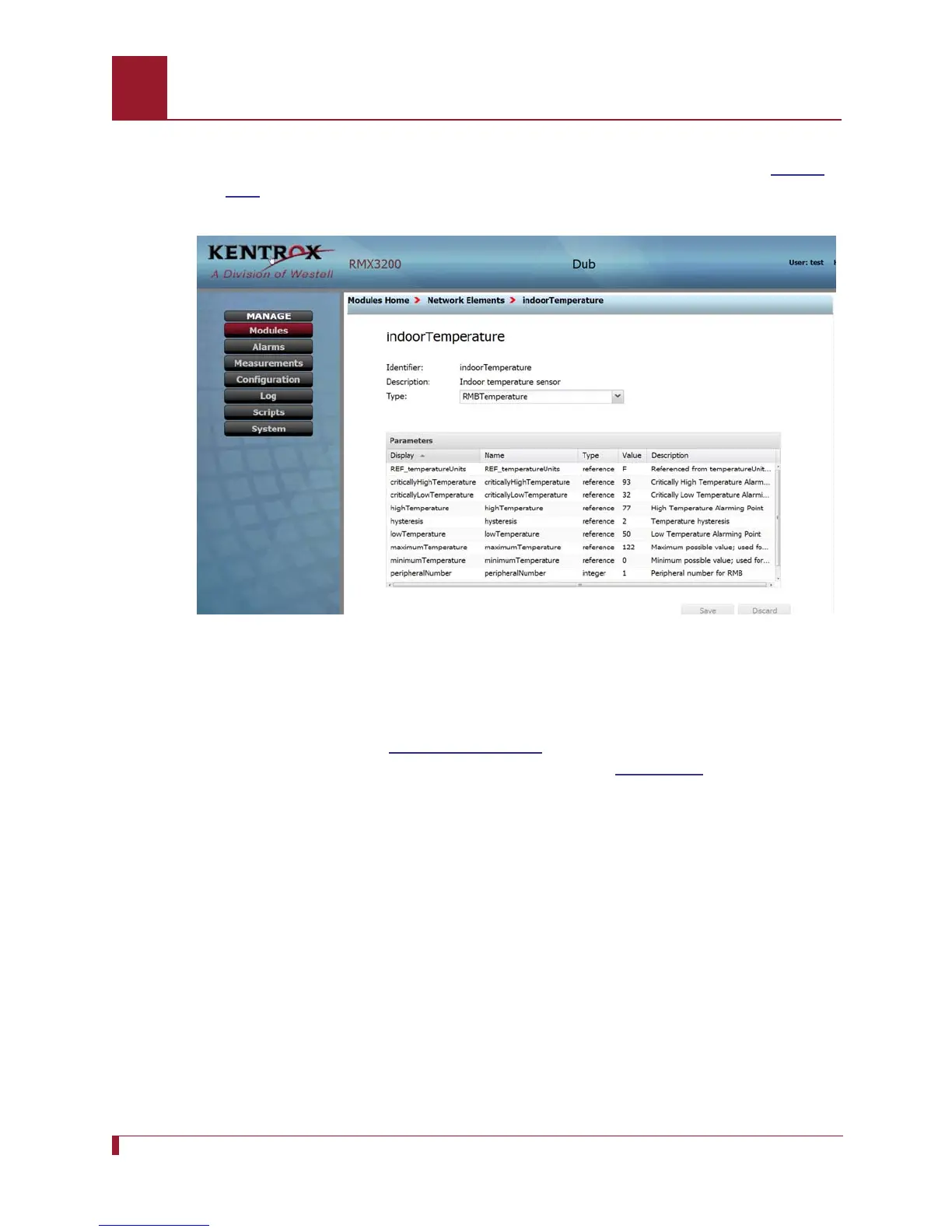
4. Select RMB Temperature from the Type pull-down menu and click the Save
button at lower right. The parameters of this NE will display as shown in
Figure
24-8.
Figure 24-8 The display of parameters of indoorTemperature type RMB
Temperature
5. Click on peripheralNumber to highlight that line, and then click on the value
column in that line to open the value edit window. Set the value at 2, click outside
the edit window (See
Note on Page 24-16), and click Save. After the user saves
this change, the screen should appear as shown in
Figure 24-9.
Note: On this and other screens in this web interface, small red triangles appear in
affected cells to mark pending settings changes which the user has made. A
triangle appears each time the user changes a setting and then clicks the
cursor outside that cell. The Save button will save these changes. The
Discard button will discard changes. A popup window prompts the user to
confirm a Discard.



 To Next Page