Scanning Documents
2
IC-402 2-37
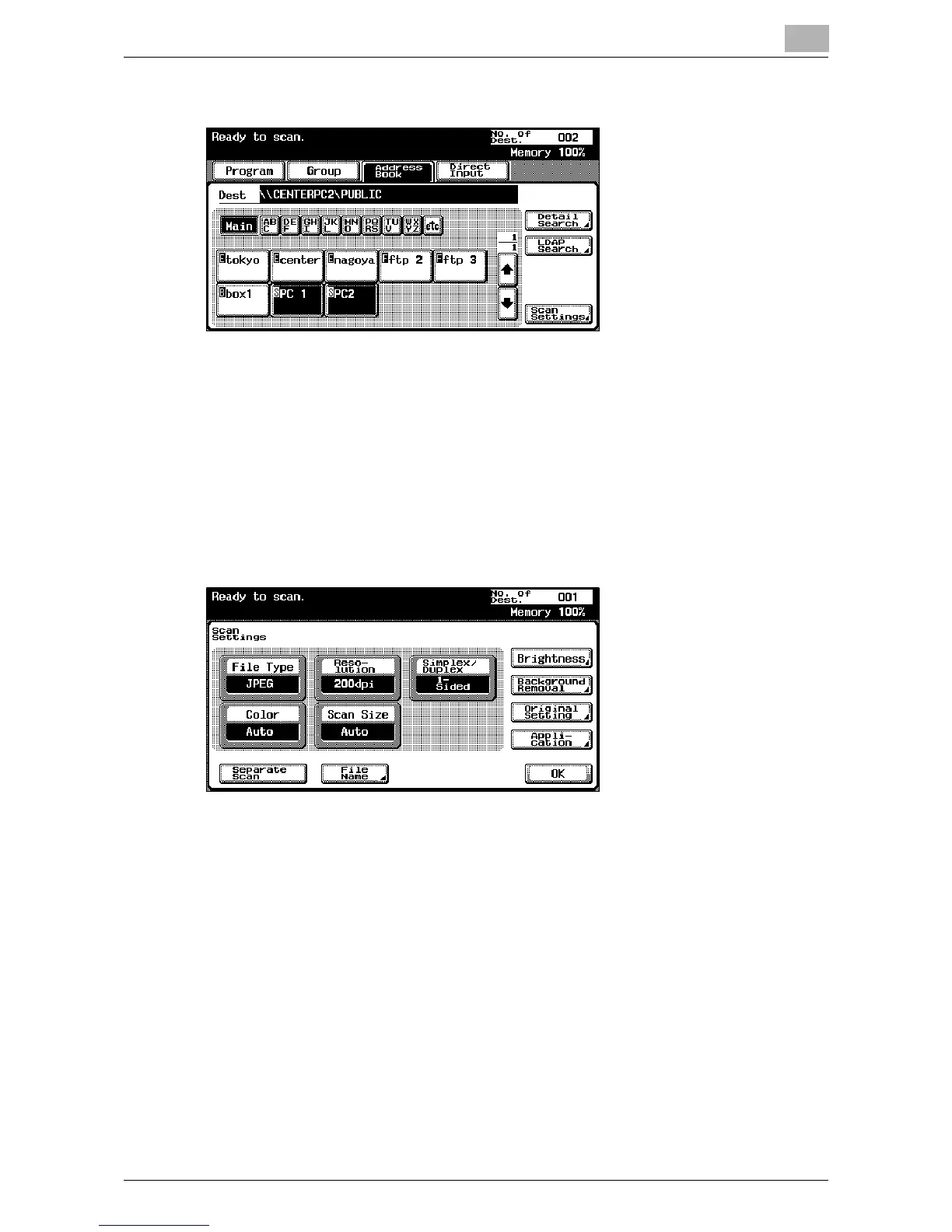
4 Touch [Scan Settings], and then specify the scan settings.
– For details on the scan settings, refer to “Specifying the Scan Set-
tings” on page 2-52.
5 After specifying the settings, touch [OK].
– To send the data to another destination at the same time, touch
[Group] or [Direct Input] to specify or add other destinations.
– If a destination registered in a program is added, the scan settings
registered in the program are given priority, and the scan data is
sent with the scan settings registered in the program.
6 Load the document into the automatic document feeder or position it
on the original glass of the copier.
7 Press the [Start] key on the control panel.
The document is scanned, and the data is sent.













 To Next Page