GI20
ELECTRICAL SYSTEM
Terminals
Inspection
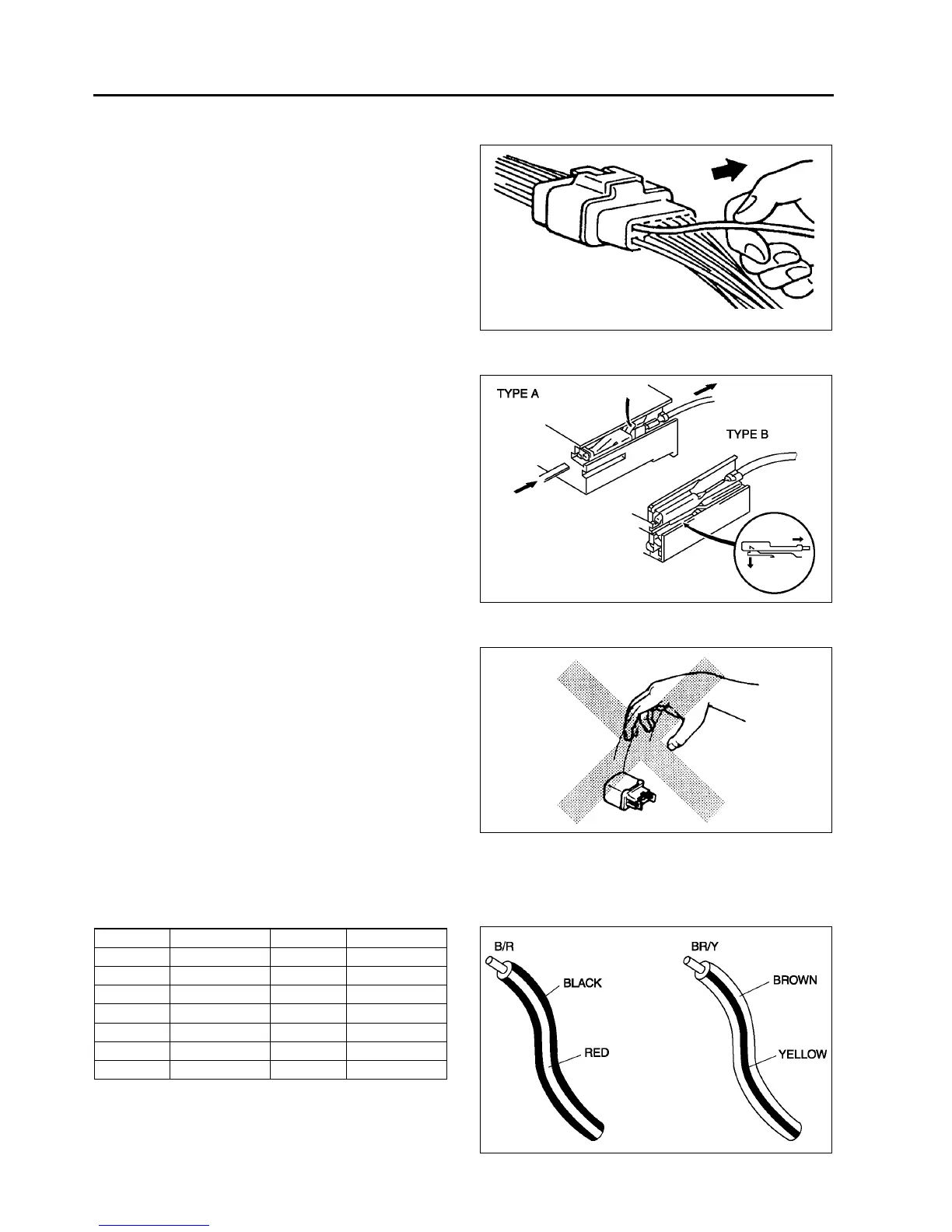
• Pull lightly on individual wires to verify that they
are secured in the terminal.
Replacement
• Use the appropriate tools to remove a terminal as
shown. When installing a terminal, be sure to
insert it until it locks securely.
• Insert a thin piece of metal from the terminal side
of the connector and with the terminal locking tab
pressed down, pull the terminal out from the
connector.
Sensors, Switches, and Relays
• Handle sensors, switches, and relays carefully.
Do not drop them or strike them against other
objects.
Wiring Harness
Wiring color codes
• Two-color wires are indicated by a two-color code symbol.
• The first letter indicates the base color of the wire and the second the color of the stripe.
X3U000WB4
X3U000WB5
X3U000WB6
CODE COLOR CODE COLOR
B Black O Orange
BR Brown P Pink
G Green R Red
GY Gray V Violet
LBlueWWhite
LB Light Blue Y Yellow
LG Light Green
X3U000WB7



 To Next Page