98
Settin
Checkers
Cha
ter 6
5. Select "Position Adj." and press the ENTER key.
(If a position adjustment checker is not created, the sub menu item “Position Adj.” is not displayed) When
making a position /rotation adjustment, specify the number of Position Adjustment. But, the number of
position/rotation-adjustment-referred checkers must be lower than the number of the
position/rotation-adjustment-referring checker. (See page 140 for Position Adjustment and 152 for Rotation
Adjustment.)
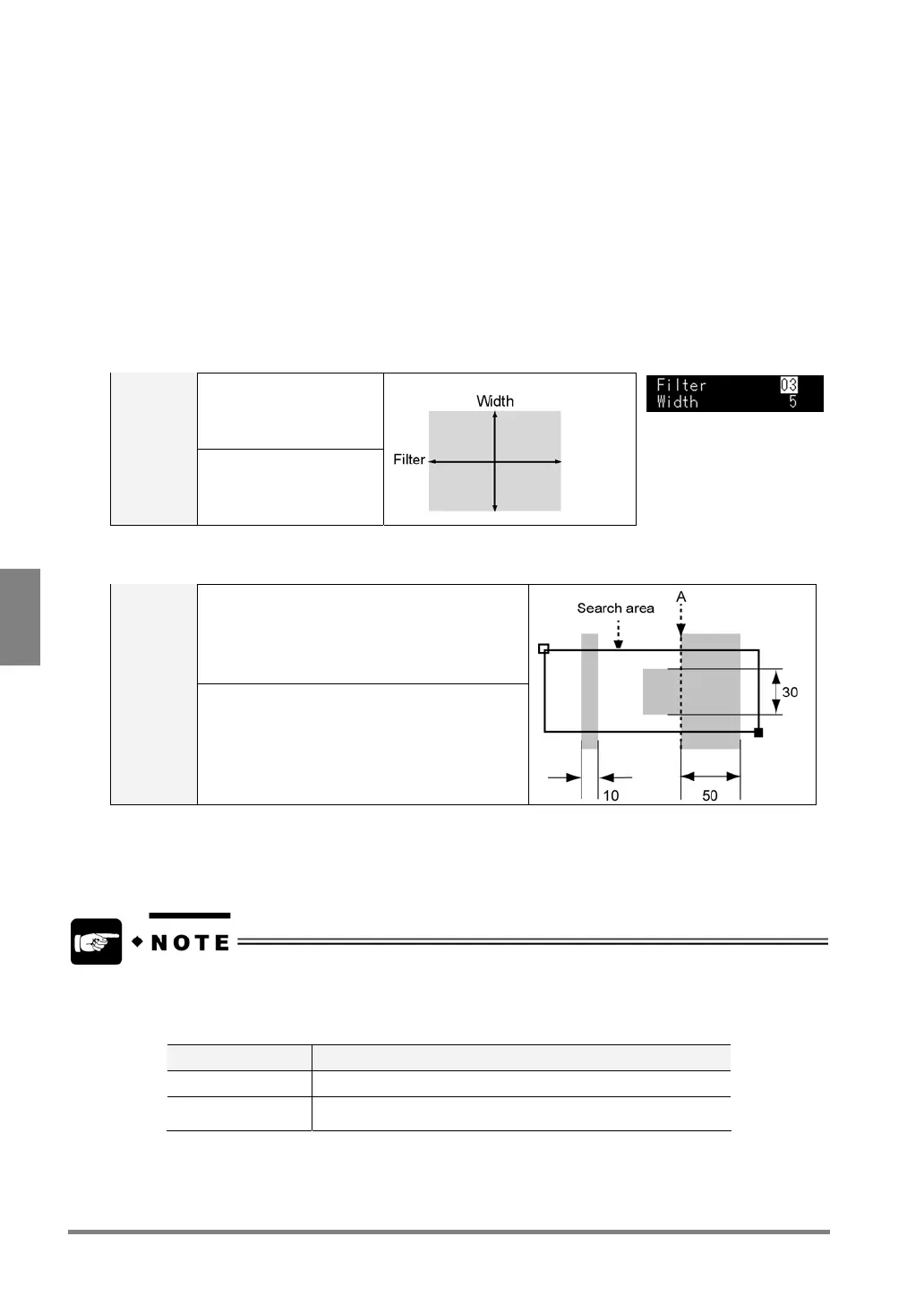
6. Set "Filter" and "Width".
Test in default status. If the areas you do not want to let the PV310 extract were detected, increase the
Filter and Width values.
Filter and Width:
This function will be helpful if there are the objects of the same color as an object you do not want to let the
PV310 detect. It will allow the device to ignore the object of the size less than the Filter and Width values
you set here.
Filter A length of scanning
directions.
Width A length of 90-degree
angle rotation directions
Scan direction: Horizontal
For example, if you want to let the PV310 detect edge A when there are two objects of different sizes in an
area, set to the same values as in the picture shown below.
Filter: 30 The filter of the first object (left) can be ignored,
because its "Filter" is set to 10.
Width: 40 The width of the second object (right) can be
ignored, because its "Width" is set to 30.
7. Press the A key to begin the test.
Check judgment result and X/Y coordinates that appear in the message area.
• To output the judgment results and the measurement data to the external device, use "Judgment” and
"Num. Calcu." functions respectively.
• When you test on a checker menu, the operation of the PV310 differs depending on the currently
displayed image.
Display Image Operation of PV310
Live Tests after capturing a new image
Memory
Tests using a currently displayed memory image without
capturing a new image



 To Next Page