210
Cha
ter 8
TOOL
Application of use
Execution mode
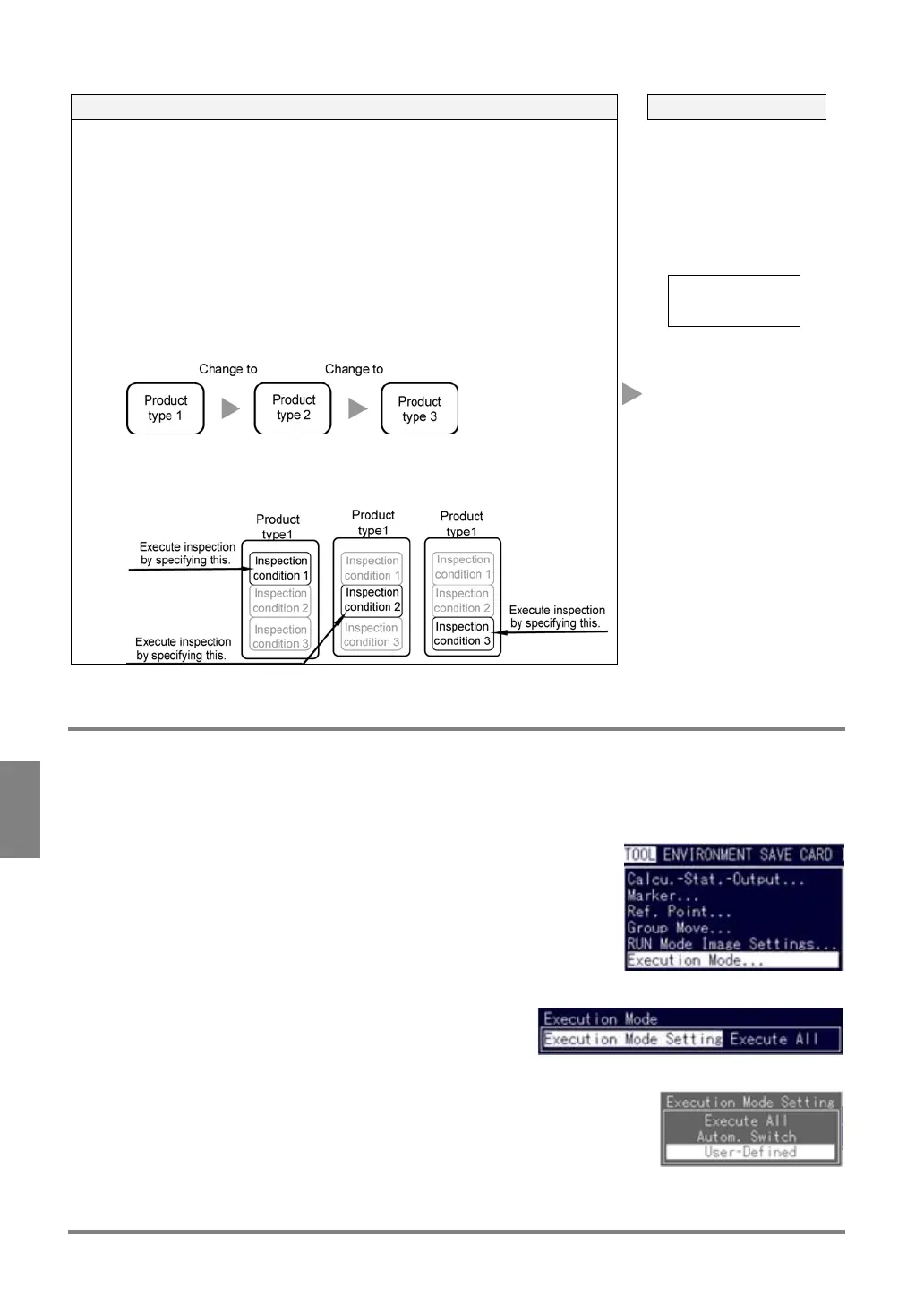
• To store various types of simple inspections
Example:
Only a few checkers are used for each product type, but more than 100
product types exist.
-> If you create three more product types under each product type, you
can execute 192 types (=64 product types x 3) of inspections.
• To save time to switch the product types
Example:
To execute inspection by switching the three types of inspection
conditions.
->If you do not use the User-Defined execution mode, inspections are
performed by switching the product types 1 through 3.
→The User-Defined execution mode requires no time for changing the
product types.
User-Defined
The PV310 executes
some of the checkers,
Numeric Calculation
formulas and Judgment
formulas that have
been stored in a
product type. (Specify
the block that you want
to execute before
executing inspection.)
8.6.2 Setting of Execution Mode
Setting of execution mode
1. Select “TOOL” > “Execution Mode”.
2. Select “Execution Mode Setting”.
3. Choose the desired execution mode.



 To Next Page