13
Names and Functions of Parts
Cha
ter 1
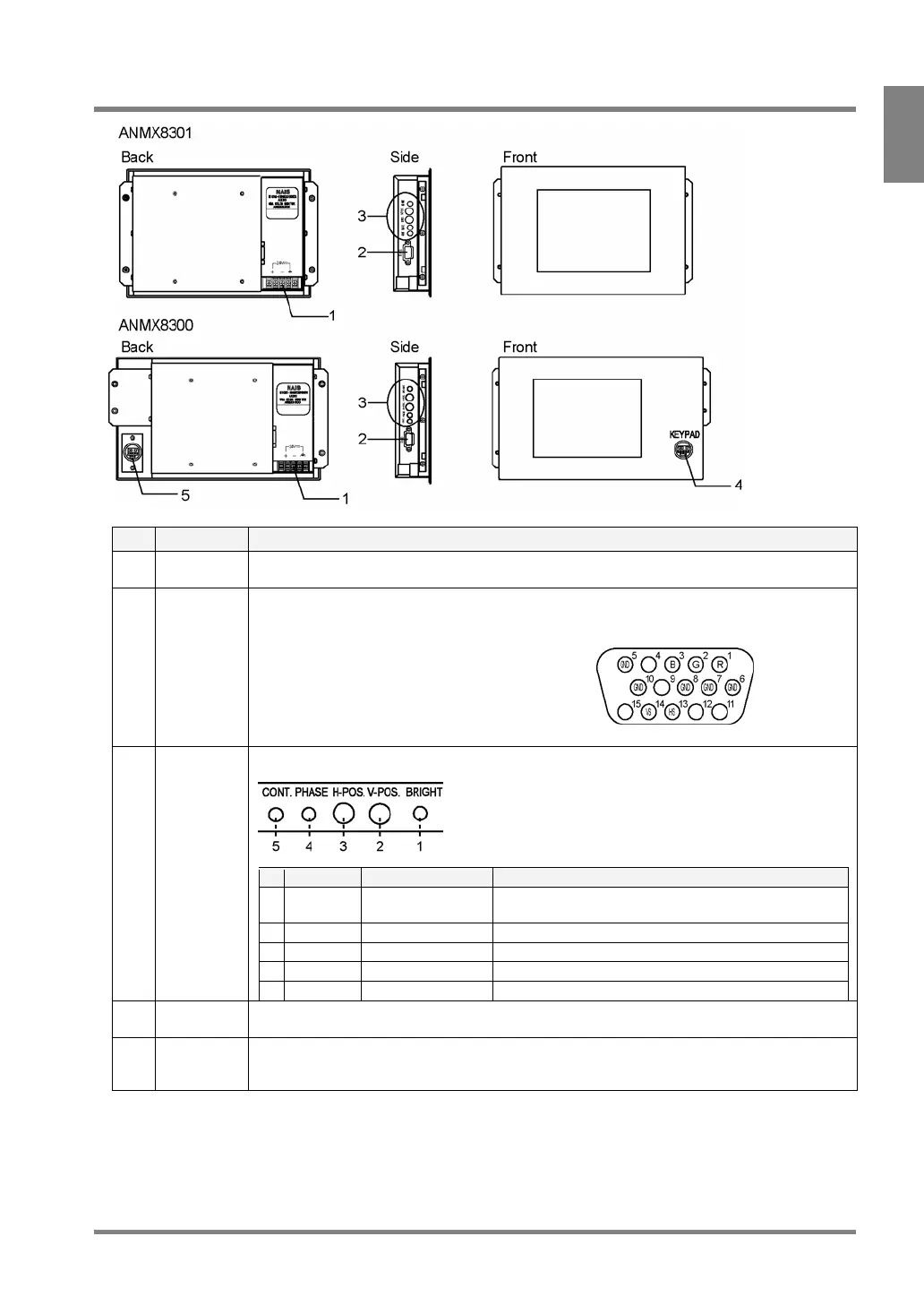
1.4 VGA Monitor
No. Name Description
1 Power
connector
Acceptable input voltage: 24V DC
A connector for RGB input. Connects to the monitor with the VGA monitor cable -ANMX8331X
(Connector: Mini D-sub, 15 pins, female)
2 RGB input
connector
• 1 - R: Red image signal
• 2 - G: Green image signal
• 3 - B: Blue image signal
• 5, 6, 7, 8, and 10 - GND: Signal ground
• 13 - HS: Horizontal synchronizing signal
• 14 - VS: Vertical synchronizing signal.
3 Adjustment
volume
The following adjustments are available
# Indication Name Function
1 BRIGHT Brightness Adjusts the brightness. (Brightness: approx. 20 to
100%)
2 V-POS. Vertical Position Adjusts the screen vertical position (per 16 lines).
3 H-POS. Horizontal Position Adjusts the screen horizontal position (per 16 pixels).
4 PHASE Phase Adjusts the screen flickering.
5 CONT. Contrast Adjusts the contrast.
4 Keypad
connector
Connects the keypad (ANM852XX).
This is available only when the monitor connects to the PV310 with a keypad cable.
5 Keypad
cable
connector
Connects the keypad link cable (ANMX8333X). (Connect one end of the cable to the PV310).
Use this connector to connect the keypad with the Keypad connector on the monitor front.
Caution: Check for proper connections before turning the PV310 on.



 To Next Page