163
Settin
Checkers
Cha
ter 6
6.22.2 Saving a Base Position
The procedure for saving the current object position as a base position is described below. Before saving a base
position, set inspection conditions first and check to make sure that the object was detected after testing. When a
live image is displayed, a base position is saved after capturing a new image. When a memory image is
displayed, the current memory image is saved as a base position without capturing any image.
Registration Procedure:
1. Select the "Base Position" tab.
The cursor moves to "Base Position".
2. Press the ENTER key.
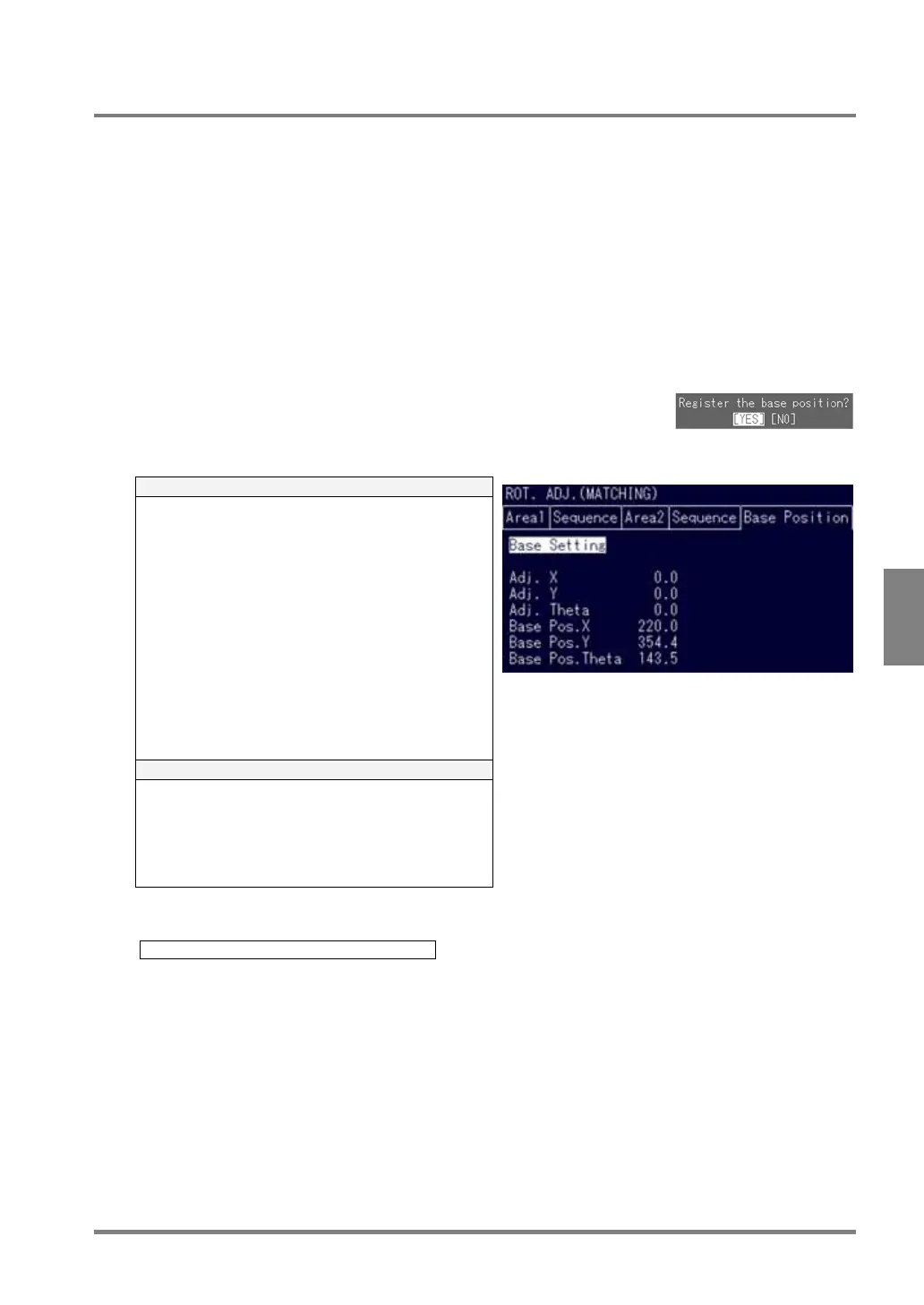
When the dialog message shown below appears, choose "YES" to
continue.
If the object is detected and the base position is saved, the following data
will appear.
Under the Base Position tab
• Adj. X: 0.0
• Adj. Y: 0.0
• Adj. Theta: 0.0
• Corr.:
• Similarity degree of the currently detected image
and the template
• Base Position X
Coordinate X of output point of the currently
detected image
• Base Position Y:
Coordinate Y of output point of the currently
detected image
• Base Pos. Theta
Theta angle of the currently detected image
In the Message area
Judgment: OK
Corr.: The degree of similarity between the currently
detected image and the template
Adj. X: 0.0
Adj. Y: 0.0
Adj. Theta: 0.0
If the PV310 failed to detect object, the following message appears. Check the template image, size of
search area, etc.
E0042 Base position cannot be detected.



 To Next Page