286
RS-232C Communication
Cha
ter 11
11.3.2 Setting a Computer Link Communication
When PV310 communicates with PC through Computer Link, select a communication method following the
instructions below.
Setting Procedure
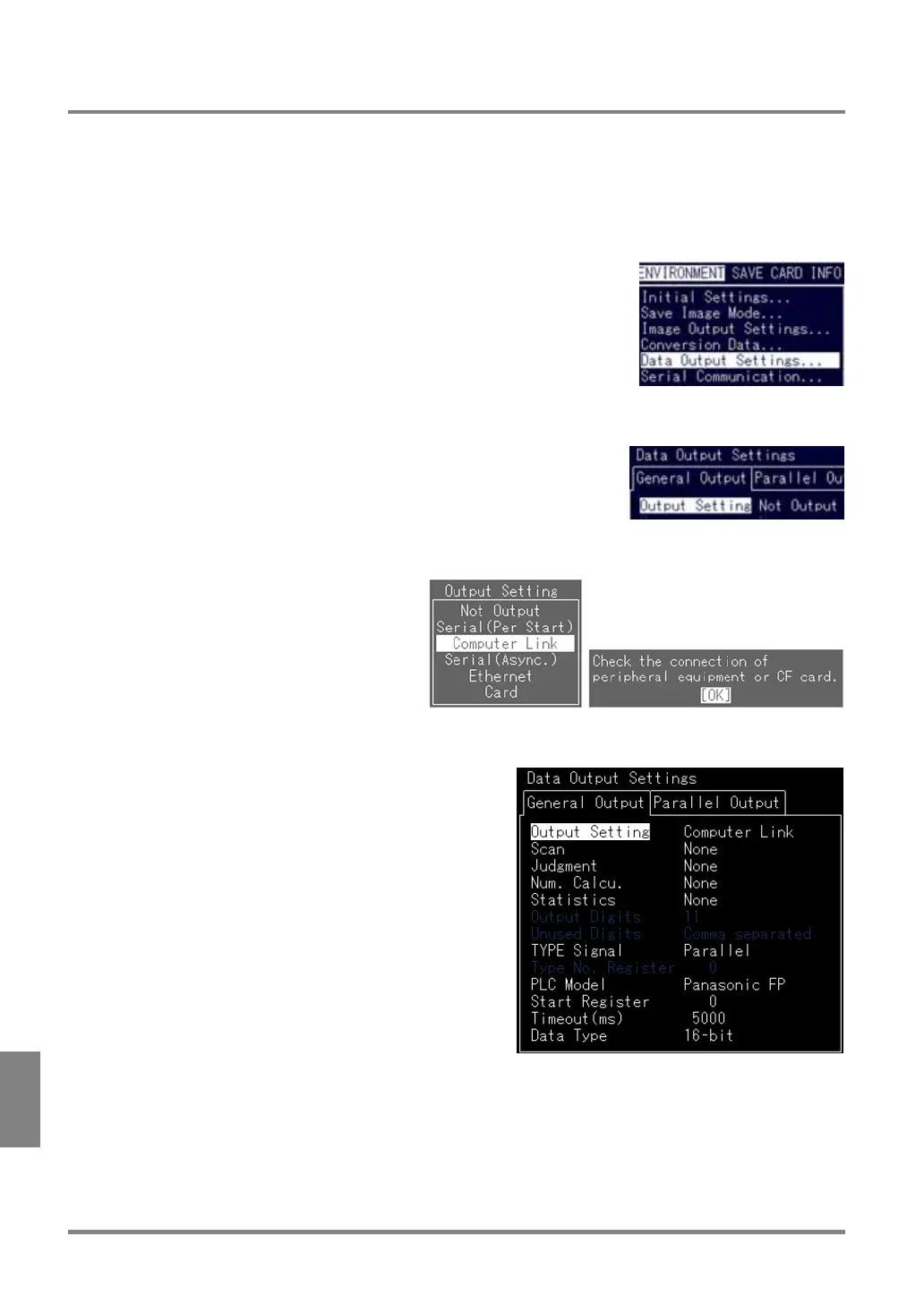
1. In SETUP mode, select "ENVIRONMENT" > "Data Output Settings" from the menu bar.
The Data output settings menu is displayed.
2. Select "Output Setting".
The subwindow for Output Setting selection is displayed.
3. Choose "Computer Link".
The dialog message appears.
4. Select “OK”.
The menu options for Computer Link are displayed. Now you completed the settings for Computer Link.



 To Next Page