288
RS-232C Communication
Cha
ter 11
11.3.4 Setting Method of Type Switch
When “Output Settings” is set to “Computer Link”, you can select the method to specify the product type number to
be changed, inputting through parallel I/O or inputting to the specified register of PLC. Whichever you select,
switching the type by serial command input is valid.
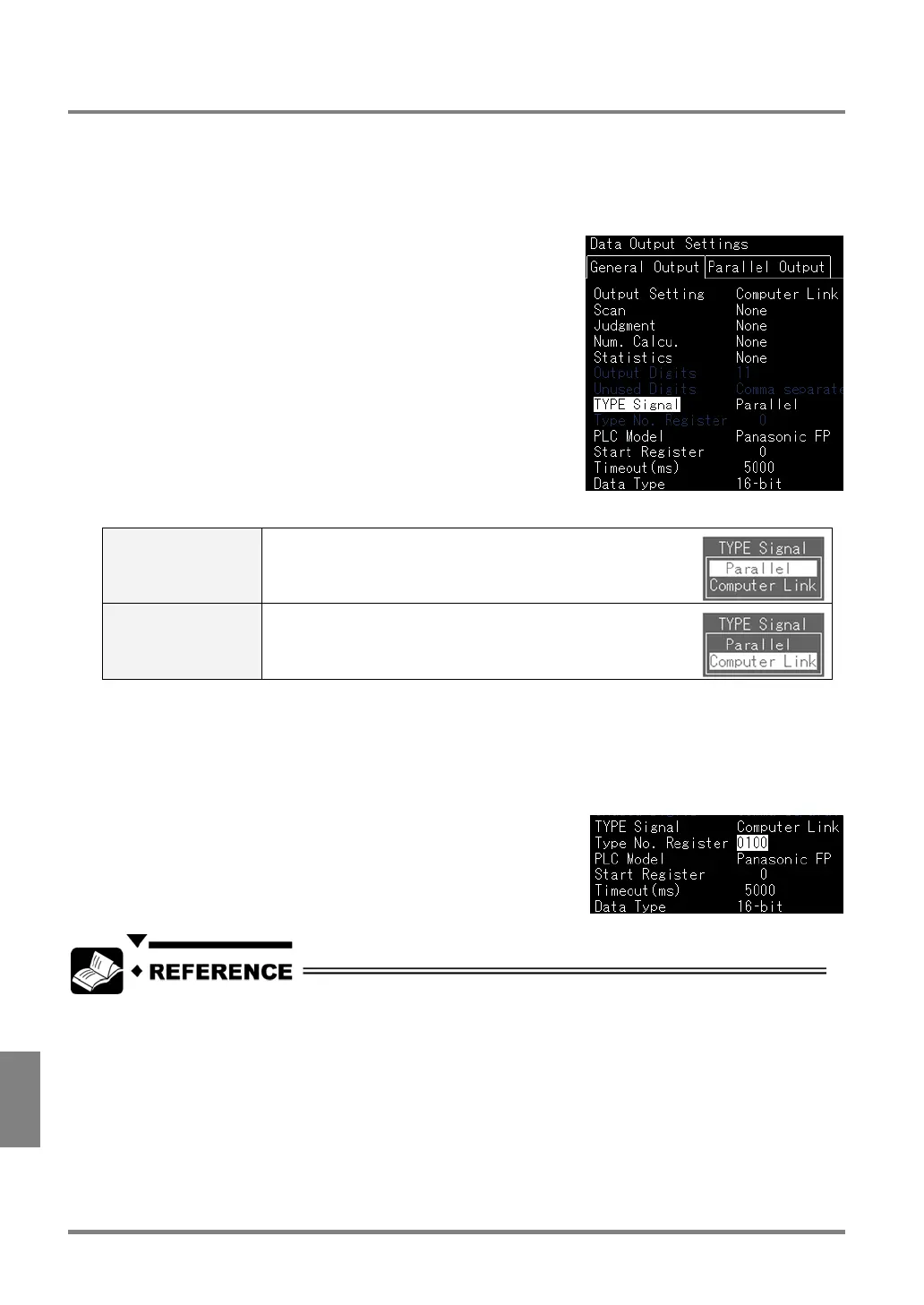
1. While in Setting Mode, select “Environment” > “Data Output Settings” > “General Output”.
2. Select “TYPE Signal”.
Parallel
(default)
Switches the product type to the number of the value
specified by IN1 – 6 minus 1.
Computer Link Switches the product type to the same number as the
value stored in the register specified in step 3 described
below.
3. Select “Type No. Register”.
This menu is available when you select “Computer Link” in Step 2.
Specify the register from 0 – 9999 to refer to the product type number when switching the type.
You should specify the different number from the register for storing the inspection data.
The chart of switching type timing: page 250.
Type switching by serial command input: page 280.



 To Next Page