31
In
ut and Out
ut Interface Ports
Cha
ter 3
3.1.4 About Grounding
Attaching a Ground to Prevent Effects of Noise
The PV310 is designed to endure the noise that presents under normal environment. Provide a ground when
installing the device in a particularly noisy environment.
Use a Dedicated Grounding Place
• Use a wire of 0.3 to 1.25 mm
2
diameters.
• Ground resistance should be less than 100 .
• Install the PV310 as close to the ground point as possible.
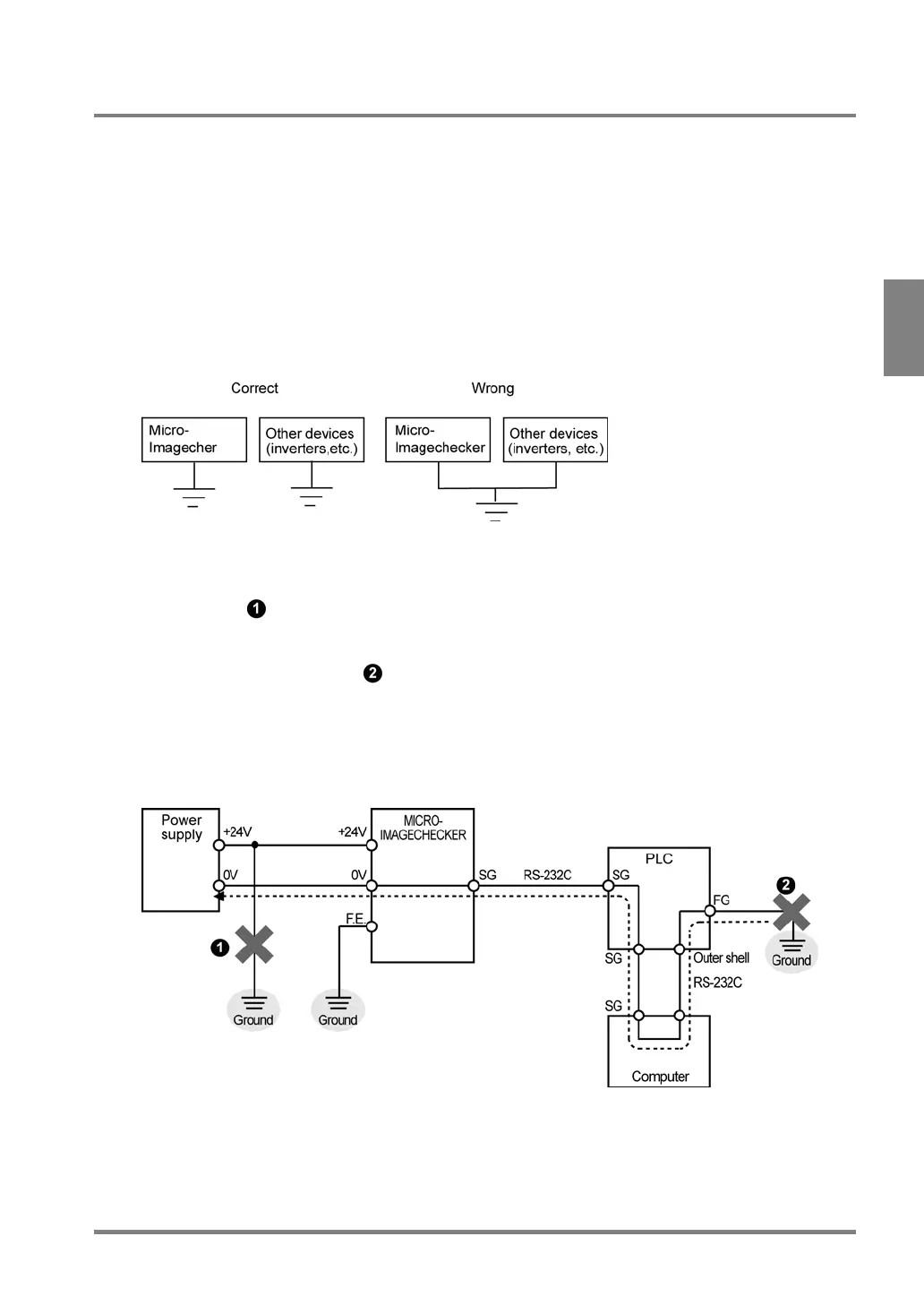
• Do not commonly use the ground with other devices due to negative effects.
Note on connecting the positive terminal of the power supply to ground
• Install another power supply for PV310 controller. Do not connect the positive terminal of the power supply
to ground (see
in the drawing below).
• Should the positive terminal of the power supply be connected to ground, do not connect the FG terminal
of an external device such as PLC, etc. because the SG terminal of the PV310 may be connected to
ground via the FG terminal (see
in the drawing below).
The SG terminal of the PV310 is internally connected to the GND (0V) terminal. For some computers, the
SG terminal of RS232C port and the outer shell of the connector have already been connected. In this
case, the SG terminal of the PV310 and the FG terminal of an external device such as PLC, etc. will be
connected. If the positive terminal of the power supply to ground, a short-circuit condition occurs, resulting
in damaging the internal circuit.



 To Next Page