19
Installation and Wirin
Cha
ter 2
2.3 VGA Monitor Installation
2.3.1 VGA Monitor Installation
To install the VGA monitor:
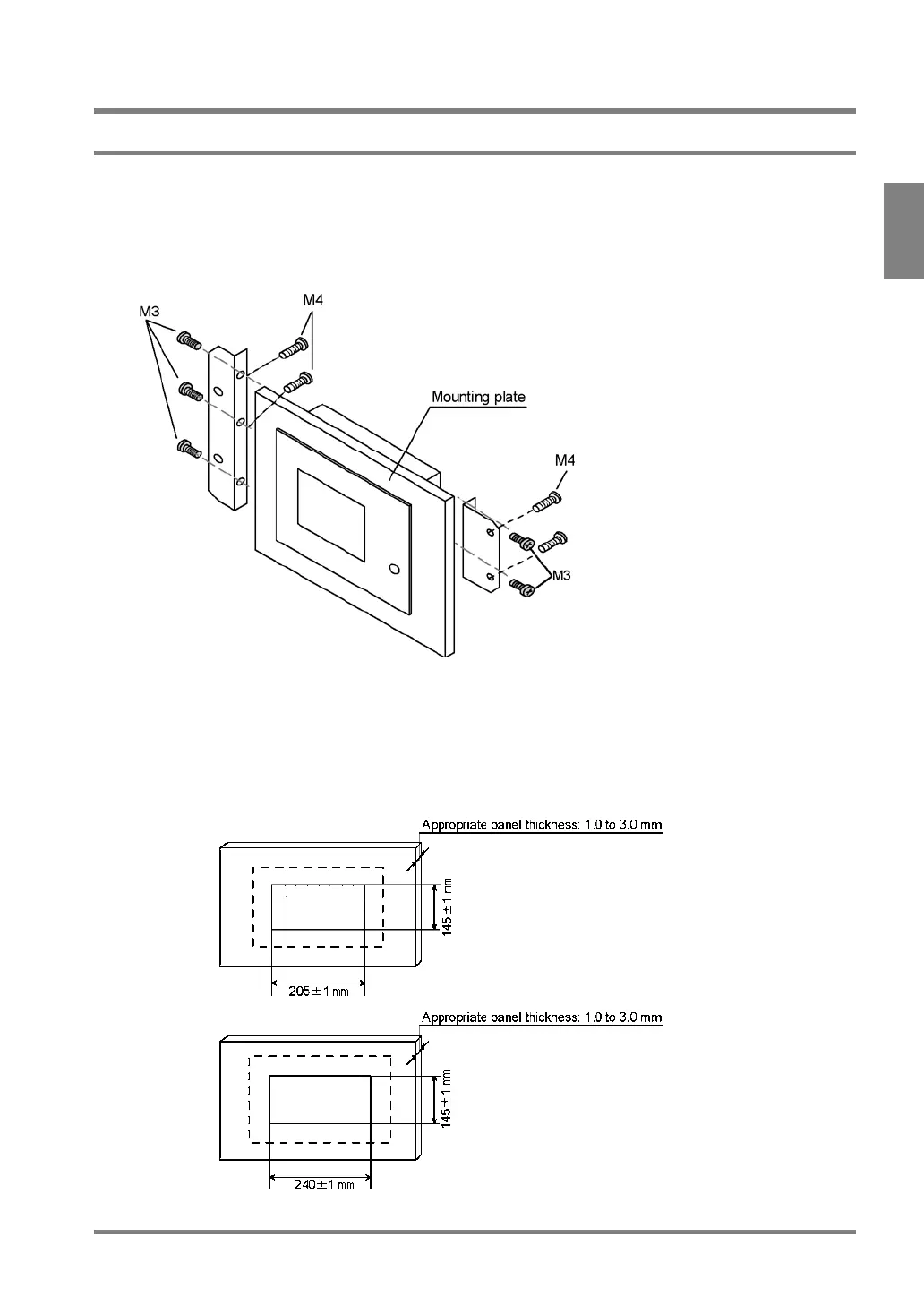
1. Insert the VGA monitor into the mounting plate.
2. Attach the fixing bracket into the ditch of the VGA monitor with M3-screws and fix the VGA monitor
on the mounting plate with M4-screws.
Cutting Dimensions of the Mounting Plate
• When fixing the monitor or parts on the mounting plate or wiring the cables, it is advisable to keep 30 mm
to 50 mm spaces around the ANMX830X to prevent the cables from being damaged and to increase work
efficiency.
• Never block the ventilation slits.
ANMX8301
ANMX8300



 To Next Page