80
Settin
Checkers
Cha
ter 6
6.2.5 Setting a Slice Level
PV310 offers the following two procedure options for setting a slice level.
Setting procedure Description
Automatic setting The PV310 automatically selects a proper slice level based on
the current memory image.
Manual setting Change the setting values for the slice level with the keypad while
checking the current memory image.
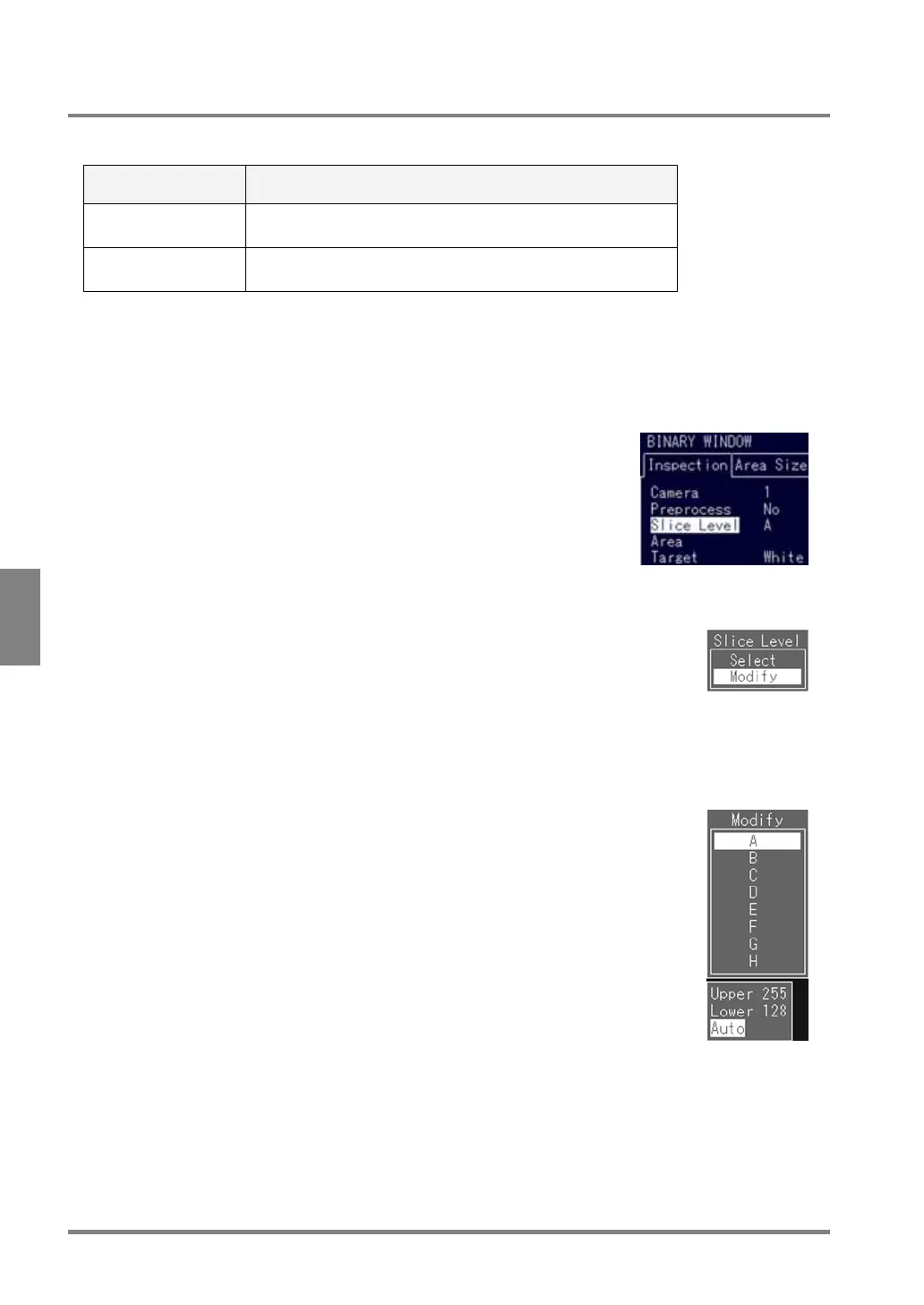
Changing the Slice Level - Automatic Setting:
The PV310 sets the optimum slice level of the current image.
1. Select "Slice Level" from the checker menu.
A subwindow for selecting a slice level is displayed.
2. Select "Modify".
A list of slice level groups is displayed.
3. Choose the desired slice level group from A - H.
The cursor moves to "Upper".
4. Select "Auto".
The current image is automatically adjusted to the optimum slice level. If you cannot
obtain the image you wish, change an "Upper" or a "Lower" value following the
procedure described in the next item "Changing slice levels--manual setting".



 To Next Page