175
Cha
ter 7
Calculation
Anal
sis
and Out
ut of Ins
ection Results
7.2.4 Specifying the Judge. Max./Min. Values - Judging the Calculation Results
Specifying the Judge. Max. /Min. values - Judging the result of the calculation
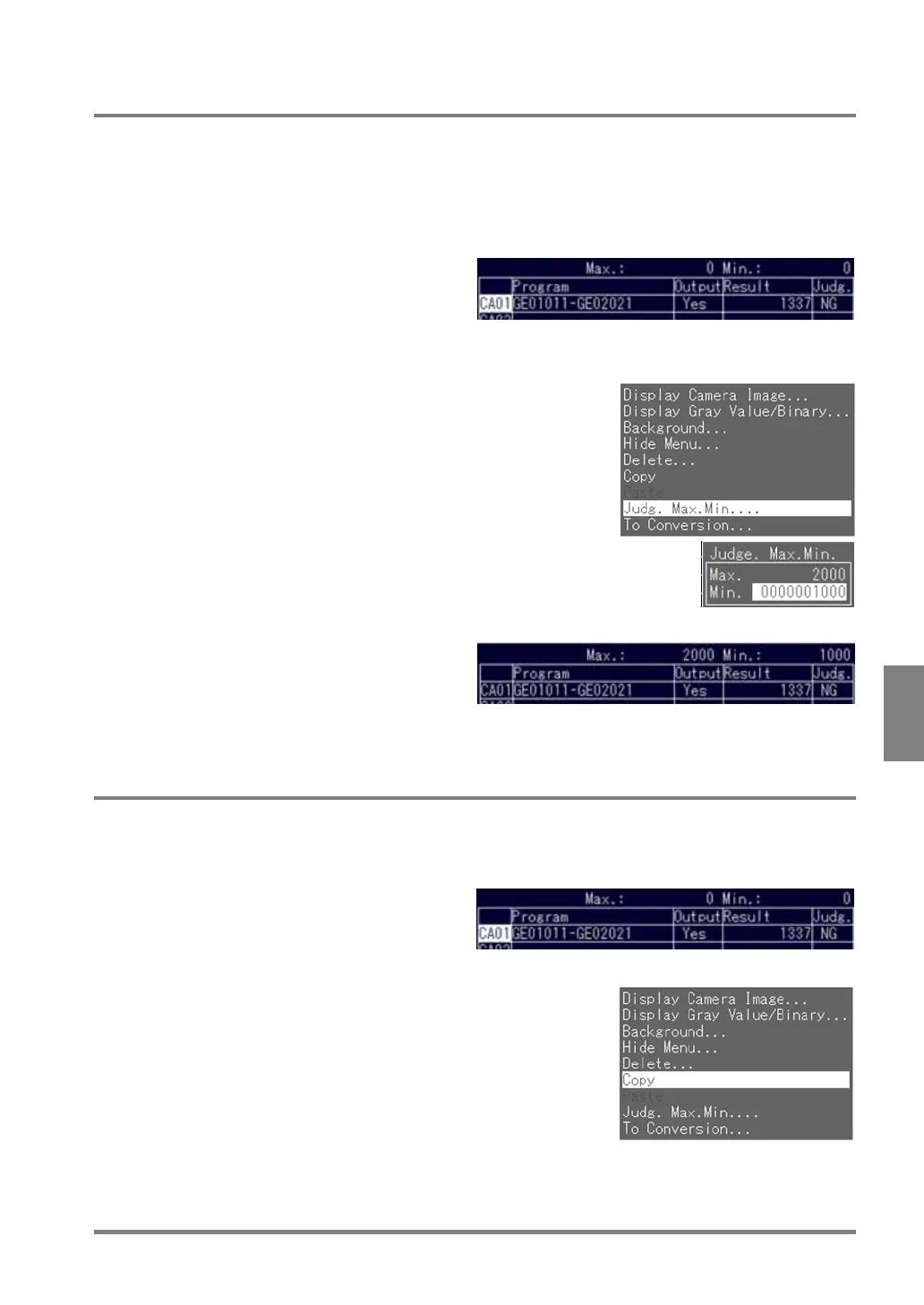
Follow the steps below to specify the judge Max. /Min. while opening the Num. Calcu tab.
1. Choose the program number to which you want to assign “Judg. Max. /Min.” and press the B key.
The subwindow is displayed.
2. Select “Judg. Max. /Min.”.
The Judge. Max. Min. window is displayed.
3. Specify the “Judg. Max. /Min” values.
4. Press the C key to set the value.
The Judge. Max. /Min. values are displayed in
the Judge. Max. /Min. area.
Now you completed the setting for the Judge.
Max. /Min. values.
7.2.5 Copying a Numeric Calculation
To copy a numeric calculation you specified to another, follow the steps below.
1. Select the number of the source program that you want to copy and press the B key.
The subwindow is displayed.
2. Choose "Copy" and press the ENTER key.



 To Next Page