208
Cha
ter 8
TOOL
8.5.2 Displaying Checker Shape, Marker, Reference Point and Data Monitor
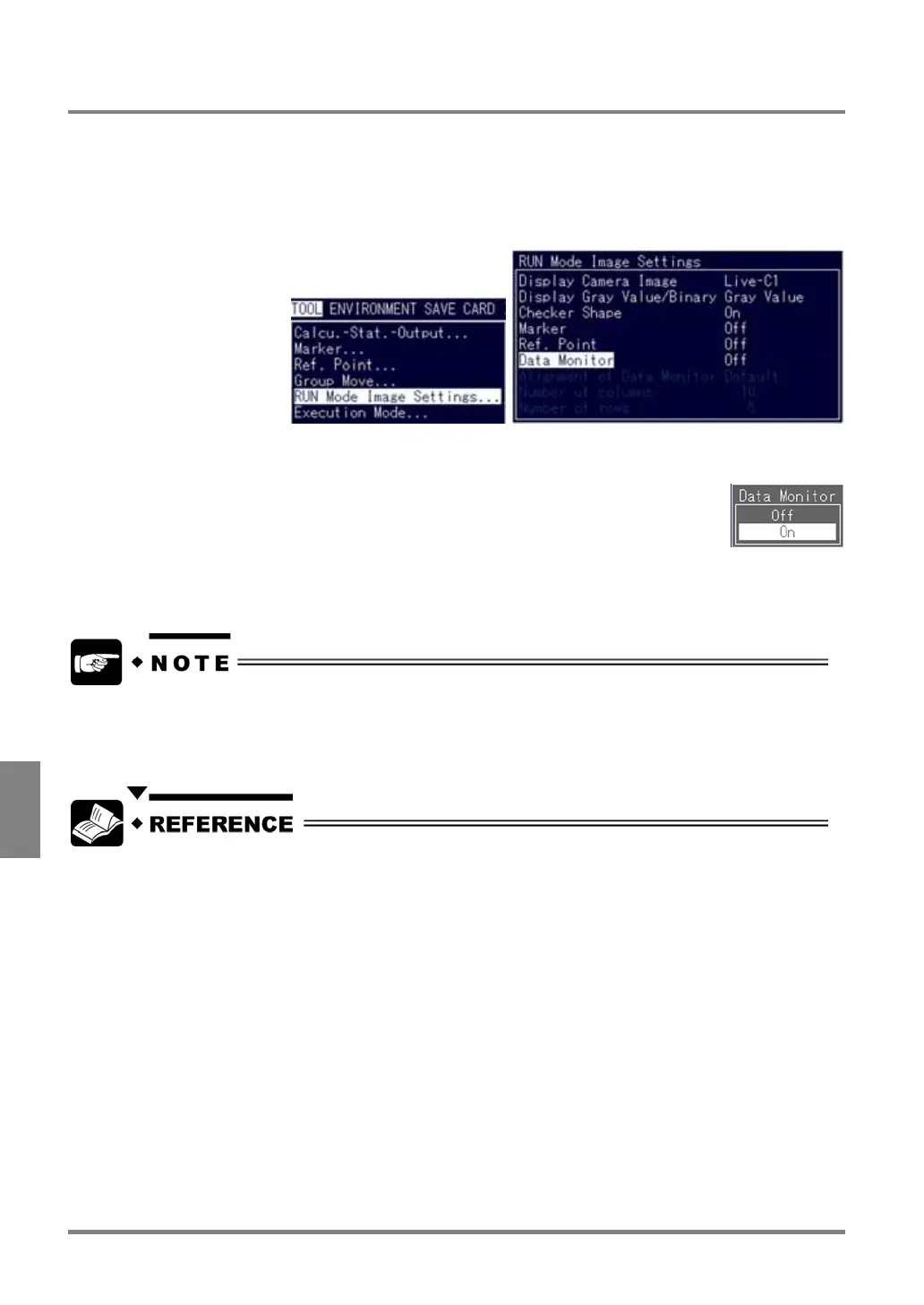
The instruction below illustrates how to select the items to be displayed in the Data Monitor table while in RUN
mode following the steps below.
Setting procedure
1. Select “TOOL” > “RUN Mode Image Settings”.
2. Select “Data Monitor”.
The submenu is displayed.
3. Select “On”.
If you do not want to display each item to be displayed in the Data Monitor table, choose “Off” at this step.
• When the Data Monitor table is displayed in RUN mode, you can change the max. /min. values of the result
of Numeric Calculation that are referred to the Data Monitor table. Refer to page 198.
• Displaying the checker shape displays an inspection area for a checker, a mask area and a detection
position.
Refer to Section 7.5.5 and 7.5.6 (pp 196 - 197) for alignment of Data Monitor table and the number of rows and
columns.



 To Next Page