222
Environment Settin
s
Cha
ter 9
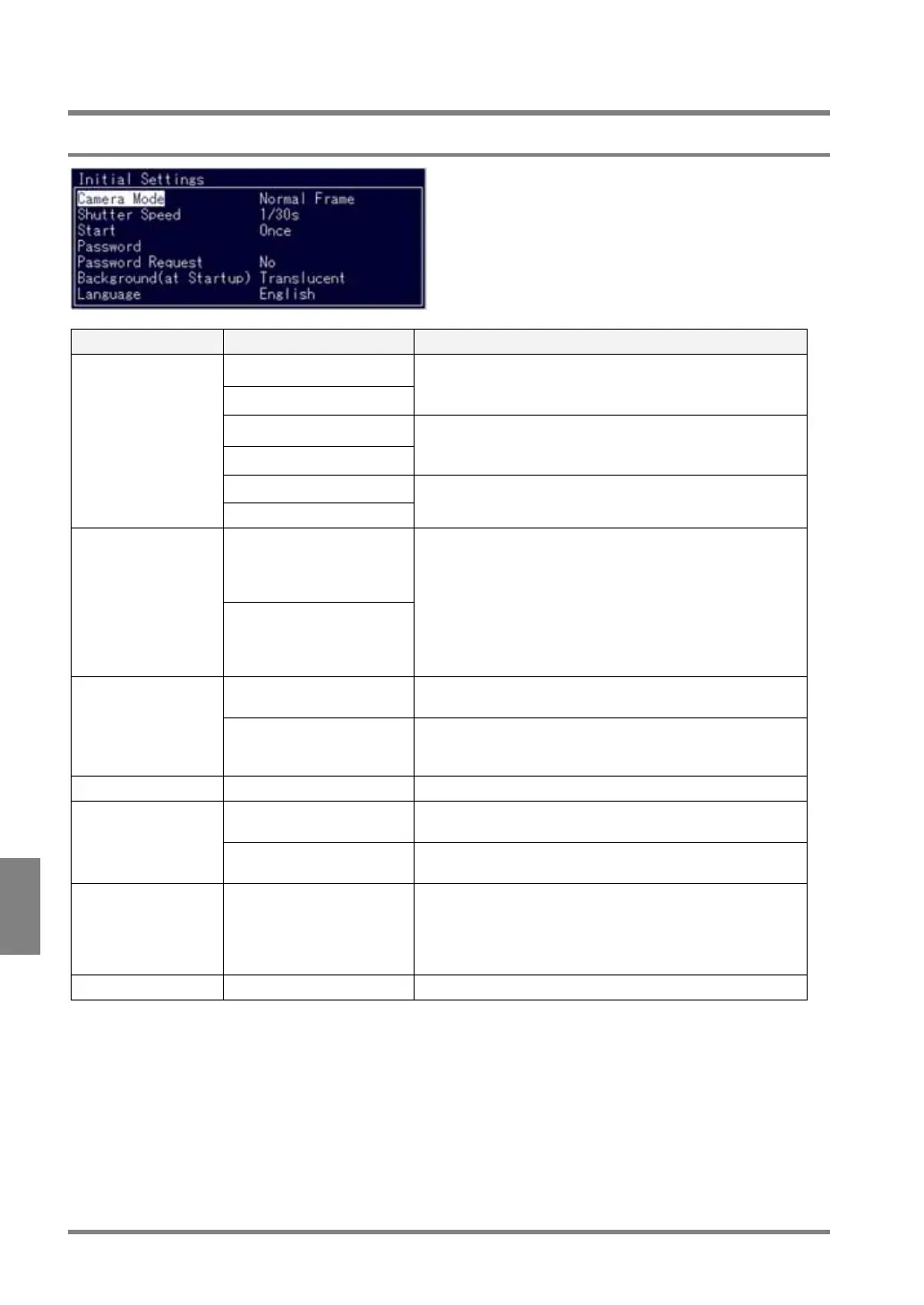
9.2 Initial Settings
9.2.1 List of Initialization Menu Options
Item Option Details
D.S. Random Frame
D.S. Random Field
Select when using a double-speed random camera
(ANM831).
Normal Frame
Normal Field
Select when using a standard camera (ANM832) or an ultra
compact camera (ANPVCA1012).
Int. Sync Mode Frame
Camera Mode
Int. Sync Mode Field
Select when using NTSC input signal.
1/120, 1/200,1/500,
1/1000, 1/2000, 1/4000,
1/8000 and 1/20000s (for
D.S.Random Frame/Field)
Shutter Speed
1/30, 1/125, 1/500, 1/1000,
1/2000, 1/4000, 1/10000s
(for Normal Field or Int.
Sync Mode Field)
When setting Camera mode to D.S. Random Frame/Field,
Normal Field or Int. Sync Mode Field mode, you can set
shutter speed.
When using an ultra compact camera, this setting is invalid.
Change the shutter speed by using the dedicated camera
control unit.
Shutter speed is fixed to 1/30s in other modes.
Once To start inspection using input signals from the external
device.
Start
Repeat To start an inspection after being activated and before
receiving input signals from the external device and inspect
repeatedly.
Password Up to eight digits Required for switching from RUN to SETUP mode.
Yes Password is requested when switching from RUN mode to
SETUP mode.
Password Request
No Password is not requested when switching from RUN to
SETUP mode.
Background
(at Startup)
Translucent/ Solid Select a background color of the menu window. (But, the
setting of Background is invalid until the PV310 is turned on
next time.)If you set it to “Translucent”, you can recognize
an image or checker shape displayed in the position of the
menu window.
Language English/ Japanese* To change a display language.



 To Next Page