209
TOOL
Cha
ter 8
8.6 Execution Modes
8.6.1 Overview
PV310 executes all or some of the checkers, Numeric Calculation formulas and Judgment formulas that have been
stored in a product type when executing inspection.
Execution mode selections
Application of use Execution mode
• To execute inspection using only one product type.
• To use many product types when there is enough time to switch the
product types.
• To execute inspections of several parts in a captured image at a time
(more than 34 checkers to be used).
• To use many formulas to perform one inspection (more than 33
formulas to be used).
Execute All
The PV310 executes
all of the checkers,
Numeric Calculation
formulas and Judgment
formulas that have
been stored in a
product type
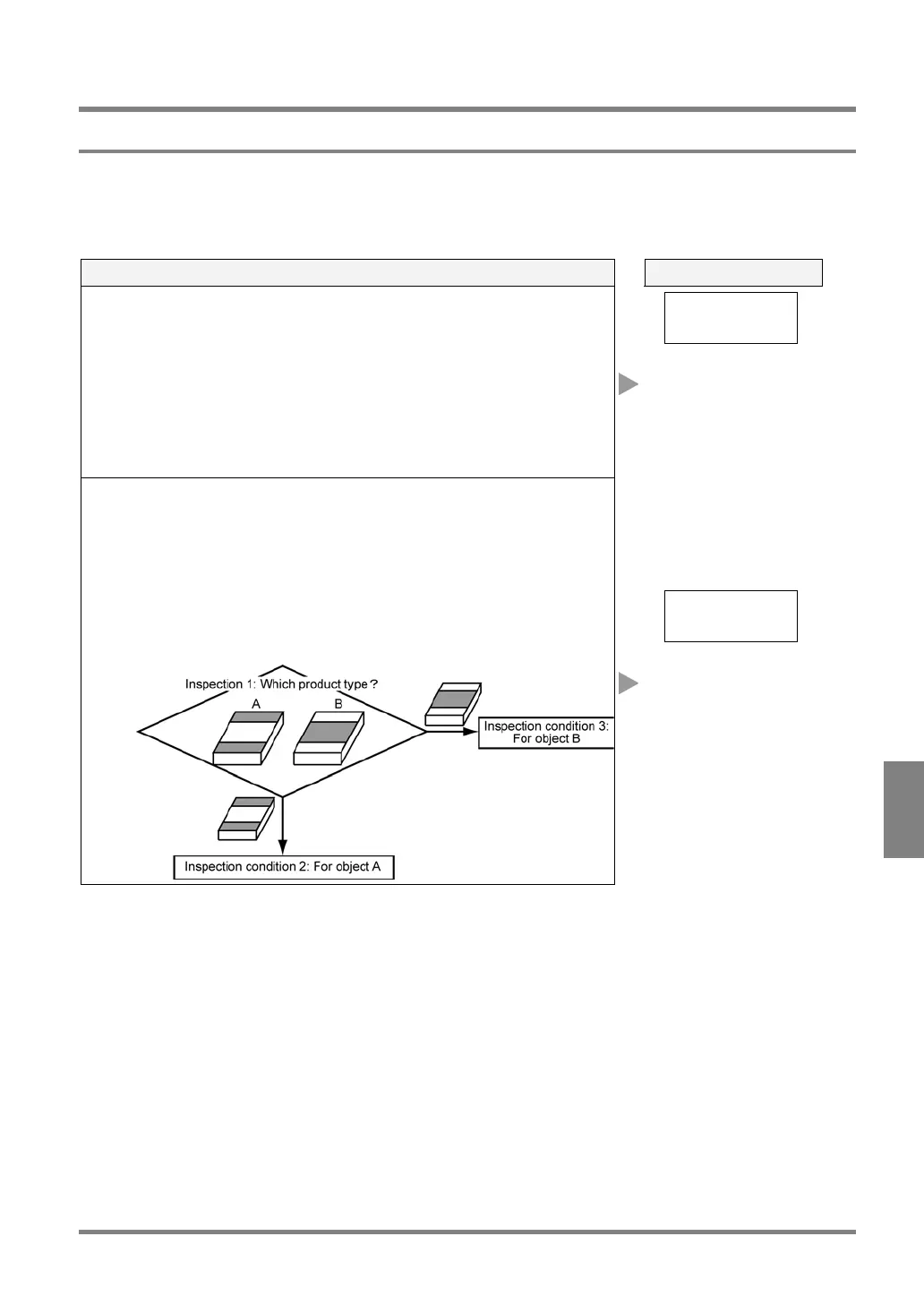
• To automatically judge which inspection condition should be
executed.
Example 1: After the front and back sides of an object were
distinguished, if you want to execute inspection according to the
proper conditions for the side.
Example 2: After the two types of objects were differentiated, if you
want to execute inspection according to the proper condition for the
object at an assembly line where two types of objects are running
down at a time.
Automatic Switch
The PV310 executes
some of the checkers,
Numeric Calculation
formulas and
Judgments formulas
that have been stored
in a product type.



 To Next Page