234
Environment Settin
s
Cha
ter 9
Name of an image file stored in the destination device
The name of an image file stored in the destination device is as follows. Header and Additional Information 1 - 4
in the file name are selectable.
Header Information
1_
Information
2_
Information
3_
Information
4_
Scan Camera No. .bmp
0 - 16 digits 0 – 9 digits for each
(Maximum number of digits + _ (one digit, under bar))
• Select from the following information:
• None: No additional information, 0 digit
• Year-Month-Day: yyyymmdd
• Time-Minute-Second: hhmmss
• Total Judg.: OK or NG
• Type Number: nn
Fixed to 9
digits
The number
of scans that
is counted by
using the
Statistics
function
Fixed to 1
digit
Value: 1 or 2
Extension
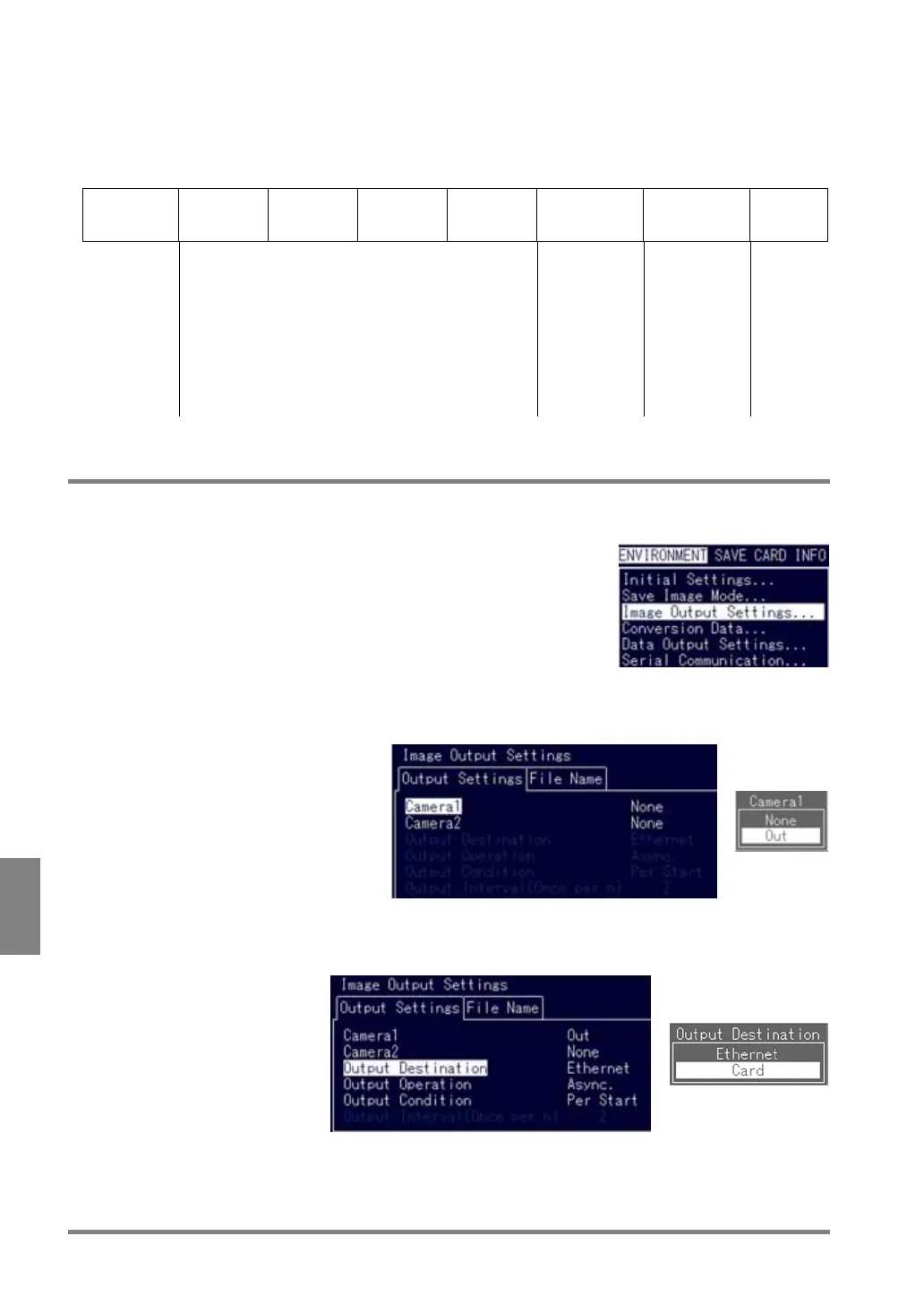
9.4.2 Setting Output Destination, Output Condition and Output Operation
1. Select “Image Output Settings” listed under the ENVIRONMENT menu.
The menu is displayed.
2. Select “Output Settings” > “Camera 1”.
Select the camera image to be output and the output procedure. Select whether or not you output each
image captured by Cameras 1 and 2.
3. Select “Output Destination”.
To output images to the Compact Flash memory card inserted into the PV310, select “Card”. To output
images to the PC connected with a LAN cable, select “Ethernet”.



 To Next Page