16
Installation and Wirin
Cha
ter 2
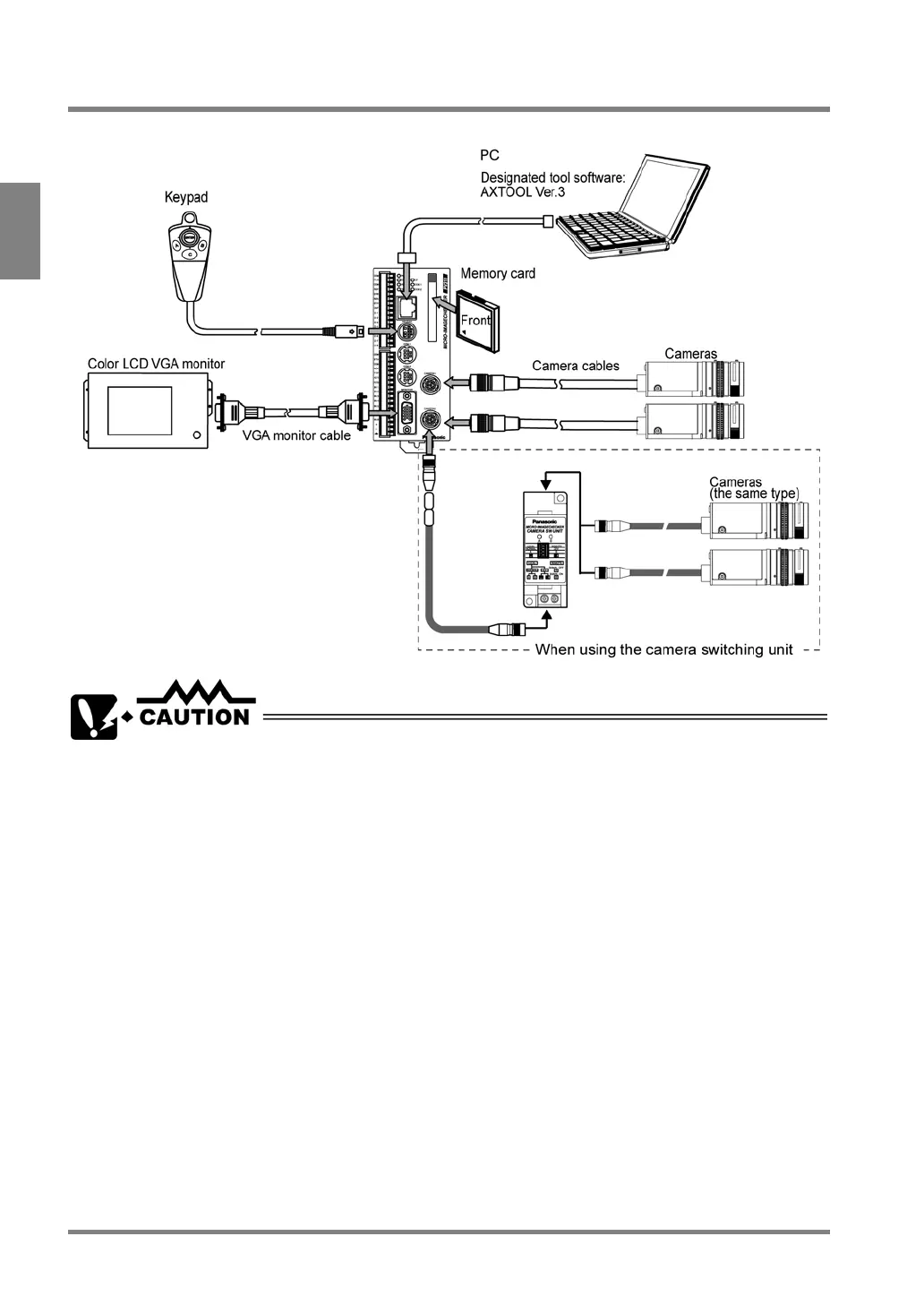
2.1 Connecting Peripherals
Be sure to turn the PV310 off before connecting the peripherals to the PV310.
• Be sure to use the products specified by Matsushita Electric Work, Ltd. (excluding a Compact Flash
memory card).
• Be sure to remove power from the PV310 before connecting the peripherals to the PV310. Failure to do
so may damage to the device.
• Arrange the wiring not to apply load on the cable connector joints; otherwise, the disconnection may be
occurred.
• When inserting/removing the cable into/from the connector, be sure to hold it by its plug to prevent
excess force applying on the cable. Do not touch the terminals inside the connectors and take care not to
allow foreign objects to come into the connectors.



 To Next Page