7
Names and Functions of Parts
Cha
ter 1
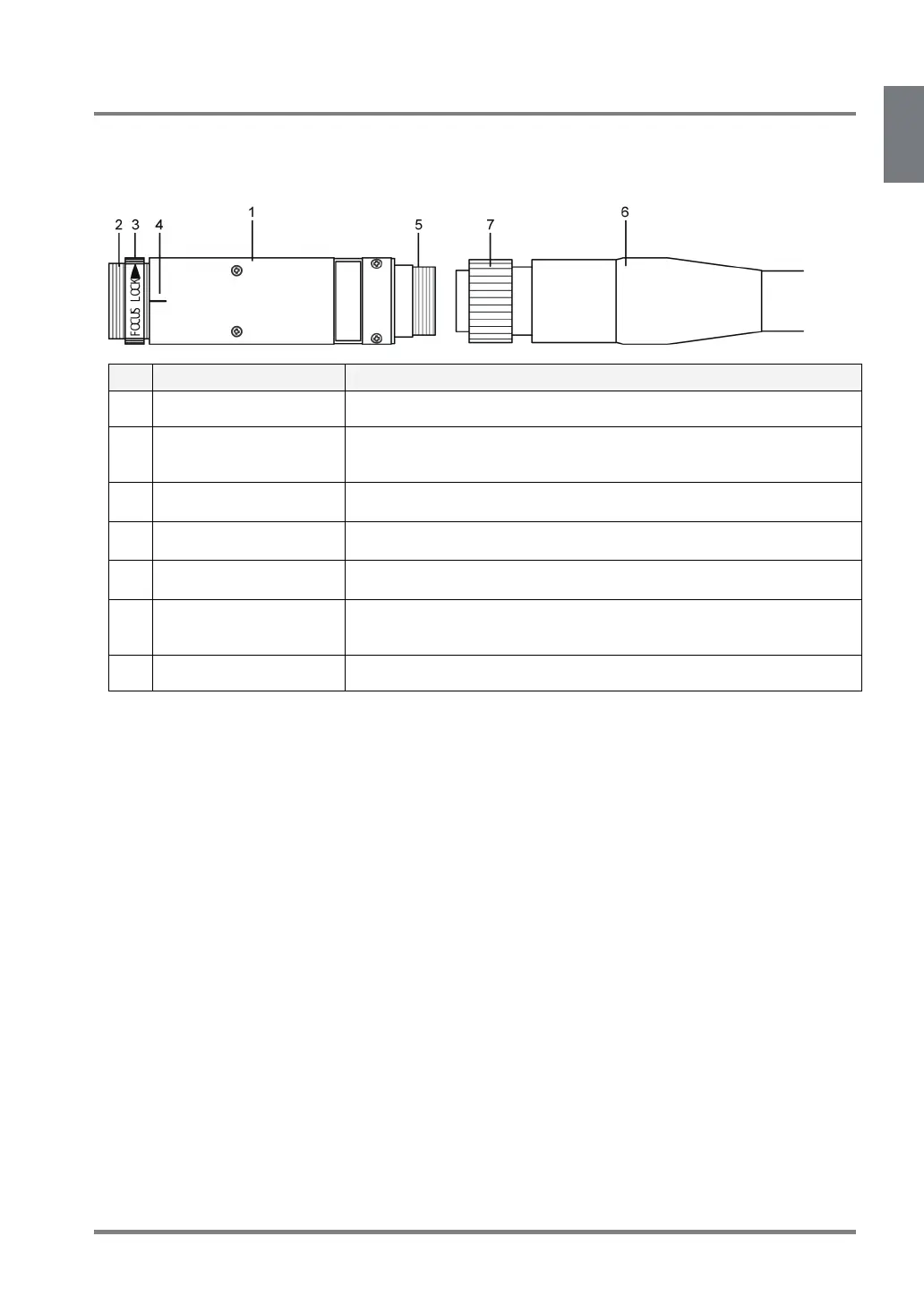
1.2.4 Ultra small camera (ANPVCA1012)
This camera is usable when the camera setting of PV310 is [Normal Frame] or [Normal Field].
Camera Head
No. Name Description
1 Camera Body of camera
2 Lens fixture Special mounting fixture. Attach exclusive lenses.
This fixture is screw-in type and the view range (capture range) differs
depending on the screwing depth.
3 Lens securing ring A ring to secure the lens to the camera. Use it to fix the lens at the close
position to the edge of the camera.
4 Top indication mark Indicates the top side of the captured image.
5 Cable connector Connects a camera cable which is included in the package.
6 Camera head cable A camera cable (3m) attached to an Ultra small camera. Connects the female
connector to a camera and the male connector to the CAMERA port of the
camera control unit.
7 Cable securing ring After connecting a camera head cable to a camera, rotate this ring to secure.



 To Next Page