311
Cha
ter 14
Information on the PV310 and Hel
Function Settin
s
14.2 Setting Help
The PV310 features the following five support functions to support for making the various settings.
Function Details
Lighting Adjustment Checks for being the same in light intensity.
Focus Proper focal adjustment can be made checking the image on the monitor by turning
the focal ring on the camera lens.
Aperture Proper aperture adjustment can be made checking the image on the monitor by
turning the exposure ring on the camera lens.
Image Profile The grayscale level of the image in the linear area is displayed in a graph form.
I/O Monitor This feature allows you to check if the input/output terminals of the PV310 are
surely connected with external device.
14.2.1 Making Light Adjustments
To check light homogeneity:
1. Adjust the focus and place an even object such as a white sheet under the camera.
2. Select “INFO.” > “Setting Help” >
“Lighting Adjustment” from the menu bar.
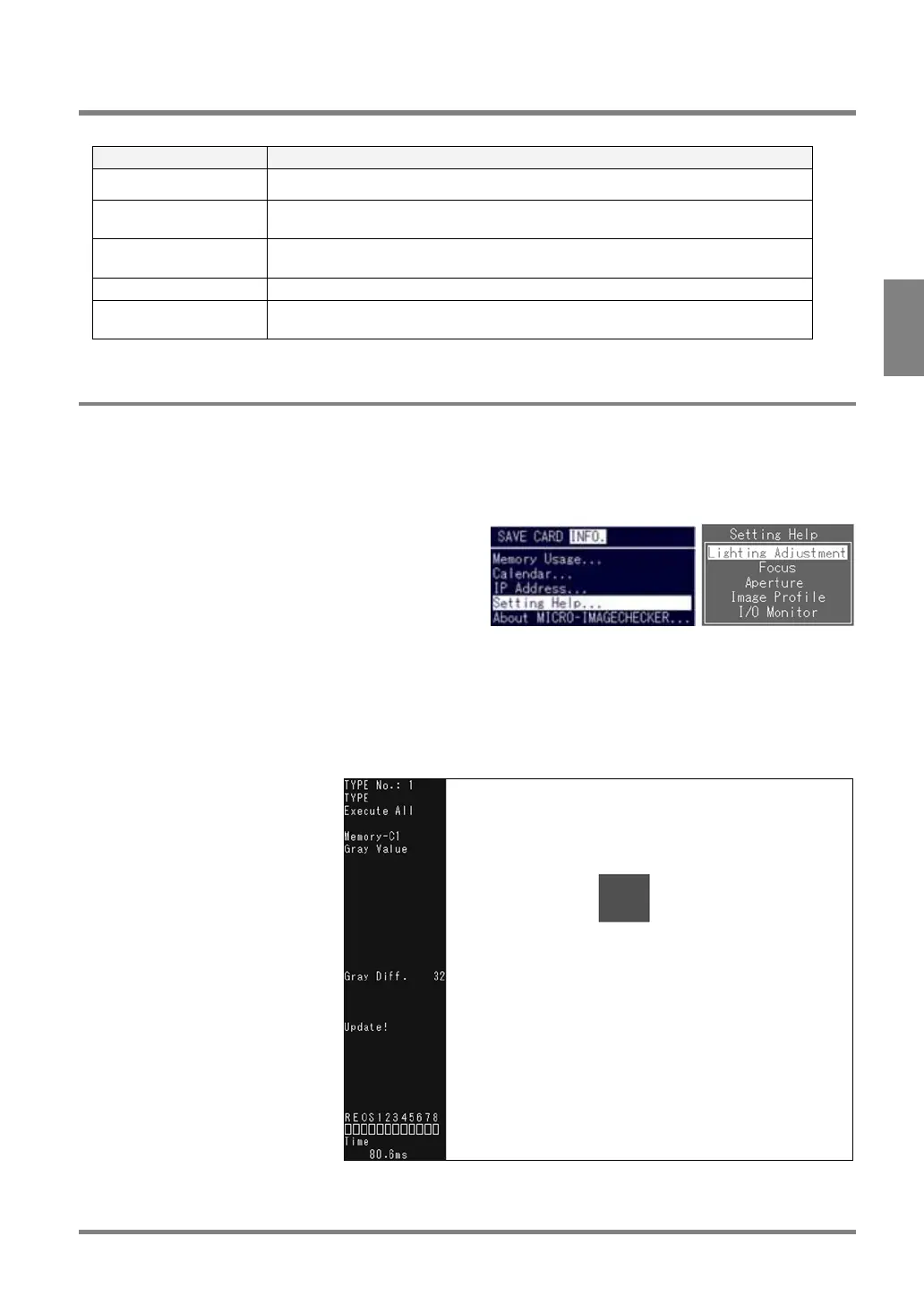
3. If there is disparity in light as the figure shown below, you cannot execute a stable inspection due to
a large difference in grayscale level. In this case, uniform the light by adjusting the position or angle
of the lighting.
The value of the variation in gray is displayed in the status display area. The larger the variation in gray
represents the uneven the light. Adjust the position or angle of lighting until the value of the variation in gray
comes close to “0” as much as possible.
Selecting “Live” by pressing the B key displays the image captured before the lighting adjustment (normal
camera captured image).



 To Next Page