246
Parallel Communication
Cha
ter 10
10.3 Input/Output Timing According to Handshake Settings
Timing chart differs depending on the settings configured by selecting “Handshake” from the “ENVIRONMENT”
menu > “Data Output Settings” > "Parallel Output".
10.3.1 When the Handshake Function Is Set to “No”
Overview
If “Handshake” is set to “No” by selecting “Data Output Settings” from the ENVIRONMENT menu > “Parallel
Output”, the signals JD01 to 08 signals are output from D1 to D8 of output terminal.
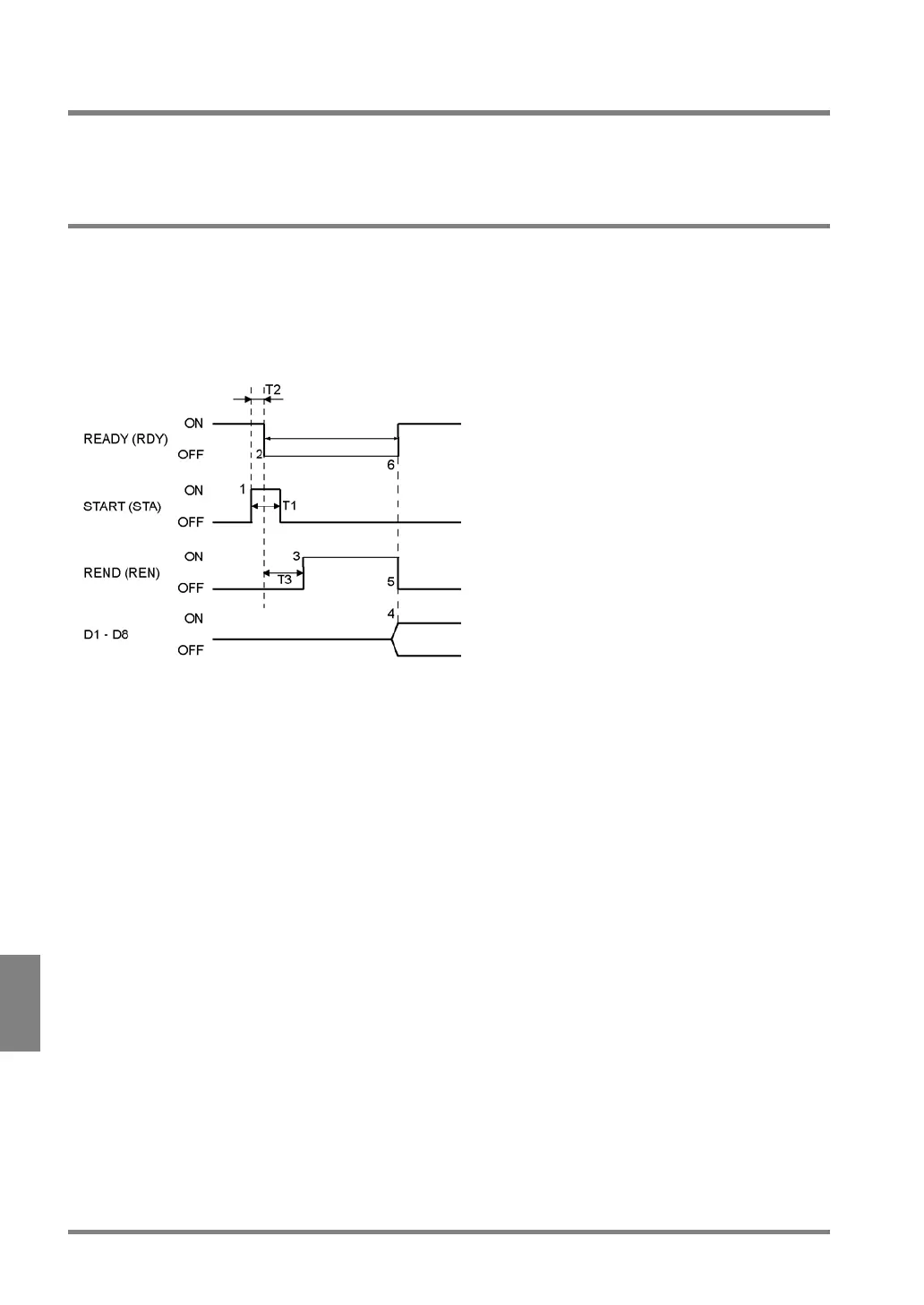
Timing Chart
T1 = Width of START signal (more than 1 ms)
T2 = Response time for START signal (within 1 ms)
T3 = Image capturing time (varies depending on the shutter speed of the connected camera.)
1. Make sure that READY signal is on and then input START signal for T1 (more than 1 ms).
In User-Defined mode, specify the block number using signals IN1 to IN 2. Input the signals IN 1 – IN 2
1ms or more before the START signal is input.
2. The READY signal is turned off within the time of T2 (1 ms) after the START signal input. Then,
image import starts.
3. After the PV310 finished capturing the image, the REND signal is turned on.
4. After the program execution starts, output data from D1 to D8 are output.
5. After the output data from D1 to D8, the READY signal is restored (OFF > ON) and the REND signal
is turned off as well.



 To Next Page