239
Environment Settin
s
Cha
ter 9
9.5 Re-Registering the Template
What is re-registration of template?
This is a setting to update (or re-register) the templates of Smart Matching and Contour Matching by inputting
signals from the external device. You can re-register using parallel FCT1 input signal, parallel FCT2 input signal
or serial command input.
Mode
There are available two types of modes as follows.
Mode Description
Setting
Position
In this mode, re-registers in the position of the preset template area. This mode is available if the
position of the object is the same as the setting position of the target checker.
Adjusted
Position
If "Position Adjustment" of the object is set to any other number than "0", the PV310 re-registers the
template at the adjusted position of the target checker after the position adjustment or rotation
adjustment checker is executed and the target checker is adjusted. This mode will be available if the
position of the re-registration position of the object is not the same as the setting position of the target
checker.
Setting Procedure
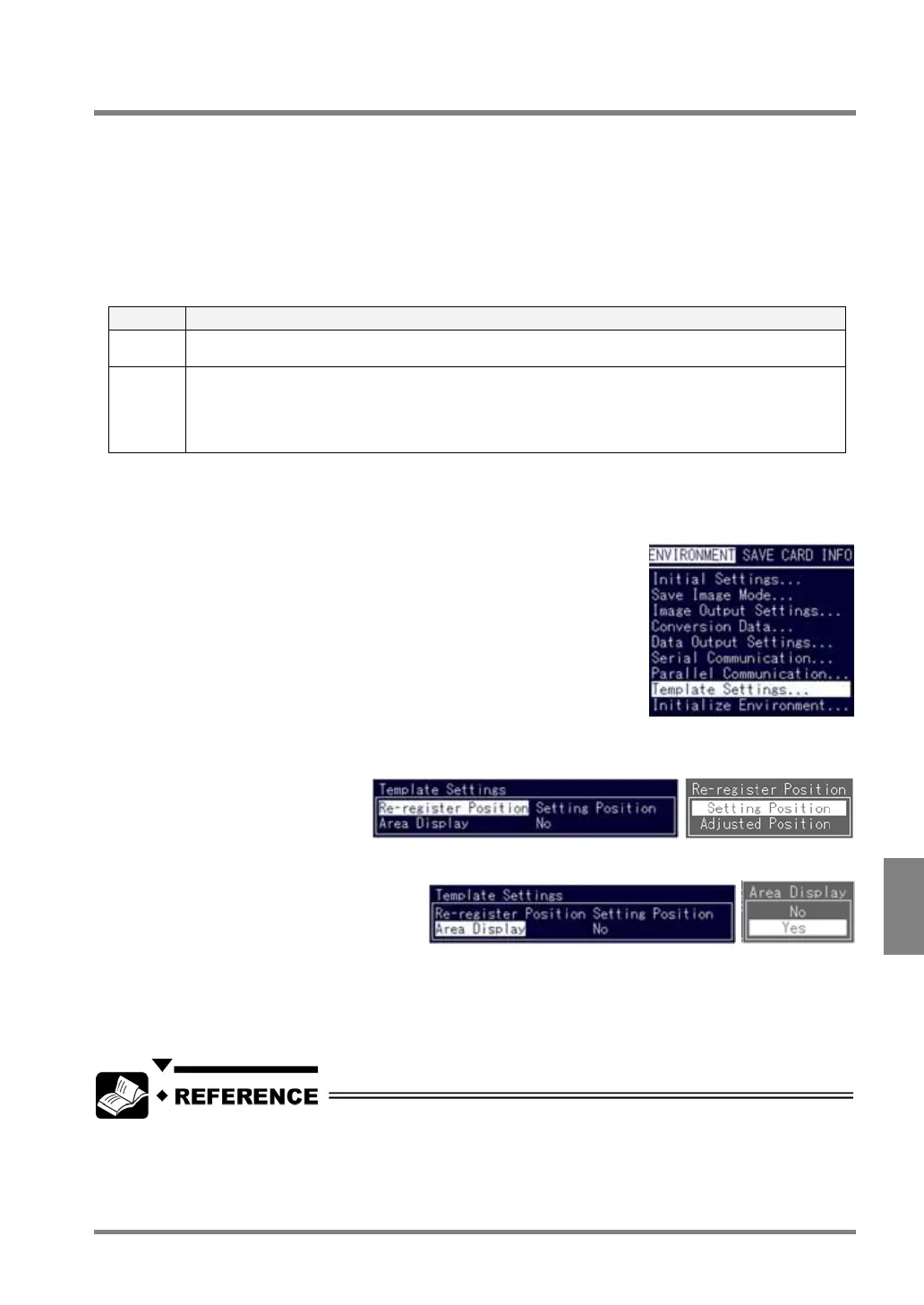
1. Select "ENVIRONMENT" > "Template Settings" from the menu bar.
2. Select "Re-register Position".
Choose "Setting Position" or "Adjusted Position". (Initial value: Setting Position)
3. Select "Area Display".
Choose "Yes" or "No". (Initial value: No)
Area Display
This is a function to check the area to be re-registered on the screen during re-registering. When using this
function, it is required to input timing signals (or commands) twice to re-register.
Re-registering by inputting parallel signal: See page 253
Re-registering by inputting serial command: See page 265



 To Next Page