238
Environment Settin
s
Cha
ter 9
Forced Outage (Pause of Inspection)
PV310 keeps the READY signal turned off and does not accept signals from the external devices.
When “Output operation” is set to “Synchronous”, you can select whether output the image that is failed to output
or not. Operating the keypad following the displayed messages turns on the READY signal and makes PV310 be
ready for the next inspection.
To restart inspections, input start signals again, even if the inspects repeatedly (“Start” is set to “Repeat”).
Output
operation
Message Keypad Operation
Asynchronous “Image output error through Ethernet
occurred. Please verify the connection.”
Select [OK].
Synchronous “Image output error through Ethernet
occurred. Please verify the connection.
Do you want to retransmit the latest
captured image?”
• To not retransmit the image
Select [NO].
• To retransmit the image
1. Select [YES].
The message saying “Transmission was
completed.” shows when the image
retransmission was completed correctly.
2. After retransmission, select [OK].
* If the retransmission failed, the left message
appears again.
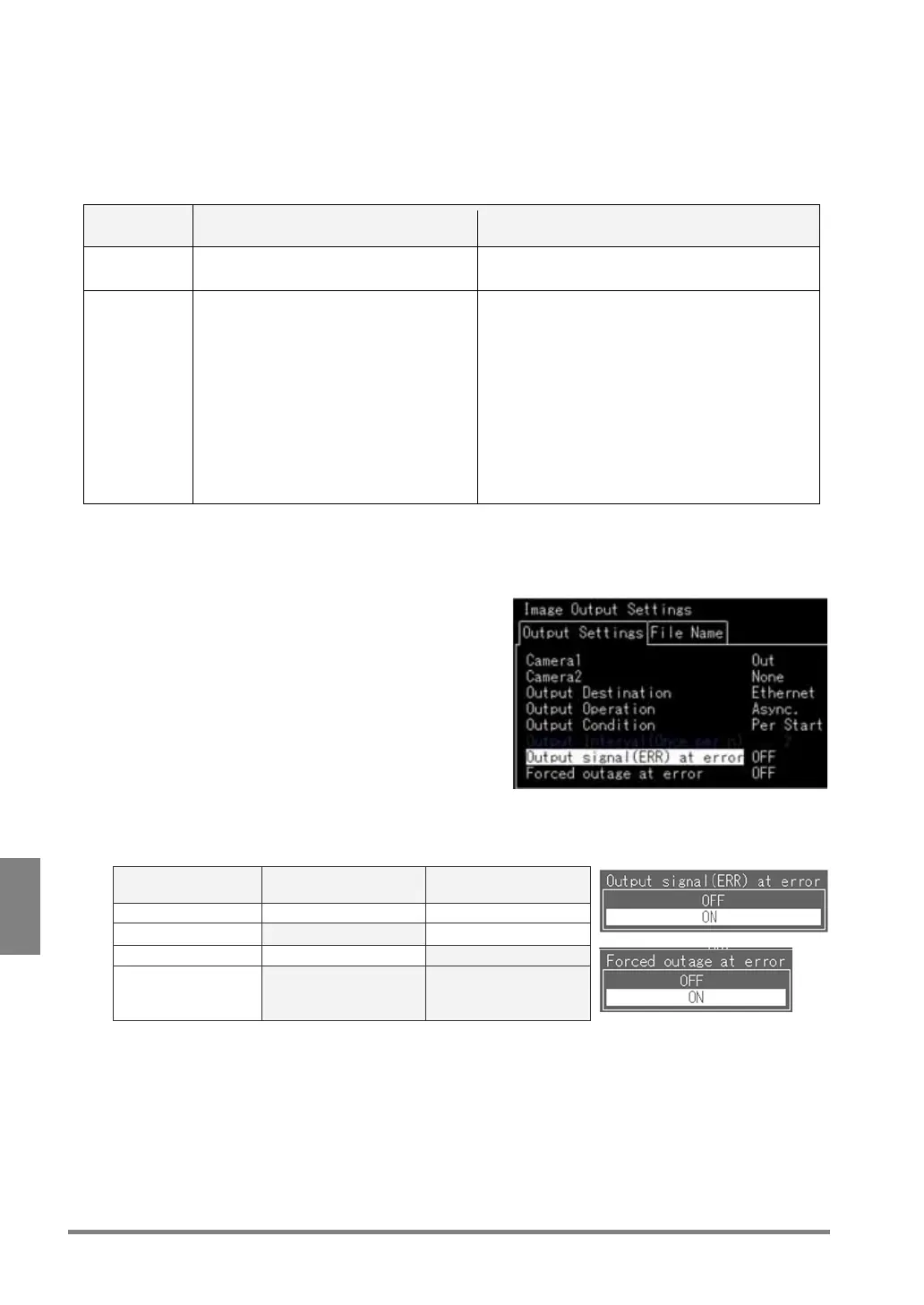
Procedure
1. Select [ENVIRONMENT]
→
[Image Output Settings]
→
[Output settings] from the menu bar.
2. Configure [Output signal (ERR) at error], [Forced outage at error] to meet your need.
Operation [Output signal (ERR)
at error]
Forced outage at error
None OFF OFF
Output error signal ON OFF
Forced outage OFF ON
Output error signal
+
Forced outage
ON ON



 To Next Page