197
Cha
ter 7
Calculation
Anal
sis
and Out
ut of Ins
ection Results
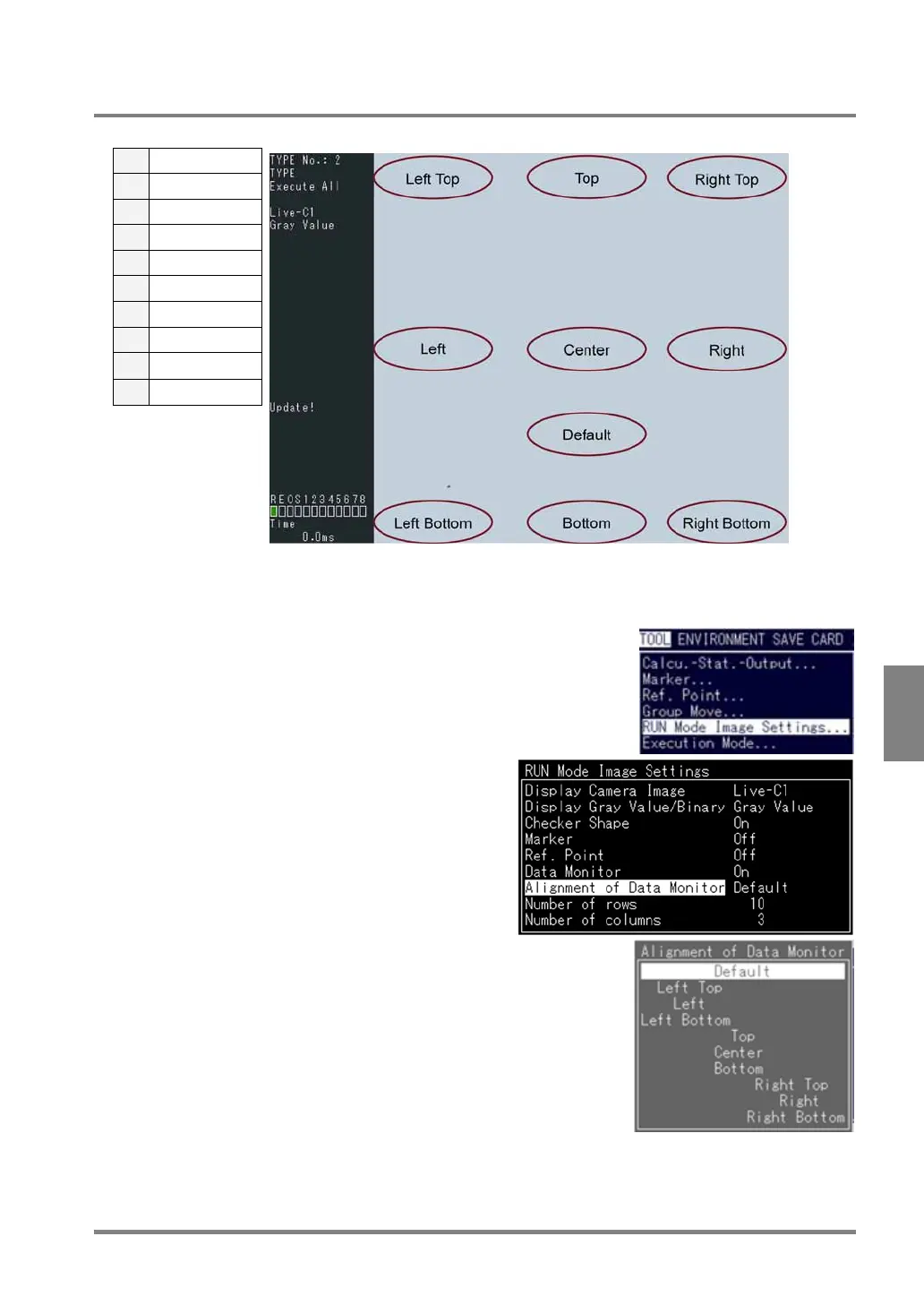
7.5.6 Selecting the Alignment of the Data Monintor
Select the alignment of the Data Monitor table from the following ten options:
1 Default
2 Left top
3 Left
4 Left bottom
5 Upper
6 Center
7 Top
8 Right top
9 Right
10 Right bottom
1. Select “TOOL” >”RUN Mode Image Settings” from the menu bar.
The subwindow is displayed.
2. Highlight “Alignment of Data Monitor”.
The subwindow is displayed.
3. Select the position where you want to display the
Data Monitor table.
Switch to RUN mode and check to make sure that the
Data Monitor table is displayed at the desired
position.



 To Next Page