306
Usin
a Com
act Flash Memor
Card
Cha
ter 13
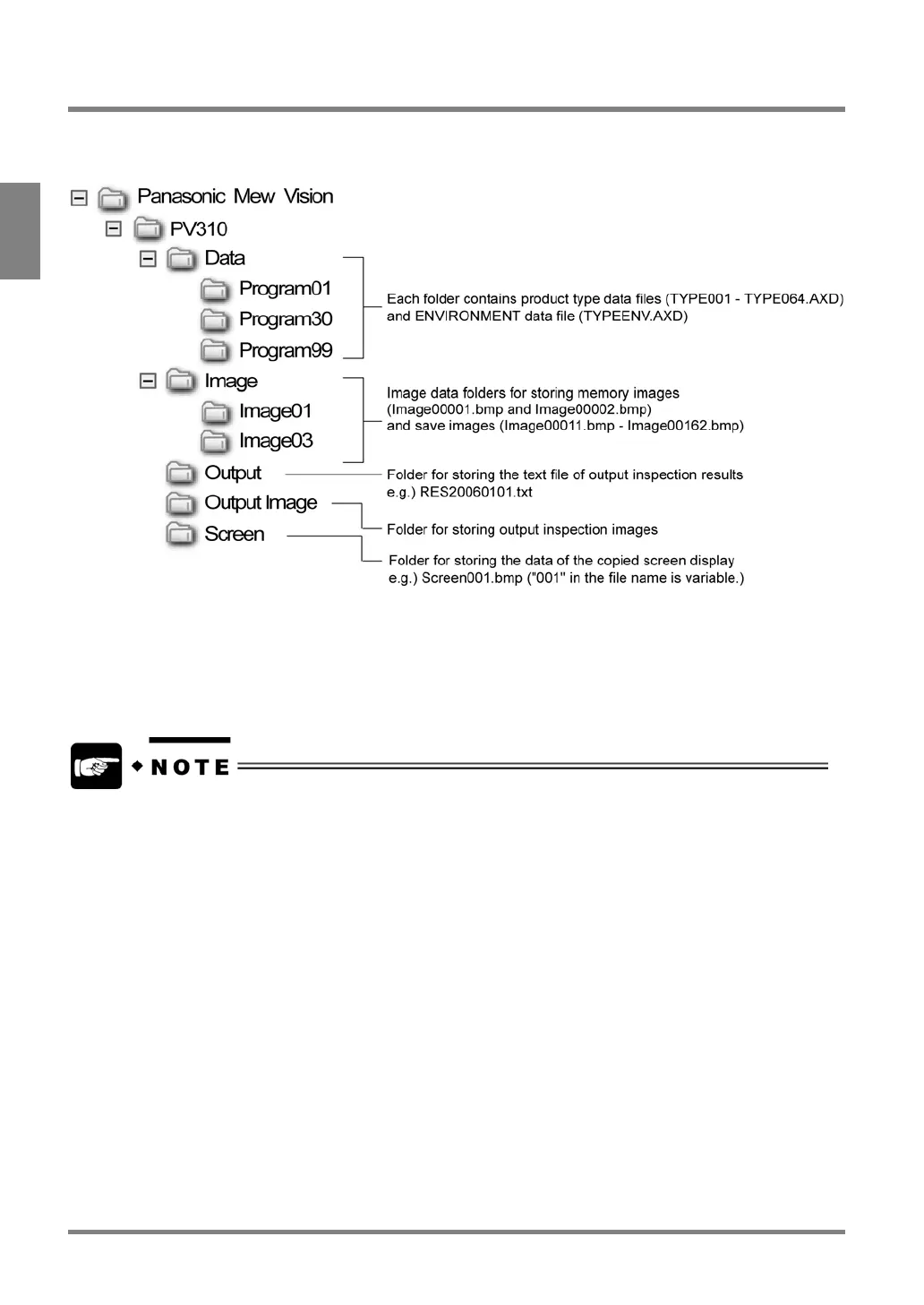
13.6 Using a Folder Tree
You can view the following folder tree on the computer after saving the inspection results, setting data, images, and
copied screen display on a Compact Flash memory card.
About file names of product type data
The text “TYPE” as shown in a file name of product type data is replaced with the product type title that has been
set by the function to input product type titles. For example, if product type is “1” and product title is “TEST”, the file
name of the product data will be “TEST001.AXD”.
The date displayed next to each folder and file is the last backup date. The displayed date and time are quoted
from the calendar built in the PV310. If the correct date and time are not displayed, select “INFO.” from the menu
bar to check the Calendar settings.



 To Next Page