61
Cha
ter 5
Procedure for Settin
Ins
ection Conditions
5.4.2 Copying an Existing Product Type
You can copy the product type that has been already created. If you copy the product type, the destination
product type is overwitten with the product type.
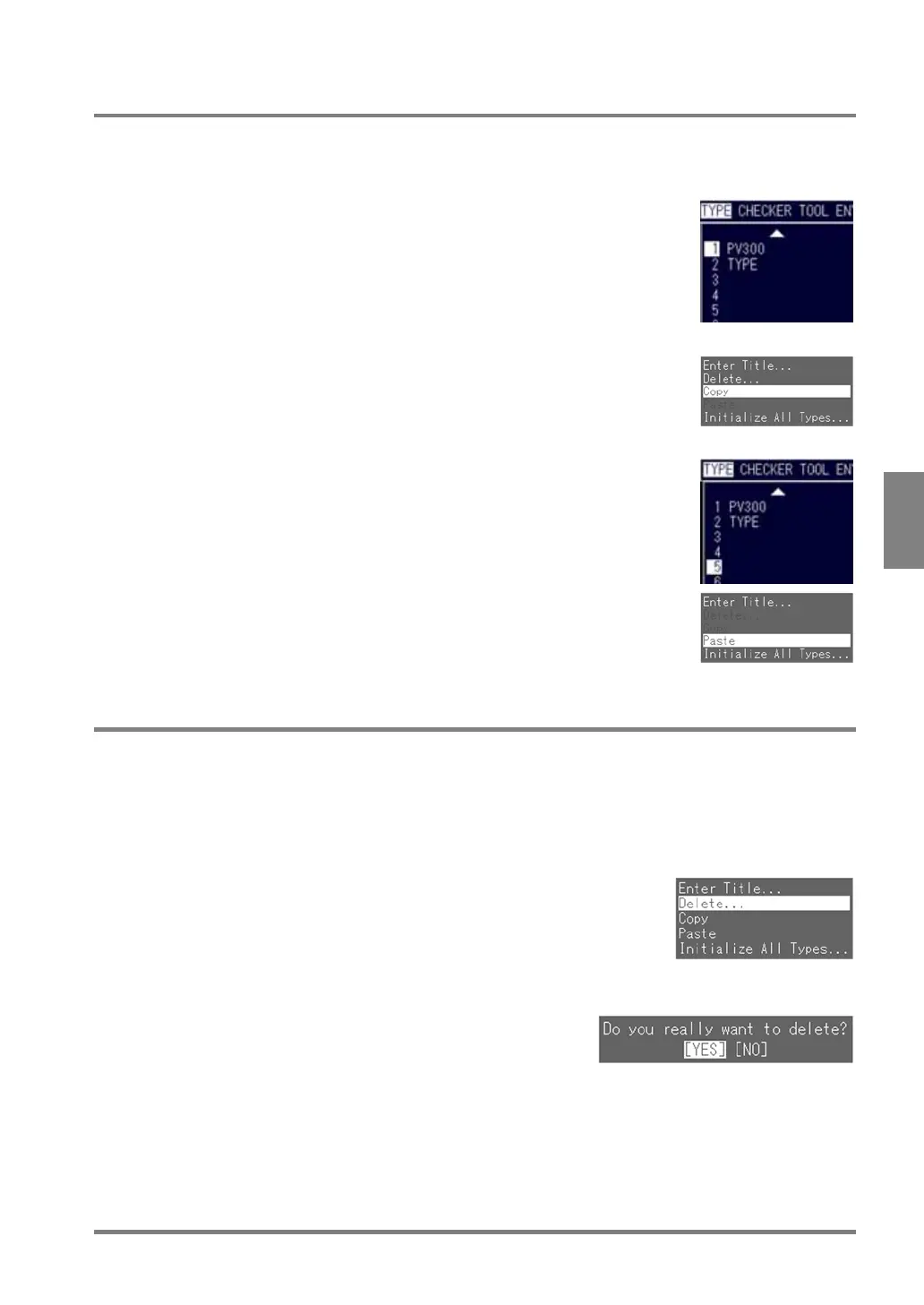
1. Highlight the product type number which you want to copy.
2. Press the B key.
The submenu associated with a product type is displayed.
3. Select "Copy".
Return to a list of product types.
4. Highlight the destination product type No.
5. Select "Paste" from the submenu by pressing the B key.
When you finished copying the product type, the title of the source product
type is displayed in the title area of the destination product type.
5.4.3 Deleting a Product Type
This function can delete the product type that has been already created.
1. Move the ENTER key and choose the number of product type you want to delete.
2. Press the B key and select “Delete” from the displayed menu.
A dialog message confirming that you want to continue or not appear.
3. Choose "YES" to continue and press the ENTER key.
If the product type is deleted, so the product type title is not
displayed.
Choose “NO” to return to the list of product types.



 To Next Page