229
Environment Settin
s
Cha
ter 9
9.3.6 Performing Inspection While Only Saved Image Is Displayed
(Display a Save Image)
Displaying a Saved Image
This is a function to display only the latest saved image during inspection.
If the results of the Judgment formula saved as a conditional formula are judged as "NG" when you use this
function by combining “Save Image Mode” function and “Judgment Result” function, the memory images will be
saved in the PV310. (Chapter 7.3.5, page 187)
But, this function is available only if the “RUN Mode Image Settings" function is set to “Memory C1”, “Memory C2"
or "Memory-C1+C2".
Example:
Inspection time 1st. 2nd. 3rd. 4th. 5th.
Judgment results
NG
OK
NG
OK OK
Image Save
YES (the 1st.
picture)
---
YES (the 2nd.
picture)
--- ---
Display Image
Saved Image
(1)
Saved Image
(1)
Saved Image
(2)
Saved Image
(2)
Saved Image
(2)
Setting Procedure
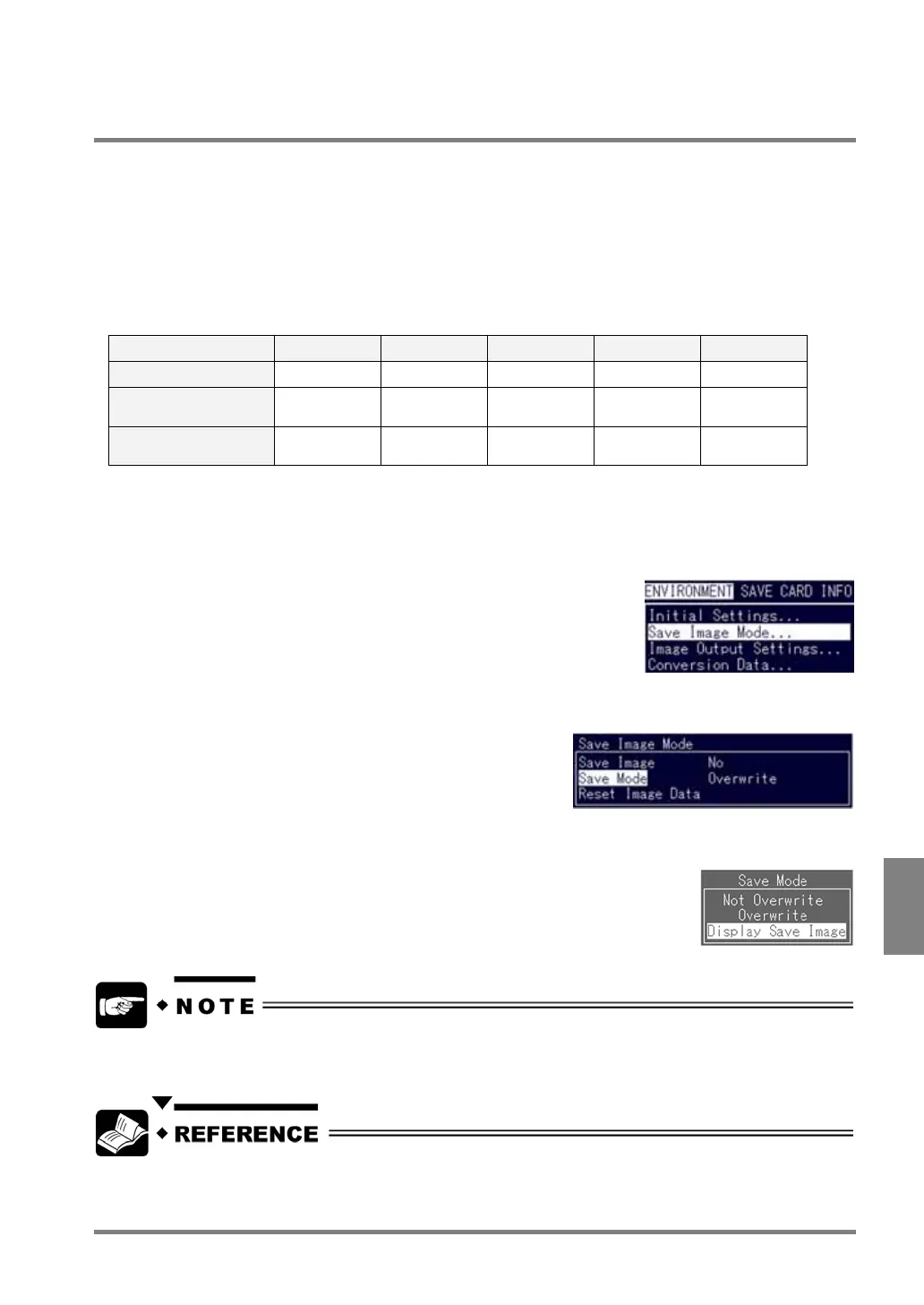
1. Select "Save Image Mode" from the ENVIRONMENT menu.
The submenu is displayed.
2. Highlight "Save Mode".
The subwindow is displayed.
3. Select "Display Save Image".
Now you completed the setting for saving images during inspection.
The 16 pairs of the latest images, which is the same number as when you select “Save Image Mode” > “Save
Mode” > “Overwrite”, are always saved in the PV310.
• Refer to page 205 for display settings in RUN mode.
• Refer to page 187 for saving a conditional formula for Save Image.



 To Next Page