76
Settin
Checkers
Cha
ter 6
6.2.4 Preprocessing Settings
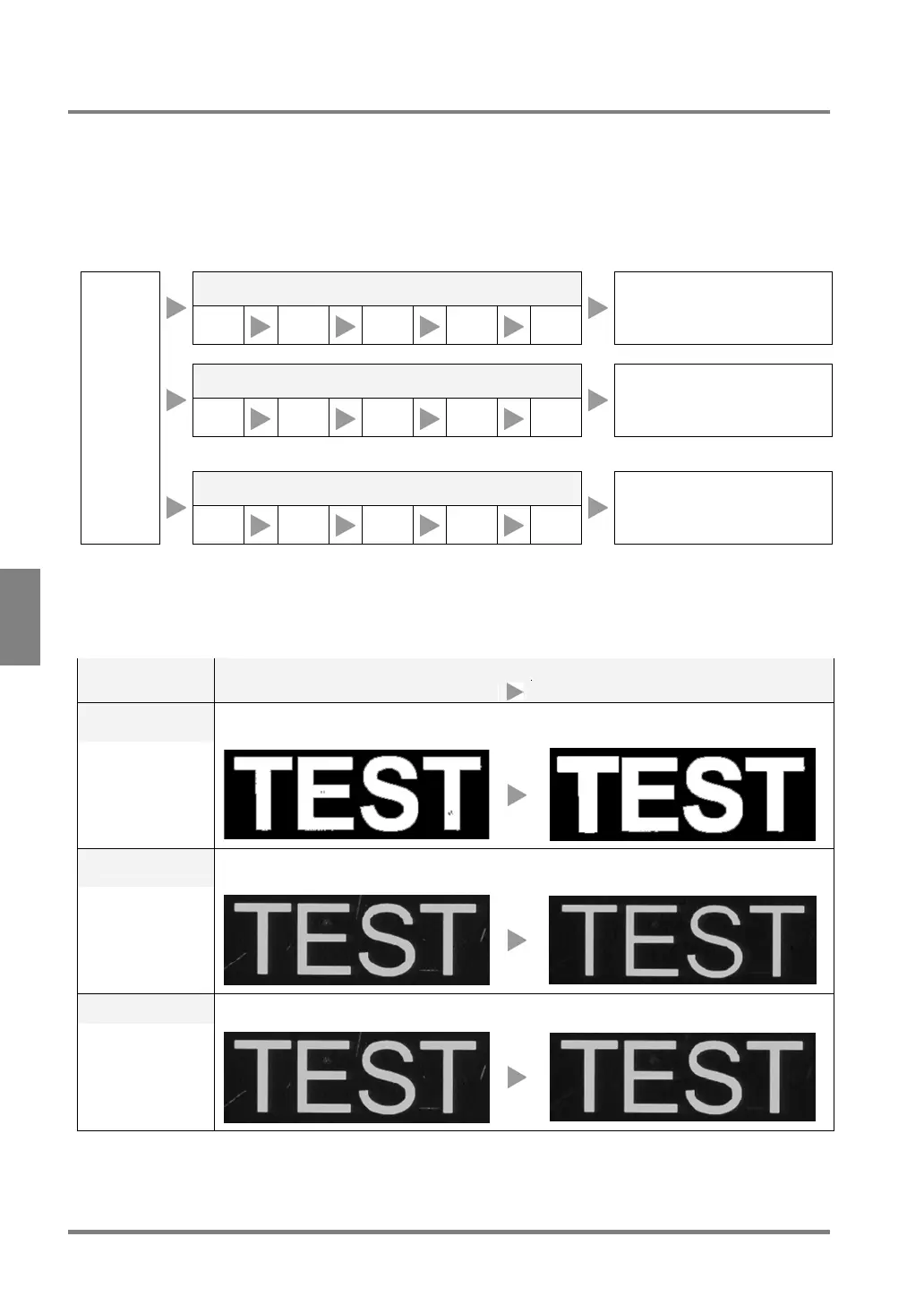
In PV310, preprocessing function refers to the function that processes an image captured by a camera in
advance in order to easily execute the desired inspection. 13 types of preprocessing are available. You can
choose up to five processing types (1st – 5th) from all filters and combine them. In addition, you can save up to
five preprocessing groups (A – E) for each product type and camera image and select the desired preprocessing
group from them.
Image Preprocessing from Image Capture to Checker Scanning
Preprocessing group A
1ST
2ND
3RD
4TH 5TH
A checker is executed for
inspecting an image that has
been processed following
preprocessing group A.
Preprocessing group B
1ST
2ND
3RD
4TH 5TH
A checker is executed for
inspecting an image that has
been processed following
preprocessing group B.
:
:
Preprocessing group E
Image
capture
1ST
2ND
3RD
4TH 5TH
A checker is executed for
inspecting an image that has
been processed following
preprocessing group E.
Types of Preprocess
Thirteen types of preprocessing are available. With the use of preprocessing function, only the areas
unnecessary for inspection are removed, whereas necessary parts are emphasized. The PV310 can execute
inspection stably by doing so.
Overview Preprocessing
(Setting value)
Before preprocessing After preprocessing
Dilation
Dark (or black) noises are removed. Black areas in the image of the object contract. White
areas in the image of the object expand.
3x3 / 5x5
Erosion
Light (or White) noises are removed. White areas in the image of the object contract. Black
areas in the image of the object expand.
3x3 / 5x5
Eros. ->Dilat.
After removing light (or white) noises, return the contracted area to its original size.
3x3 / 5x5



 To Next Page