77
Settin
Checkers
Cha
ter 6
Overview Preprocessing
(Setting value)
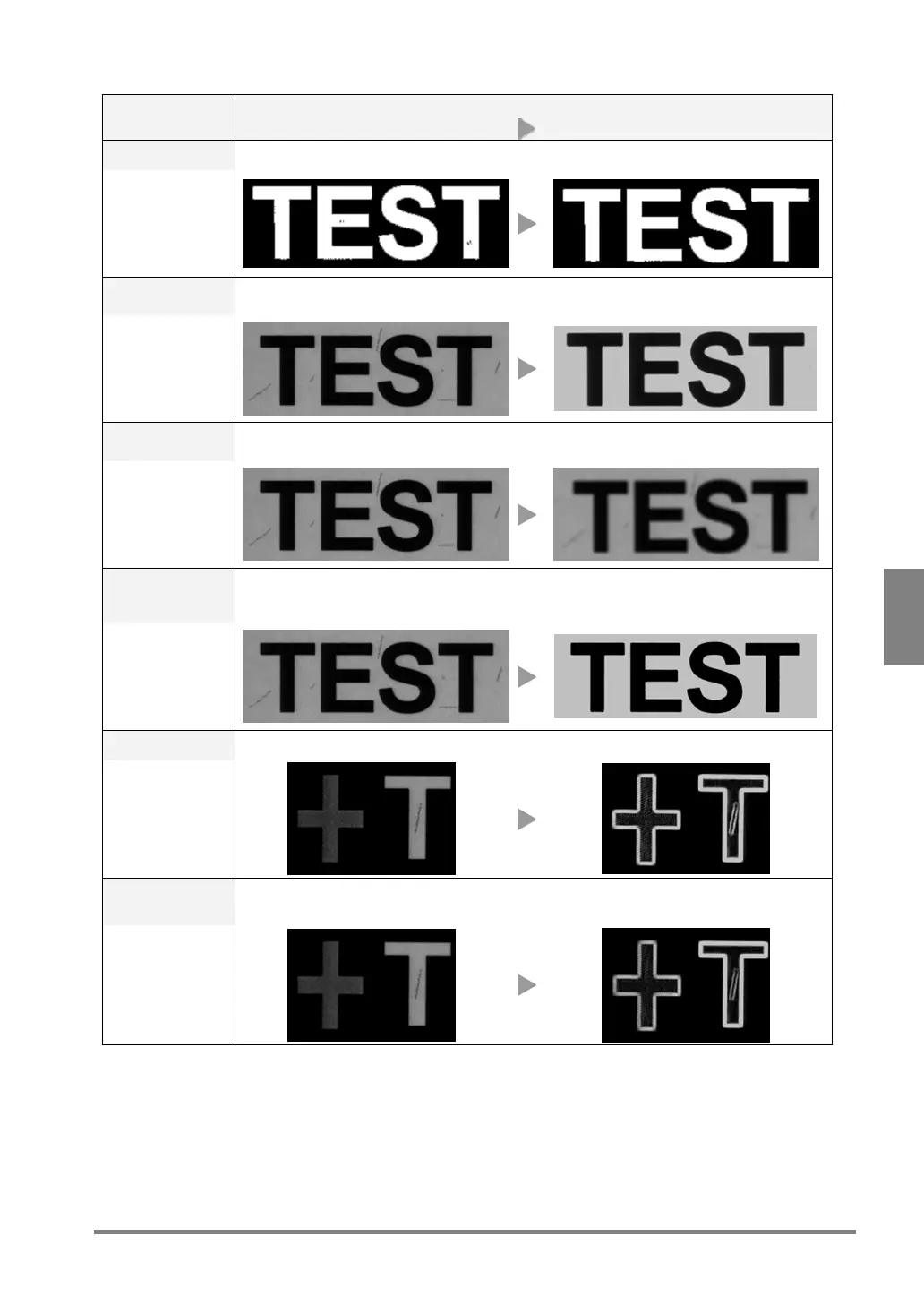
Before preprocessing After preprocessing
Dilat. ->Eros.
After removing dark (or black) noises, return the expanded area to its original size.
3x3 / 5x5
Median
Removes light or fine noises by making the image of the object standing out against
background.
3x3
Smoothing
Blurs the image. By doing so, the PV310 can easily measure the position of the object
without being affected by the noises.
3x3 / 5x5
Gray cut
Reorganizes the grayscale range into the one between 0 and 255. This function is effective
if there are any light or dark noises in the background, or if the contrast of the image of the
object is low.
Min. /Max.
Sobel Same as “Prewitt”. More easily extracts the area of lower contrast.
3x3 / 5x5
Prewitt Extracts the area of which grayscale has been changed. Only the outlines and edges
of the object are extracted.
3x3 / 5x5



 To Next Page