78
Settin
Checkers
Cha
ter 6
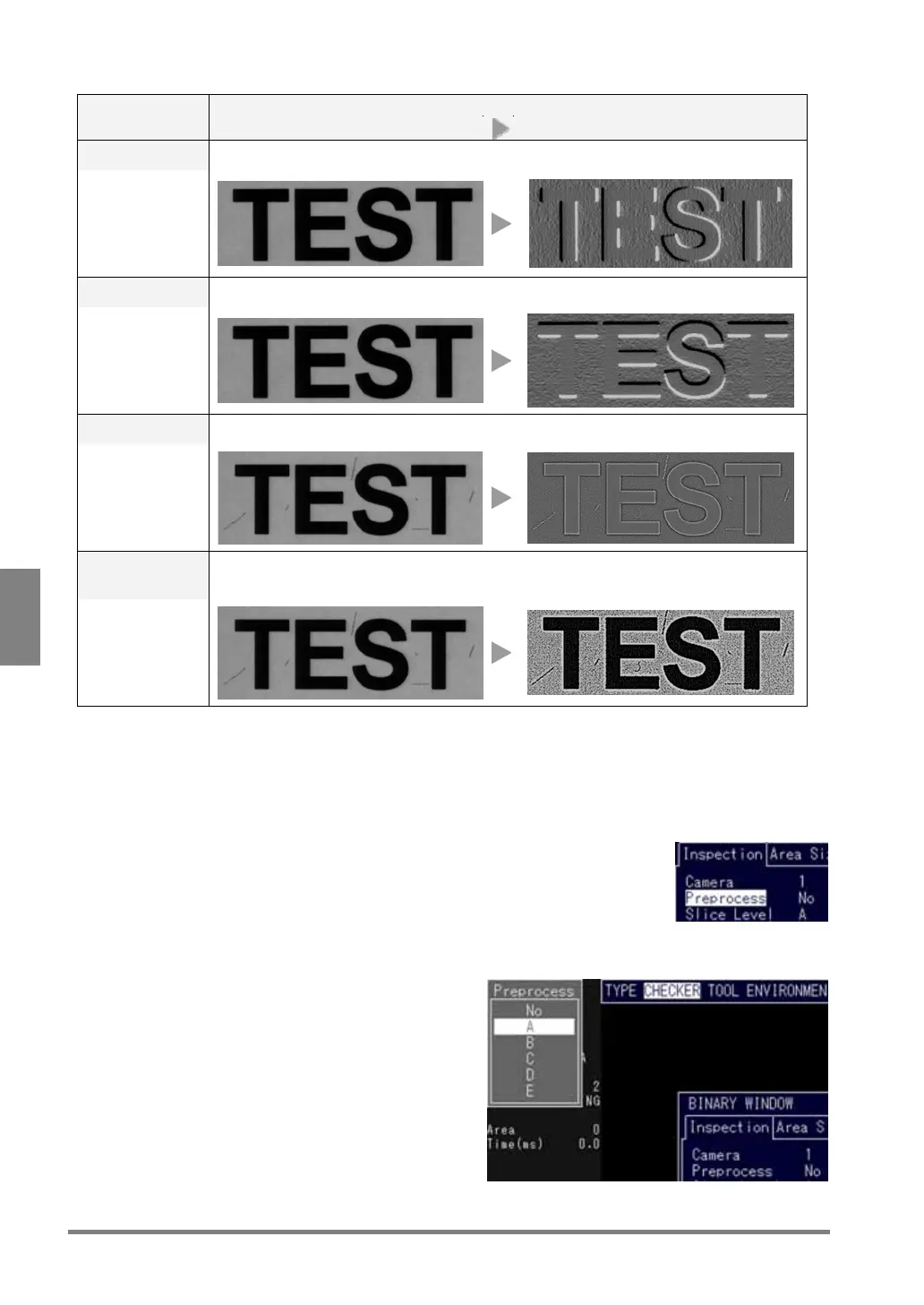
Overview Preprocessing
(Setting value)
Before preprocessing After preprocessing
Edge Extr. X In the X direction, extracts the area of which grayscale value has been changed.
3x3 / 5x5
Edge Extr. Y In the Y direction, extracts the area of which grayscale value has been changed.
3x3 / 5x5
Laplacian Extracts the area of which grayscale value has been changed.
3x3 / 5x5
Sharpen Enhances the area of which grayscale value has been changed. The image becomes
sharp. The noises may also be enhanced.
3x3 / 5x5
To configure the settings for preprocessing
1. Select “Preprocess” from the checker menu.
The menu to select a preprocessing group is shown in the status display area.
2. Choose the desired preprocessing group from options A to E.



 To Next Page