174
Cha
ter 7
Calculation
Anal
sis
and Out
ut of Ins
ection Results
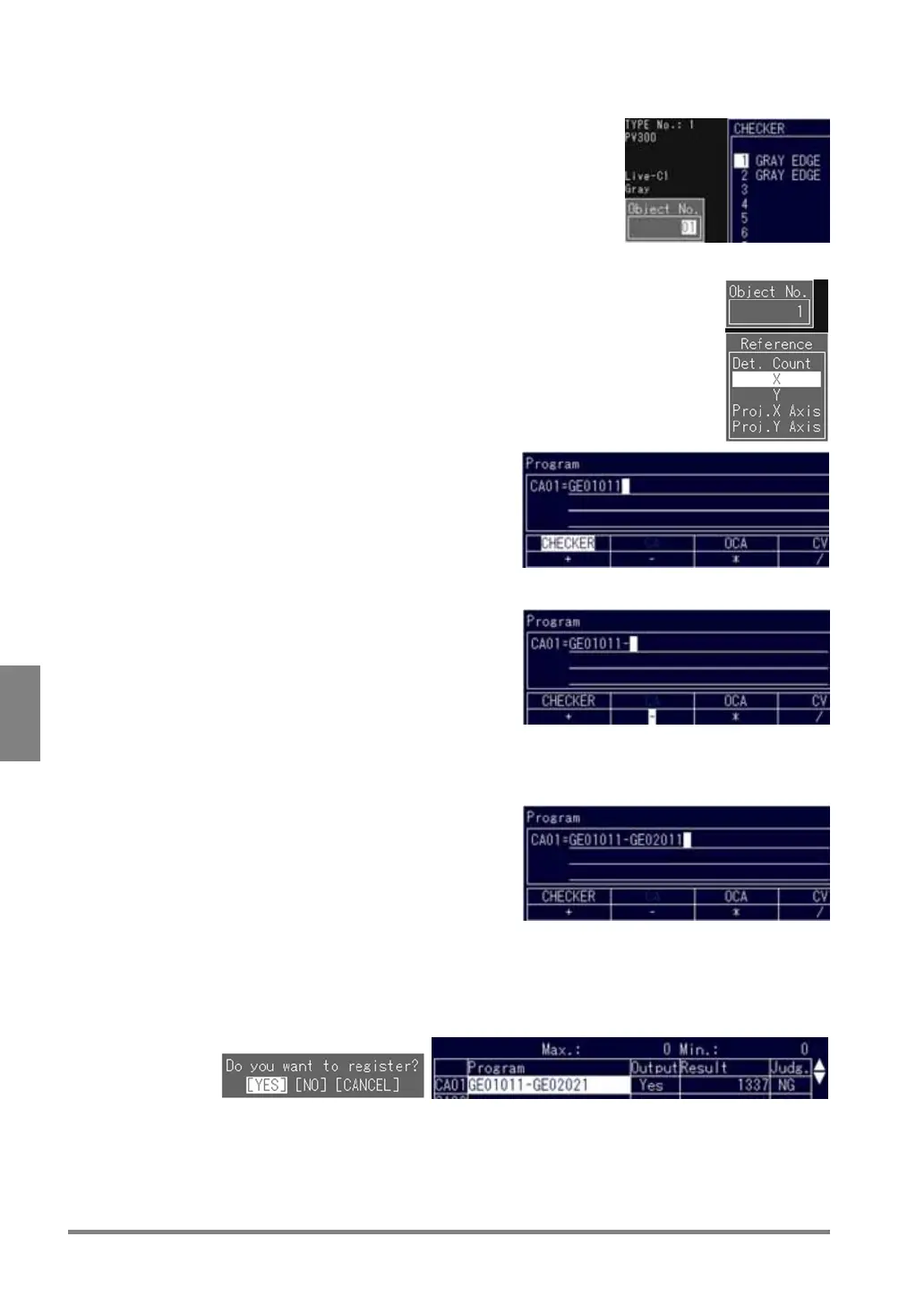
8. Change the object number to "01" and press the ENTER key.
The subwindow from which the desired item can be selected is
displayed.
9. Choose "X”.
Return to the menu displayed at step 4.
"GE01011" is displayed in the program area.
"GE01011" is erased by selecting "Backsp.".
10. Choose "-" in the table.
"GE01011-" is displayed in the program area.
11. Quote the X coordinate which was detected by the Gray Edge checker saved as checker No.2
following the steps from 5 to 8.
"GE01011- GE02011" is displayed in the program
area.
12. Press the C key twice and select "Yes" following the message.
When the dialog message shown below appears, choose "YES" to save the calculation you have created,
"NO" to erase it, and "CANCEL" to modify it. Return to the Calcu.-Stat.-Output menu. Pressing the A key
performs a test and displays the results of the numeric calculation.



 To Next Page