102
Settin
Checkers
Cha
ter 6
7. Press "Edge Thresh.".
What is Edge Threshold?
This is a value to decide whether to detect or not as an edge according to
the degree of the gray value change.
The Gray Edge function calculates a "differential value" that are the degree
of brightness change based on the gray value of each pixel. If the portion
having the absolute value of the differential value that is more than "Edge
Threshold" value, it is regarded as a detection edge
Example:
Edge
Threshold
Detect Count Objects
15 6
Whole edges are detected
70 2
Detects 2 edges in the middle
object
150 0
You should set an edge threshold value checking the differential value of the detected edges under the
Result tab.
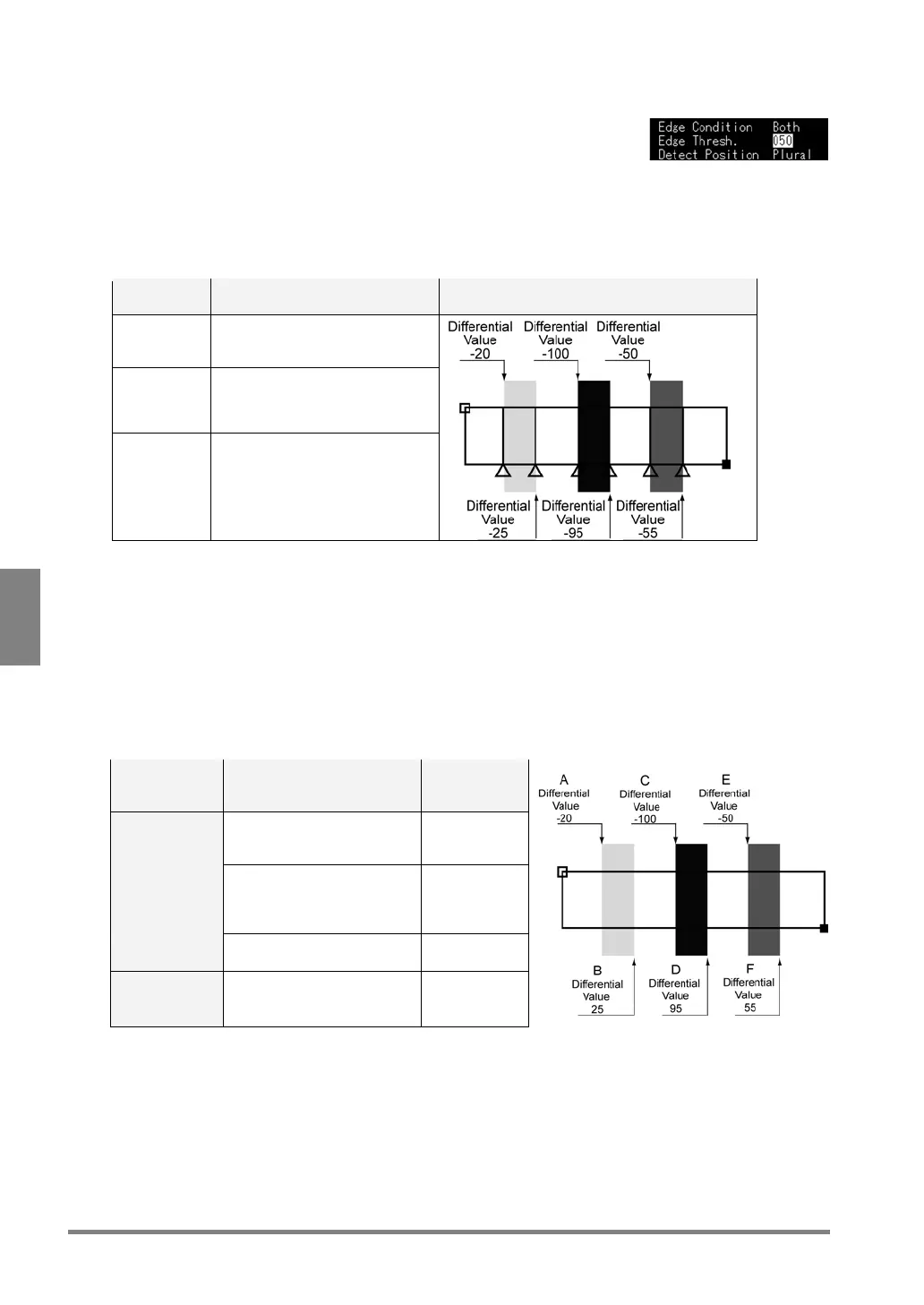
8. Select "Detect Position".
Select "Front", "Peak", "Plural", or "Front/Rear" from the menu.
Detect Position:
In the case where there are multiple portions matching the conditions, set a portion that is detected as an
edge.
Setting of
Detection
Position
Edge to be detected Edge to be
detected
Front Outputs the nearest portion
from the start point as an
edge
A (1 edge)
Peak Outputs the portion having
the highest absolute value
of the differential value as
an edge.
C (1 edge)
Plural Outputs all portions as an
edge.
A - F
(6 edges)
Front/ Rear Outputs the nearest portion
from the start point or from
the end point.
A and F
(2 edges)



 To Next Page