180
Cha
ter 7
Calculation
Anal
sis
and Out
ut of Ins
ection Results
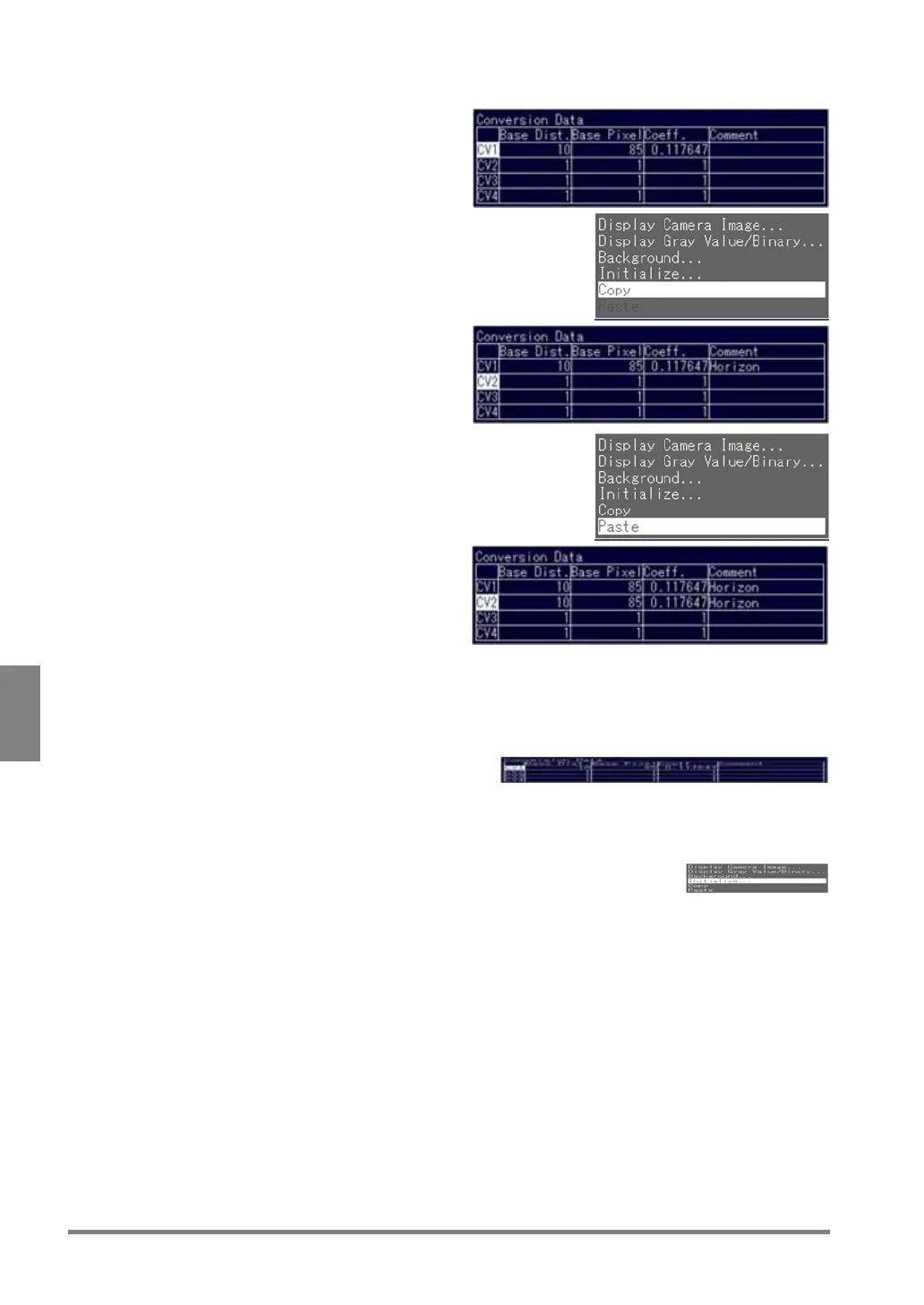
Copying Conversion Data
1. Highlight the number of the source
conversion data you want to copy and press
the B key.
2. Select "Copy".
3. Choose the number of the target conversion
data to which you want to copy and press
the B key.
Up to 16 characters can be included in the
comment.
4. Choose "Paste".
Now you finished copying the conversion data.
Deleting Conversion Data
1. Select the number of the conversion data you want to delete and press the B key.
2. Choose "Initialize".
Initialize the conversion data following the displayed message.



 To Next Page