271
Cha
ter 11
RS-232C Communication
Gray Edge- Reading Edge Threshold ([%H])
(For Position Adjustment (Gray Edge), Rotation Adjustment (Gray Scale Edge
Horizontal/ Vertical))
Communication direction Command / Description
From external device to
PV310
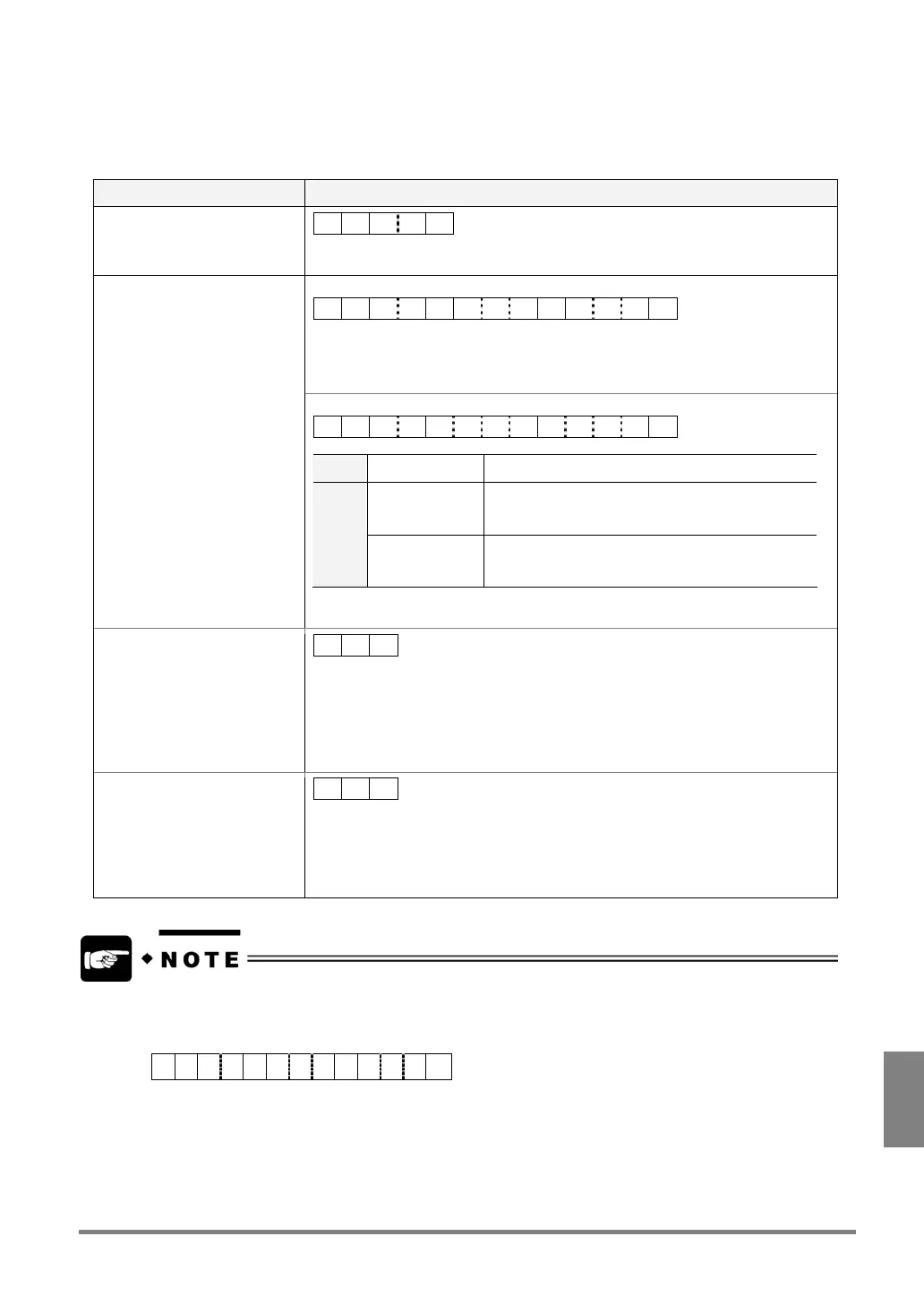
% H ? ? CR
?? : 01 to 99 (Specify the number of the target checker in 2-digit form.)
Serial setting - Command: "Comma separated"
% H ?? , aaa , bbbCR
?? : 01 to 99 (Checker No.: 2 digits)
aaa : 1 to 255 (Edge Thresholds of Horizontal
*1
or Base Checker 1: 1 to 3 digits)
bbb : 1 to 255 (Edge Thresholds of Vertical
*1
or Base Checker 2: 1 to 3 digits)
Response: Normal
Serial setting - Command: Fixed Length
% H ??aaaabbbbCR
?? 01 to 99 Checker No.
aaaa 0001 to 0255
or
1 to 255
Edge Threshold
*1
of Horizontal or Base Checker
1: 4 digits
bbbb 0001 to 0255
or
1 to 255
Edge Thresholds
*1
of Vertical or Base Checker 2:
4 digits
: 0001 to 0255: Unused digits are filled with '0'.
: 0001 to 0255: Unused digits are filled with 'Blanks'.
Response: Error 1
% U CR
Cause:
Command in the unspecified form or not provided was received.
Examples:
- %H1
C
R
(any other checker number than 01 to 99 was specified)
- %J01
C
R
(not provided command)
Response: Error 2
• ERROR signal = “ON”
• Error Code: E0176 is
displayed on the screen
% Z CR
Causes:
• The checkers saved as the specified number are different from the target
checkers of this command.
• No checkers are saved as the specified numbers.
*1
If scan direction either Horizontal or Vertical has been set, a response to the unselected edge threshold from
external device is sent as “0”.
Example: If “Horizontal edge threshold” is specified to “100”. (Vertical edge threshold is not specified.)
% H 0 1 , 1 0 0 , 0 0 0 CR



 To Next Page