37
In
ut and Out
ut Interface Ports
Cha
ter 3
Notes on Parallel Input
• The PV310 accepts (+/-) common. To prevent input signal chattering, use a non-contact input (transistor
etc.). If chattering occurs, inputs may be missed or input recognition may be delayed.
• Be careful when using only full-wave rectification (including ripples) power supply for DC input, as it may
cause abnormal operation.
• If input to the PV310 is not turned off due to current leakage when 2-line photoelectric sensor (or proximity
sensor) is used, connect a bleeder resistor.
• Even in cases where an LED such as an LED reed switch is directly connected to an input contact point,
make sure that the PV310 input terminal receives more voltage than the ON voltage.
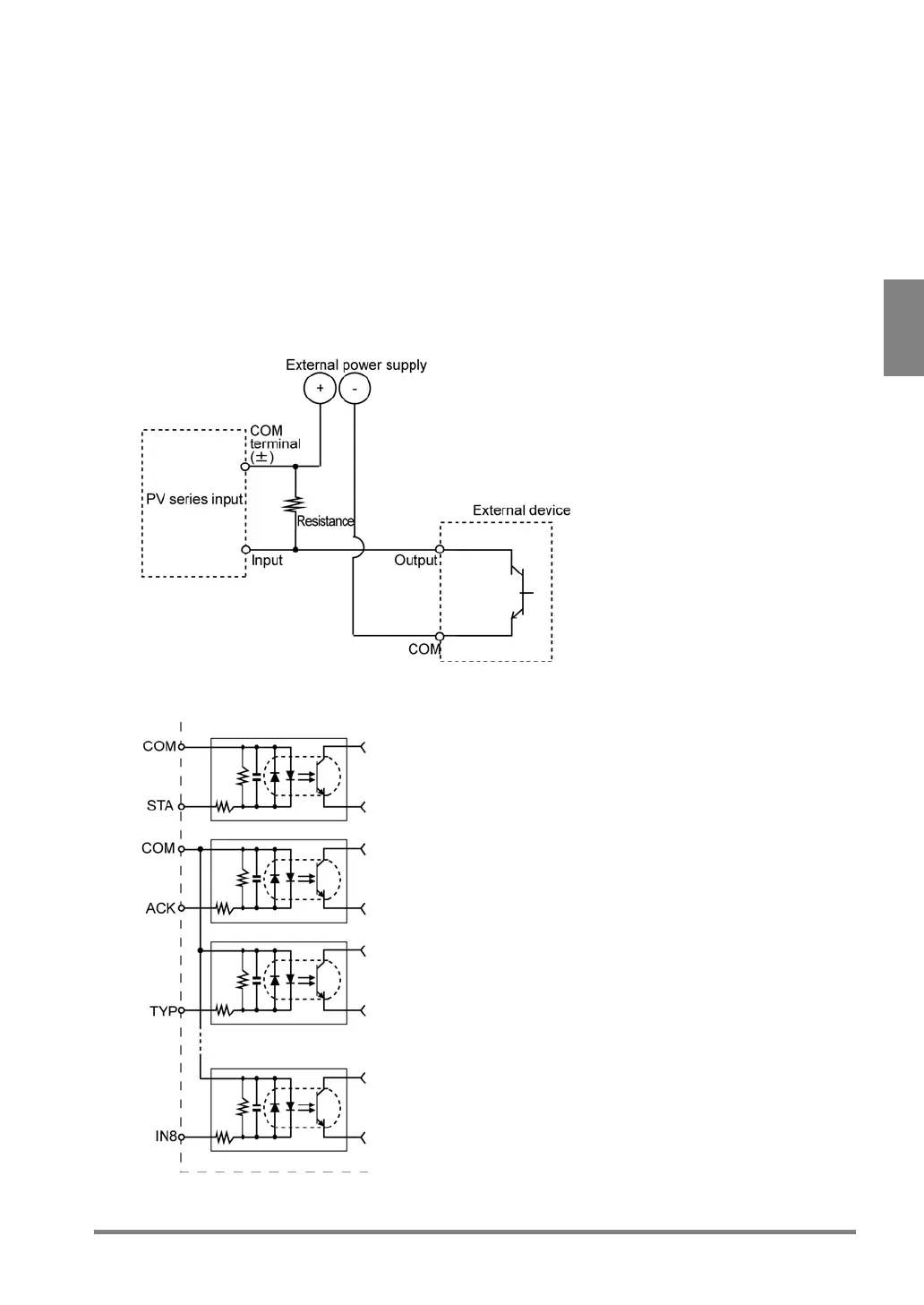
• When current is leaking from the input side, input may not be turned off. In such a case, connect a resistor
using the diagram below for reference.
• The COMMON terminal for START signal cannot be commonly used with other COMMON terminals.



 To Next Page