52
Basic O
eration
Cha
ter 4
Increasing the Number of Polygon Vertices
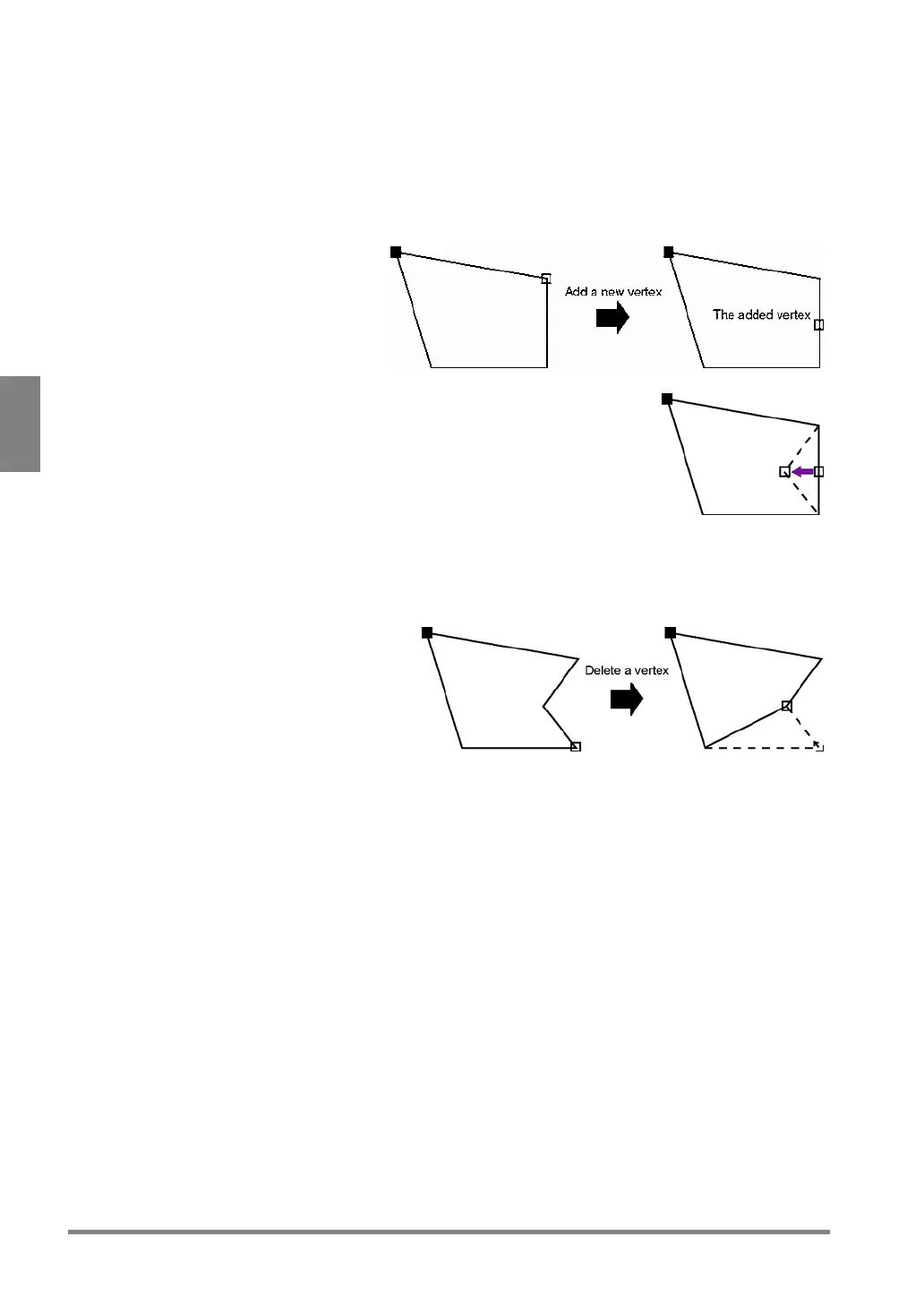
You can add up to 16 vertices to a polygon.
1. Move the desired vertex and press the B key.
The submenu is displayed.
2. Select "Add Point" from the menu.
A new vertex is added near the
middle position between the currently
selected vertex and the next vertex.
3. Choose the added vertex (the white square mark on the polygon).
Move the end point by tilting the ENTER key in the desired direction and press
the ENTER key to fix the position.
Now you can set the next vertex. The repetitious execution of steps starting
from 1 to 3 creates a polygon with maximum 16 vertices.
Deleting a Vertex of Polygon
1. Select the vertex you want to delete.
2. Press the B key.
The submenu is displayed.
3. Select "Delete" from the menu.
The vertex you selected is deleted.



 To Next Page