74
Settin
Checkers
Cha
ter 6
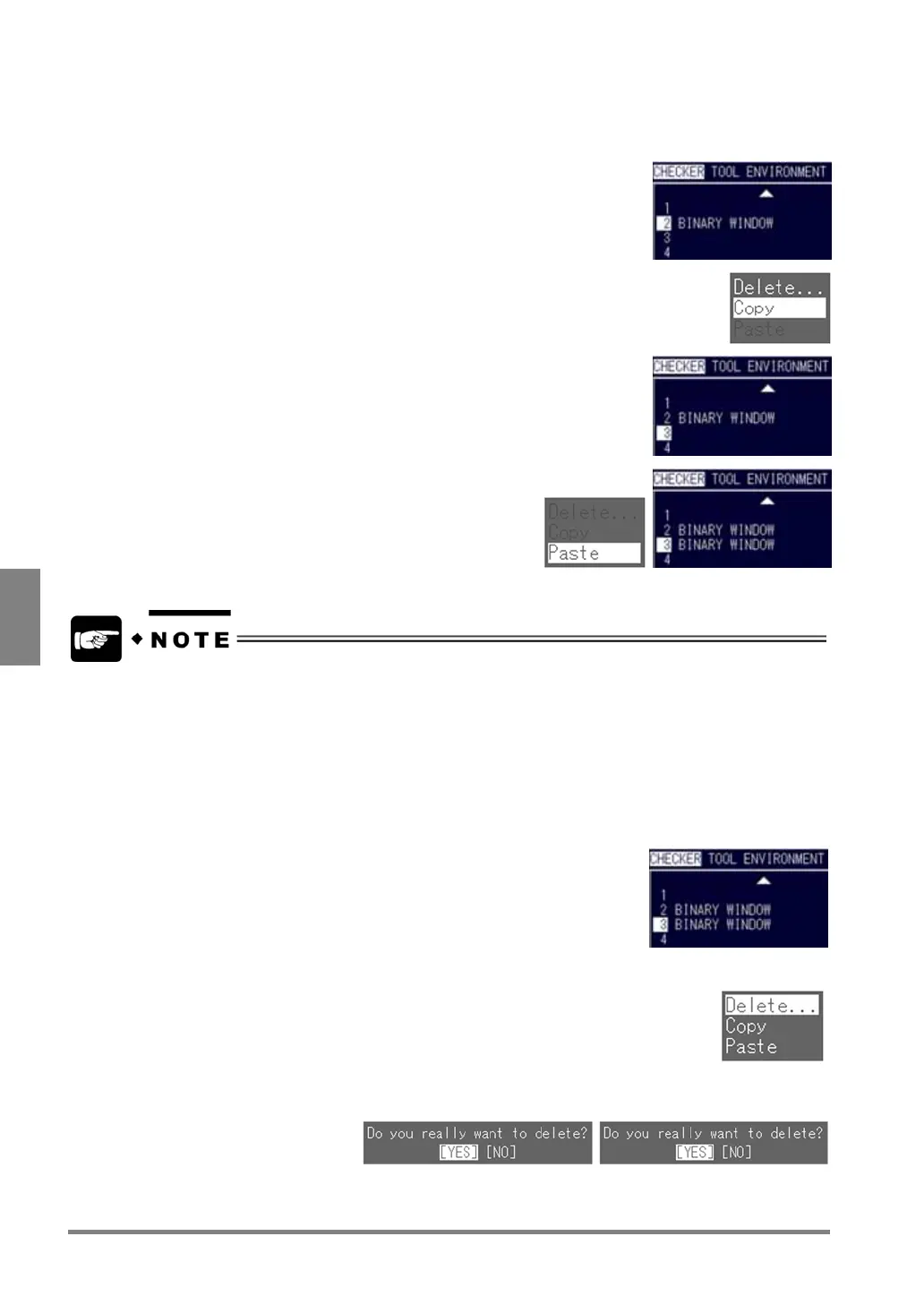
Copying the Checker
To copy a checker that is already created:
1. Highlight the number of the checker that you want to copy and
press the B key.
The submenu associated with the checker function is displayed.
2. Select "Copy".
3. Select the destination Checker No. and press the B key.
4. Select "Paste".
After the checker number was copied, the checker type is
displayed in the display area of the destination checker
type.
You cannot copy the Position/Rotation Adjustment checkers.
Deleting the Checker
To delete a checker that is already created:
1. Highlight the checker number you want to delete.
The submenu associated with the checker function is displayed.
2. Select “Delete”.
The dialog message box appears saying "Do you really want to delete?"
3. Choose "YES" to continue.
The checker is deleted, and the title field is cleared.



 To Next Page