Ops 6–10 • Wipes, Patterns, Washes, and Mattes Vision Operator’s Manual (v12.0 MD)
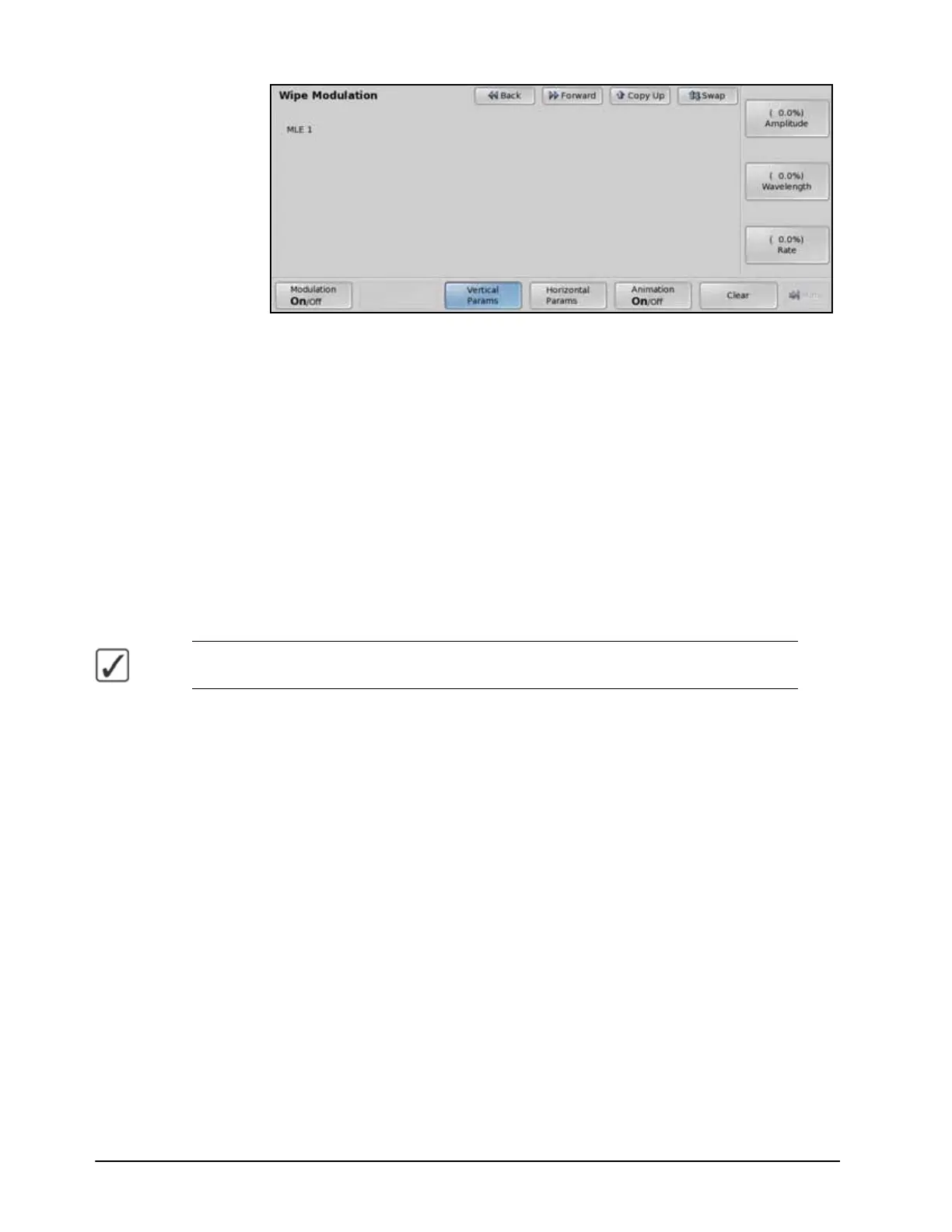
Vertical Params — Wipe Modulation Menu
•Use the Amplitude knob on the Wipe Modulation Menu to adjust the height of
ripples.
•Use the Wavelength knob on the Wipe Modulation Menu to adjust the width of
the of ripples used, or the number of the ripples.
4. Adjust the ripples on the top and bottom sides of the pattern as follows:
• Press Horizontal Params on the Wipe Modulation Menu.
•Use the Amplitude knob on the Wipe Modulation Menu to adjust the height of
ripples.
•Use the Wavelength knob on the Wipe Modulation Menu to adjust the width of
the of ripples used, or the number of the ripples.
5. Animate the ripples as follows:
• Toggle Animate to On on the Wipe Modulation Menu.
Operating Tip — Toggling Animate to Off while the pattern is moving freezes the pattern
without affecting the rate.
• Press Vertical Params on the Wipe Modulation Menu.
•Use the Rate knob on the Wipe Modulation Menu to adjust the speed that the
ripples move along the vertical sides of the pattern. A positive value moves the
ripples right to left and negative values move the ripples left to right. A value of 0
causes the ripples not to move.
• Press Horizontal Params on the Wipe Modulation Menu.
•Use the Rate knob on the Wipe Modulation Menu to adjust the speed that the
ripples move along the horizontal sides of the pattern. A positive value moves the
ripples top to bottom and negative values move the ripples bottom to top. A value of
0 causes the ripples not to move.
This completes the procedure for adjusting the wipe modulation.



 To Next Page