Ops 18–8 • Appendix A: Pre-loaded Effects Vision Operator’s Manual (v12.0 MD)
Vision Slots
The Vision control panel incorporates a special mode in which pseudo-random information is
statistically measured on a cumulative basis.
Use the following procedure to play the Vision Slot Machine:
1. Navigate to the Device Test Menu as follows:
• Press HOME B More B Setup B Panel Diagnostics B Module Test
B Device Test.
2. Double-press the blank button to the left of the EXIT button to display the Slot Machine
Menu. The buttons and indicators on the control panel go dark, and the transition
progress bar on one of the Transition Modules lights up.
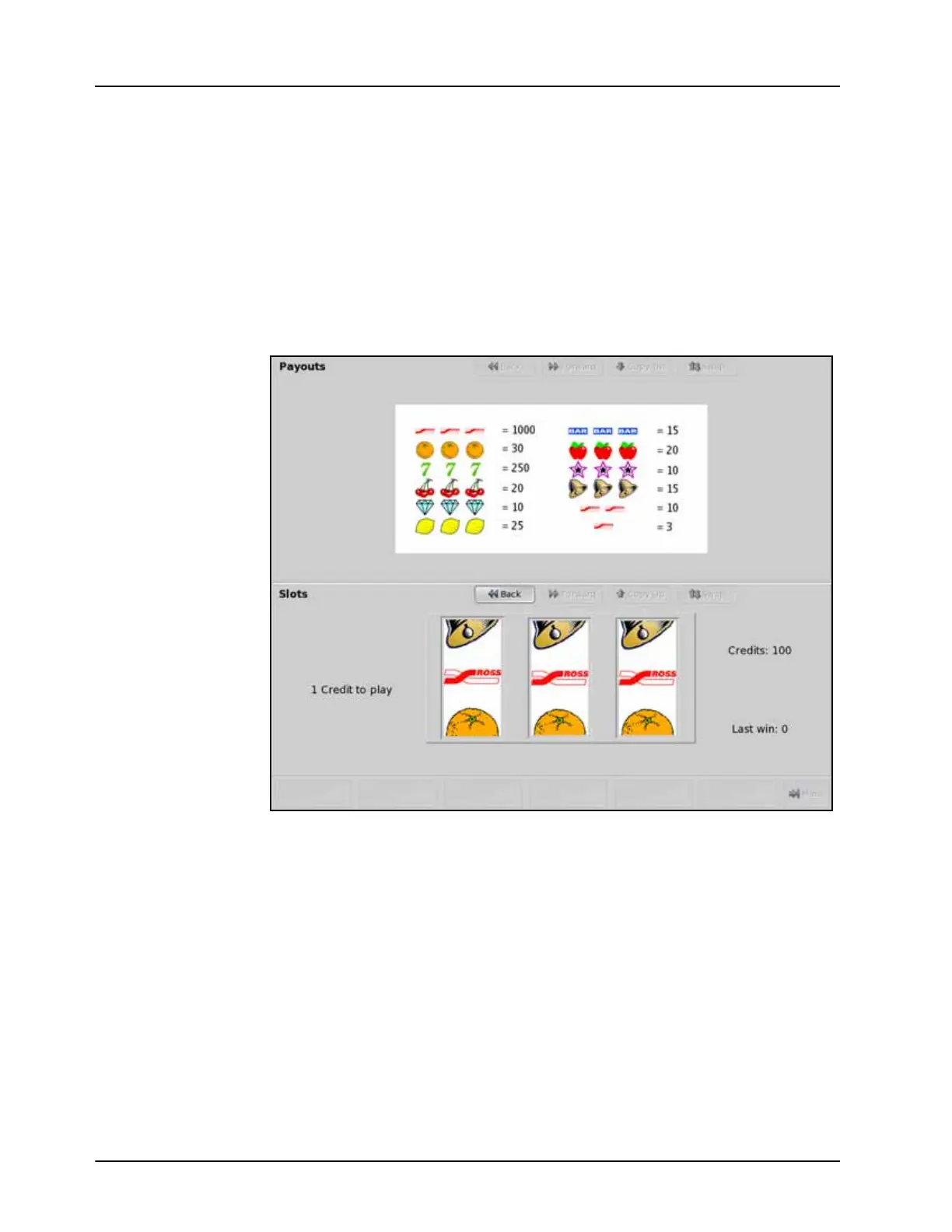
Slot Machine Menu
3. Move the Fader on Transition Module to the upper limit, if it is not already there. The
fader handle acts as the arm on the slot machine and must be started from the upper limit
position.
4. Move the Fader from the upper limit to the lower limit to simulate the pull of the slot
machine arm. The columns spin around and eventually settle on three play line symbols.
Winnings are calculated based on the table shown in the upper display region. The more
credits you win, the faster the buttons on the control panel flash.
This completes the procedure for playing the Vision Slot Machine.



 To Next Page