Vision Operator’s Manual (v12.0 MD) Switcher Basics • Ops 4–7
The second line of the display shows which Keyer, or Utility Bus, the Key Bus is assigned to. You
can cycle through all the keyers by pressing the SEL button. If you have the MultiDSK option
installed, the additional keyers are shown on the display.
Assigned to Aux Bus
When the Panel Row is assigned to an Aux Bus or AuxKey, the display shows the Aux Bus that
the Panel Row is assigned to, and what is selected on the Aux Bus.
Figure 4.7 Assigned to AuxKey — Panel Row Display
In the example shown (Figure 4.7), the Panel Row is assigned to Aux Bus 5 on Bank 3 and
Server3 is selected on the Background. The video source that is selected for the key of the
AuxKey is not shown.
For More Information...
• on Frontside/Backside video, refer to the section “Frontside/Backside Video” on
page Ops 12-14.
Select Button
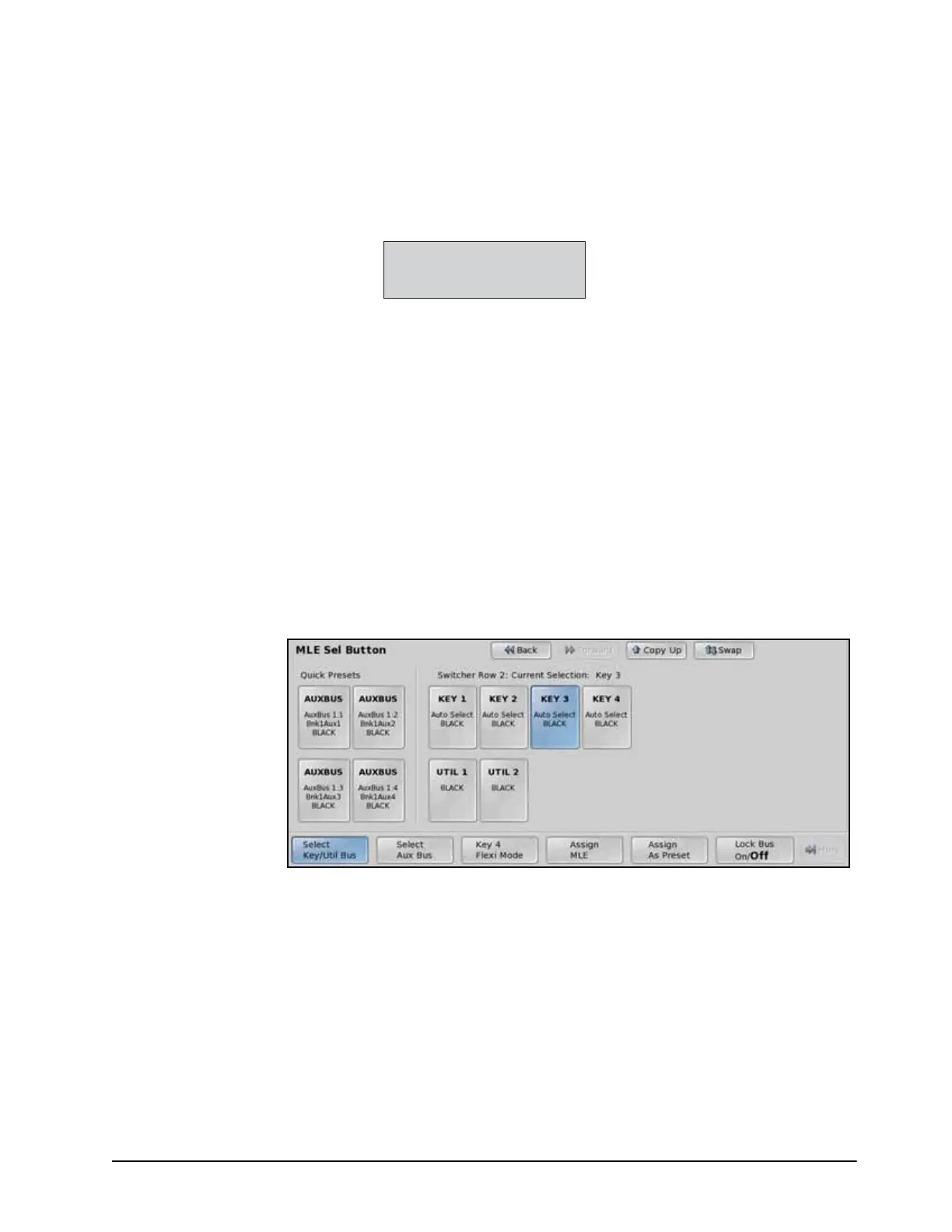
When you press the Select (SEL) button on the Panel Row, the Key Bus is toggled between the
Keyers, and the Utility Bus, and the MLE SEL Button Menu is displayed. This menu allows
you to assign the Key Bus to a keyer, a utility bus, or an Aux Bus, or the entire Panel Row and
accompanying Transition, Keyers, and Memory Modules to an AuxKey or another MLE.
MLE SEL Button Menu
On the left side of the menu are 4 Quick Presets that are used to quickly assign the Panel Row to
a keyer, Aux, or MLE. To set up a quick navigation button, you must first set up the assignment
you want to use, and then save it to one of the Quick Preset buttons.
You can lock the Panel Row to the current assignment by toggling the Lock Bus button on the
MLE SEL Button Menu to On. This prevents the Key Bus from auto following a key selection,
or other button press, on the Effects Keyer Module that is associated with the Panel Row. It also
prevents the SEL button on the Panel Row from cycling though the keyers.
For More Information...
• on storing a Quick Preset, refer to the section “Assigning a Quick Preset” on page Ops
4-11.
• on editing a bus map, refer to the section “Creating Bus Maps” on page Eng 7-13.



 To Next Page