Vision Operator’s Manual (v12.0 MD) Keying • Ops 7–41
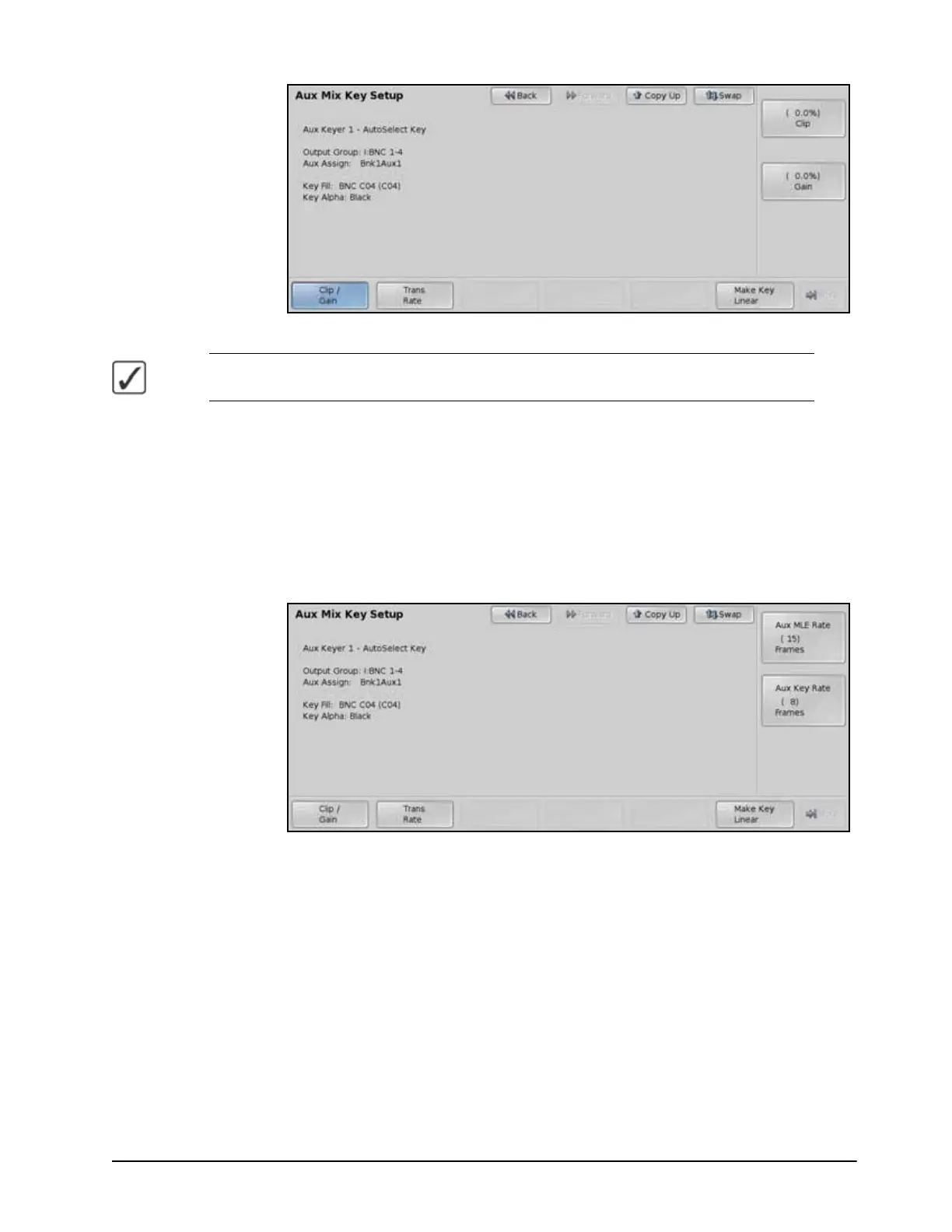
Self Key — Aux Mix Key Setup Menu
Operating Tip — You can return the Clip and Gain values to the default setting by pressing
the Make Key Linear button on the Aux Mix Key Setup Menu.
4. Adjust the Clip and Gain of the key as follows:
• Press Clip/Gain on the Aux Mix Key Setup Menu.
•Use the Clip knob on the Aux Mix Key Setup Menu to adjust the clip level.
•Use the Gain knob on the Aux Mix Key Setup Menu to adjust the gain, or
softness.
5. Adjust the Transition Rates for the AuxKey as follows:
• Press Trans Rate on the Aux Mix Key Setup Menu.
Transition Rate — Aux Mix Key Menu
•Use the Aux MLE Rate knob on the Aux Mix Key Setup Menu to adjust the
transition rate of Background transitions in frames.
•Use the Aux Key Rate knob on the Aux Mix Key Setup Menu to adjust the
transition rate of Keyer transitions in frames.
This completes the procedure for setting up an AuxKey. Once set up, the key can be taken on-air
using the transition button on the Keyers Module, or using the Transition Module.
For More Information...
• on performing transitions, refer to the section “Performing Transitions” on page Ops
5-12.
• on setting up the AuxKey option, refer to the section “AuxKeys” on page Eng 8-22.



 To Next Page