[Network]
322
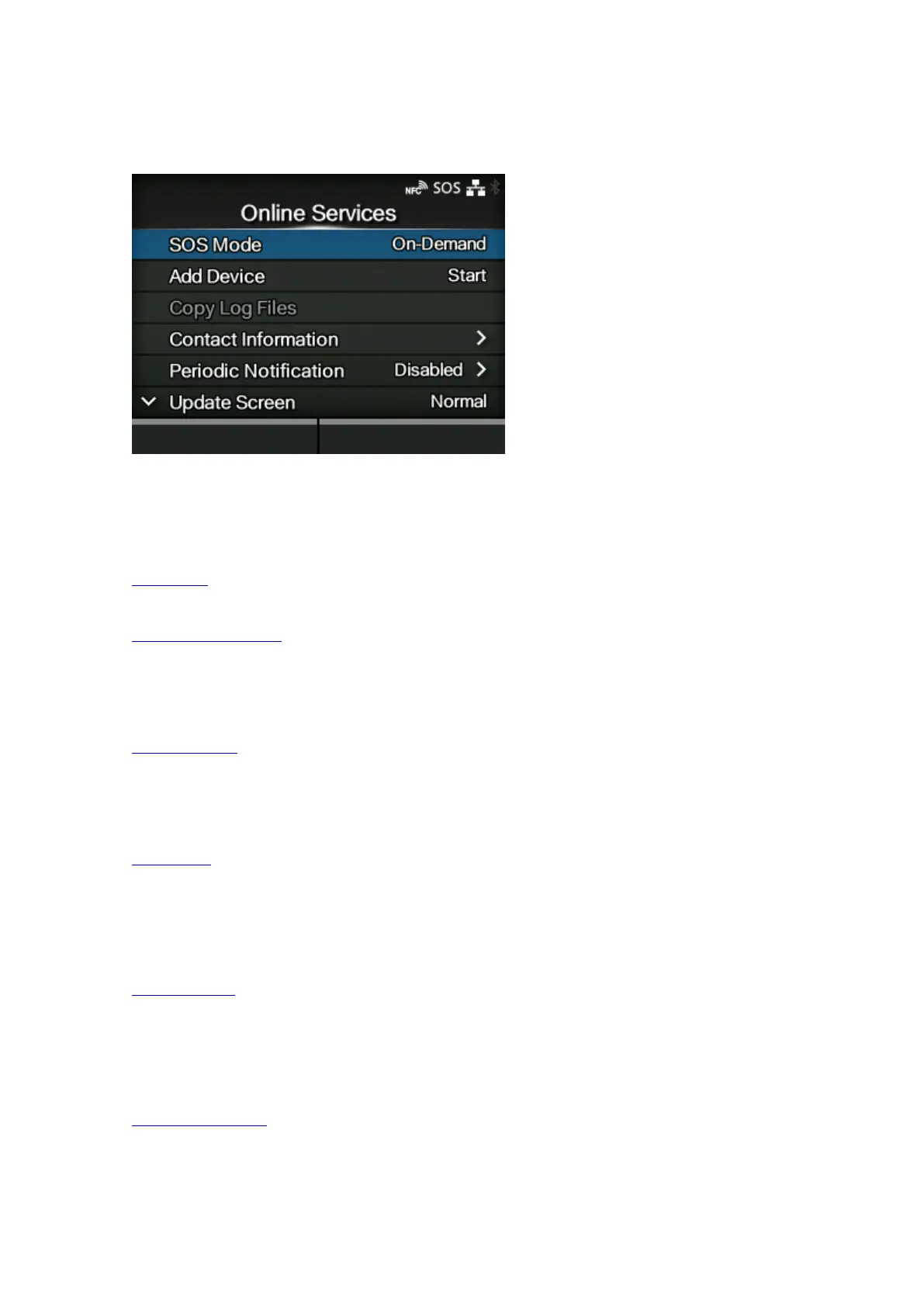
[Online Services] (SOS users only)
Set the functions for SOS (SATO Online Services).
To use SOS Real-Time and On-Demand periodic notification, it is necessary to first create an SOS
account and add the product.
The setting items are as follows:
SOS Mode
Selects the mode for SOS or disable SOS.
Allow Remote Control
Sets whether to allow setting the product (remote control) from SOS.
◦ Appears only if you have selected [Real-Time] in the [SOS Mode] menu.
MQTT Protocol
Set the communication method for MQTT.
◦ Appears only if you have selected [Real-Time] in the [SOS Mode] menu.
Add Device
Shows the serial number and association code that are necessary when adding the product to
SOS.
◦ Appears if you have selected other than [Disabled] in the [SOS Mode] menu.
Copy Log Files
Copies an SOS log file to USB memory.
◦ Appears if you have selected other than [Disabled] in the [SOS Mode] menu. It is available only
when the log data is in the product and the USB memory is inserted into the product.
Contact Information
Sets the SOS contact information that is displayed at the time of the error outbreak.
◦ Appears if you have selected other than [Disabled] in the [SOS Mode] menu.



 To Next Page