Preparing the Engineering
92 SICAM RTUs, User Manual SICAM CMIC
DC8-001-2.09, Edition 08.2016
Reload
This button causes an update of the data saved last in the device. If you changed values and
you did not yet save it,
• Click on the button, if you want to discard these changes
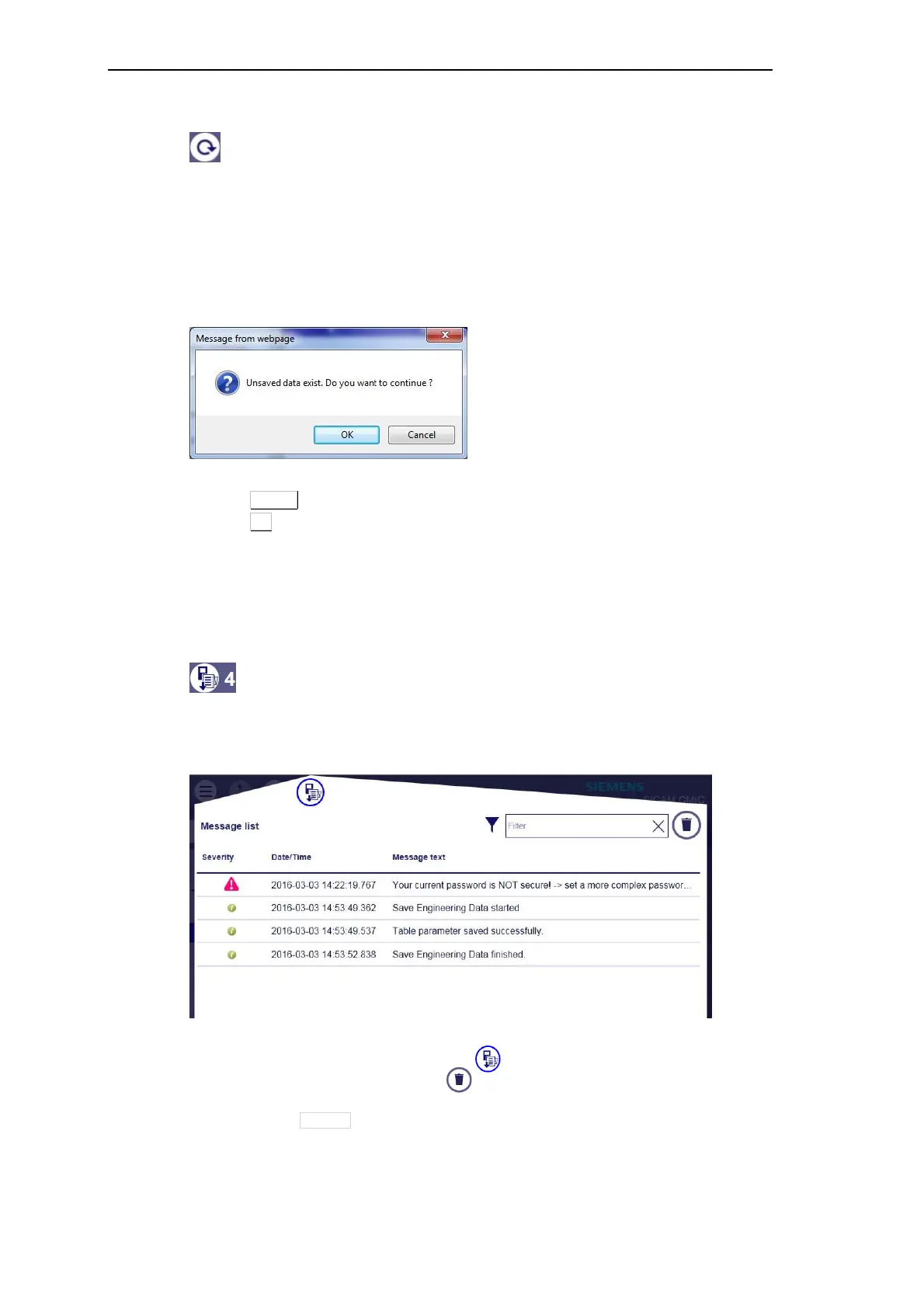
The web browser opens an interrogation dialog according to the following example:
• select Cancel, if you want to abort the procedure
• select OK to update (unsaved data will be lost)
If for instance one administrator and up to two guest are logged on to the same device,
the changes made and stored by the administrator will be visible for the guest only upon
reload.
Show status log
This button causes the display of a list of error information, warnings and information logged
during the current session:
• You may close the list by means of button
• You may clear all by means of button
• You have the possibility to specifically search for certain information:
─ In the field Filter enter the word (or a part of it) to search for
─ Click the cross to reset the filter



 To Next Page
 Loading...









