Preparing the Engineering
98 SICAM RTUs, User Manual SICAM CMIC
DC8-001-2.09, Edition 08.2016
3.8.2.4 Restart Request
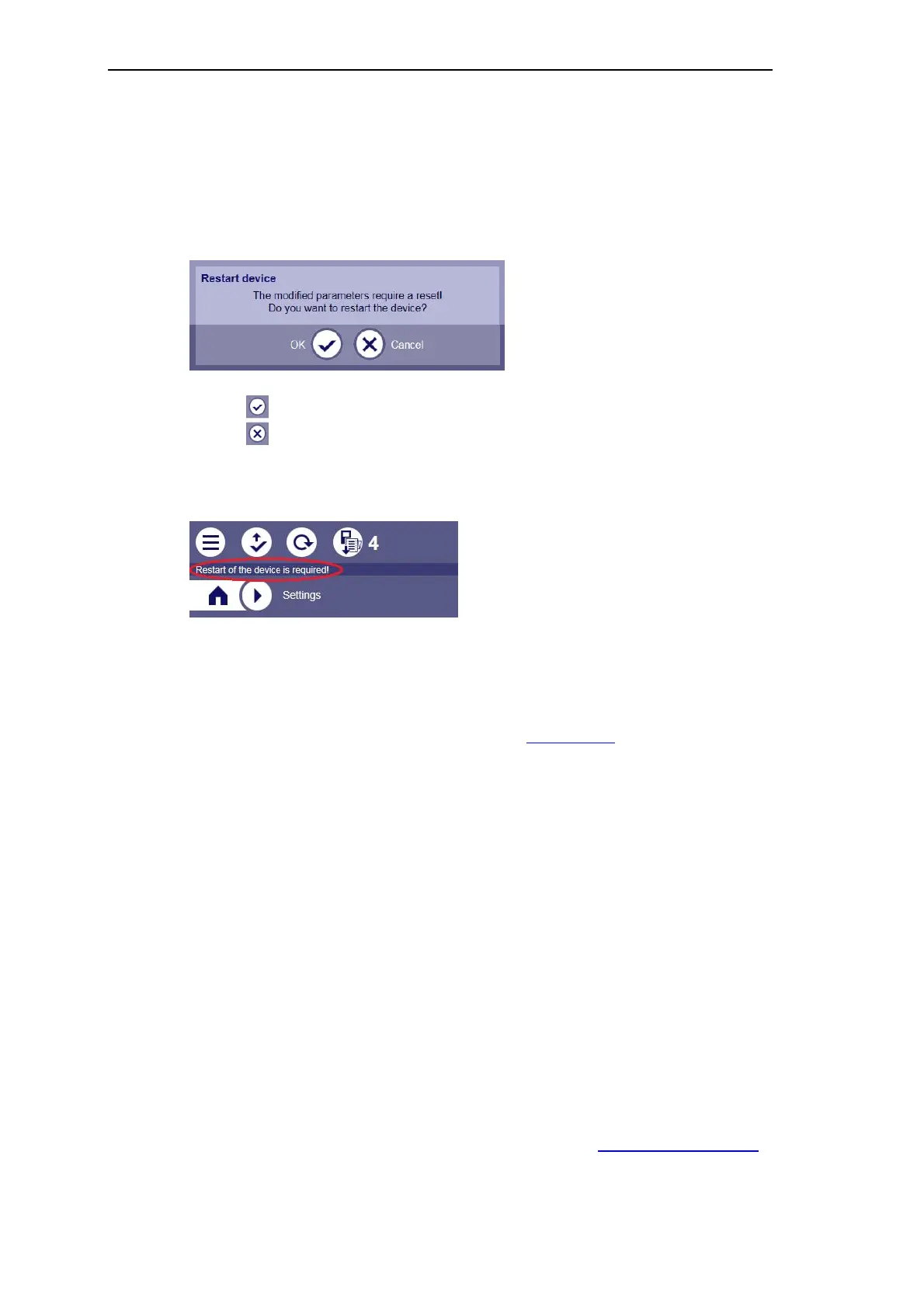
Under certain circumstances a restart of the device will be necessary (for instance if a
changed parameter requires a restart for activation, or after updating of the SICAM WEB ap-
plication). In this case, a corresponding dialog appears:
• Click , if you want to perform the restart instantly
• Click , if you want to change arbitrary further parameters yet
The restart request appears then as an indication in the headline:
You can define the moment of the restart, and with that the activation of the changed parame-
ters, on your own. The indication is maintained also with change of the menus and also after
abortion of the session. It disappears only after the performance of a startup of the target de-
vice.
For the informationen on execution of a restart refer to Restart device.
3.8.2.5 SICAM TOOLBOX II Locking
If the initial engineering has been performed with the SICAM TOOLBOX II, a corresponding
indication appears in the header. Then only a reading access to the parameterization is possi-
ble.
3.8.2.6 Language Versions
SICAM WEB is available in the following languages:
• English
• German
The language of the GUI corresponds to the language settings of your browser. If the browser
language is not supported, English will be used as the standard language.
Additionally, you have the option of installing language packs, see Install Language Package.



 To Next Page
 Loading...









