Operation 5
Commissioning
Blue-Q_029_V2
1
2
Defining the driver PIN
NOTE
The driver PIN can only be defined by persons
with the corresponding access authorisation,
e.g. fleet managers. In order for the fleet
manager to define the driver PIN, the confi-
guration menu must be accessed. The confi-
guration menu is password-protected. After
entering the password, the fleet manager can
configure general settings for the truck. To
change the password, see the chapter entitled
"Changing the password".
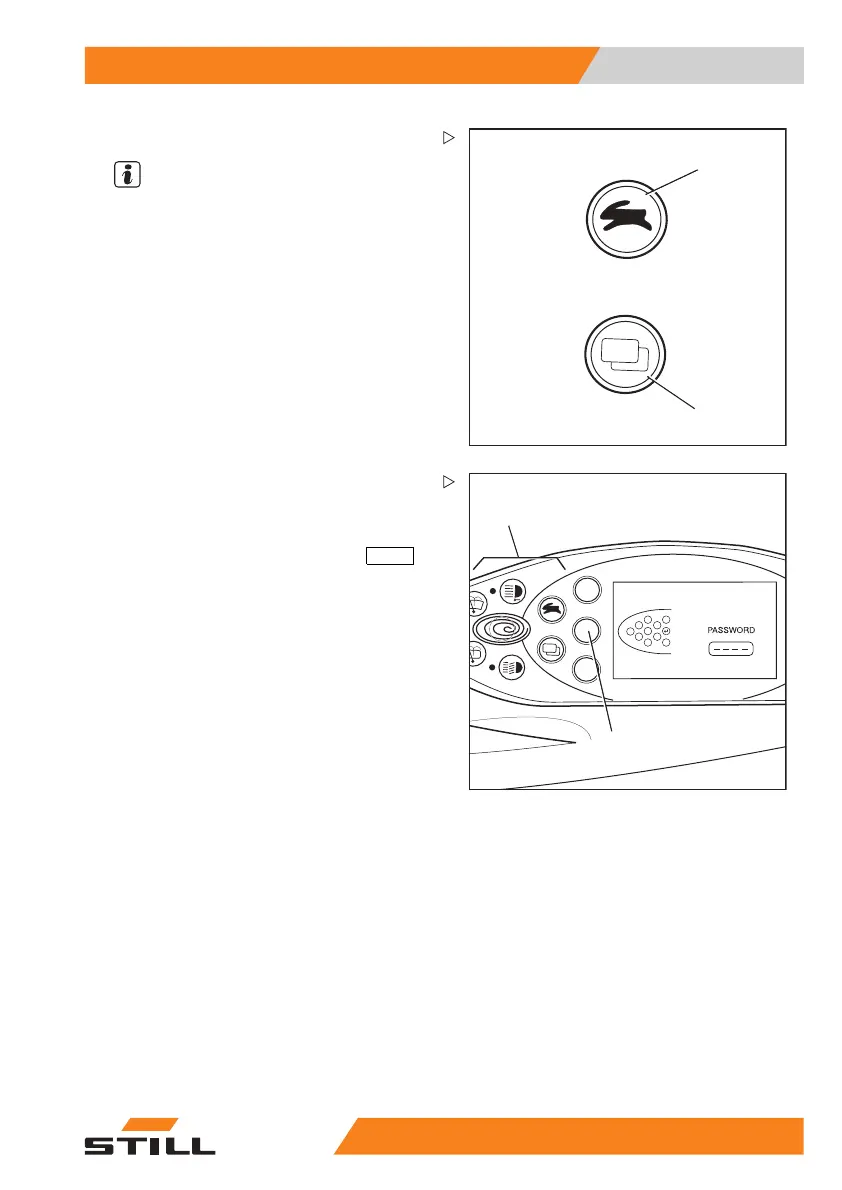
– Push the drive program selection button (1)
and the menu change button (2) at the same
time.
1
2
BQ_030_en_V2
1
2
6
7
3
4
5
ESC
PASSWORD appears in the display.
– Enter the four-digit password (factory
default: 2777) using the buttons (1).
– Confirm the entry by pressing the
ENTER
button (2).
55
048011501 EN - 12/2015 89



 To Next Page