Operation 5
Commissioning
1
2
6
7
3
4
5
ESC
BQ_034_en_V2
12
3
4
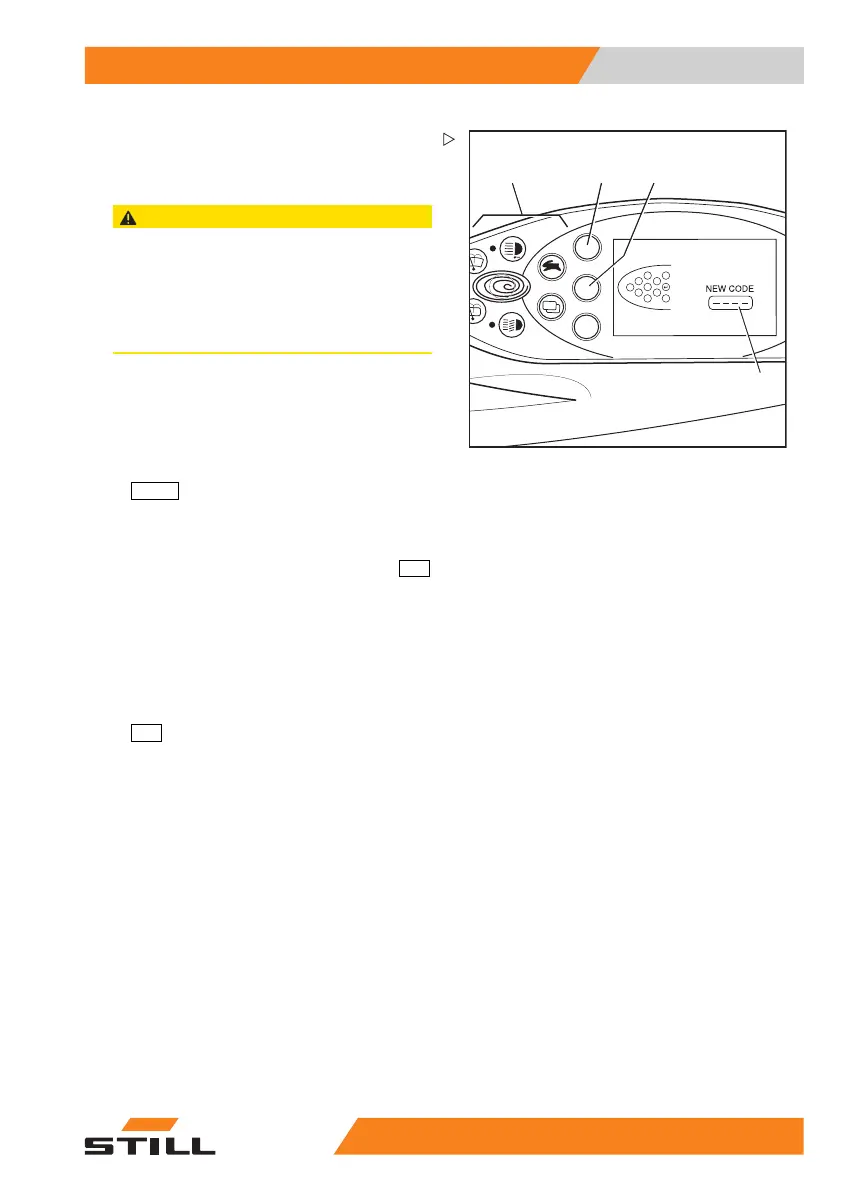
NEW CODE appears in the display.
The four-digit password can be entered using
the buttons (1).
CAUTION
Do not enter the password 1777!
If this password is entered, the configuration op-
tions for the fleet manager are restricted to driver
authorisations and cannot be reset independently.
The authorisations can only be reset by the autho-
rised service centre!
– Enter the new desired password using the
buttons (1).
The digits entered are shown in plain text in
the
NEW CODE field (4).
– Confirm your selection by pressing the
ENTER
button (3).
In the
NEW CODE field, -??- appears briefly.
The new password is confirmed.
– To correct the new password, push the
ESC
button (2).
The display switches back to
PASS-
WORD/PASSWORD LEVEL
.
– Repeat the process steps from
PASS-
WORD/PASSWORD LEVEL
.
– To exit the configuration menu, push the
ESC
button repeatedly until the standard
displays appear.
55
048011501 EN - 12/2015 95



 To Next Page