5 Operation
Handling the battery
5060_003-136
4
1
2
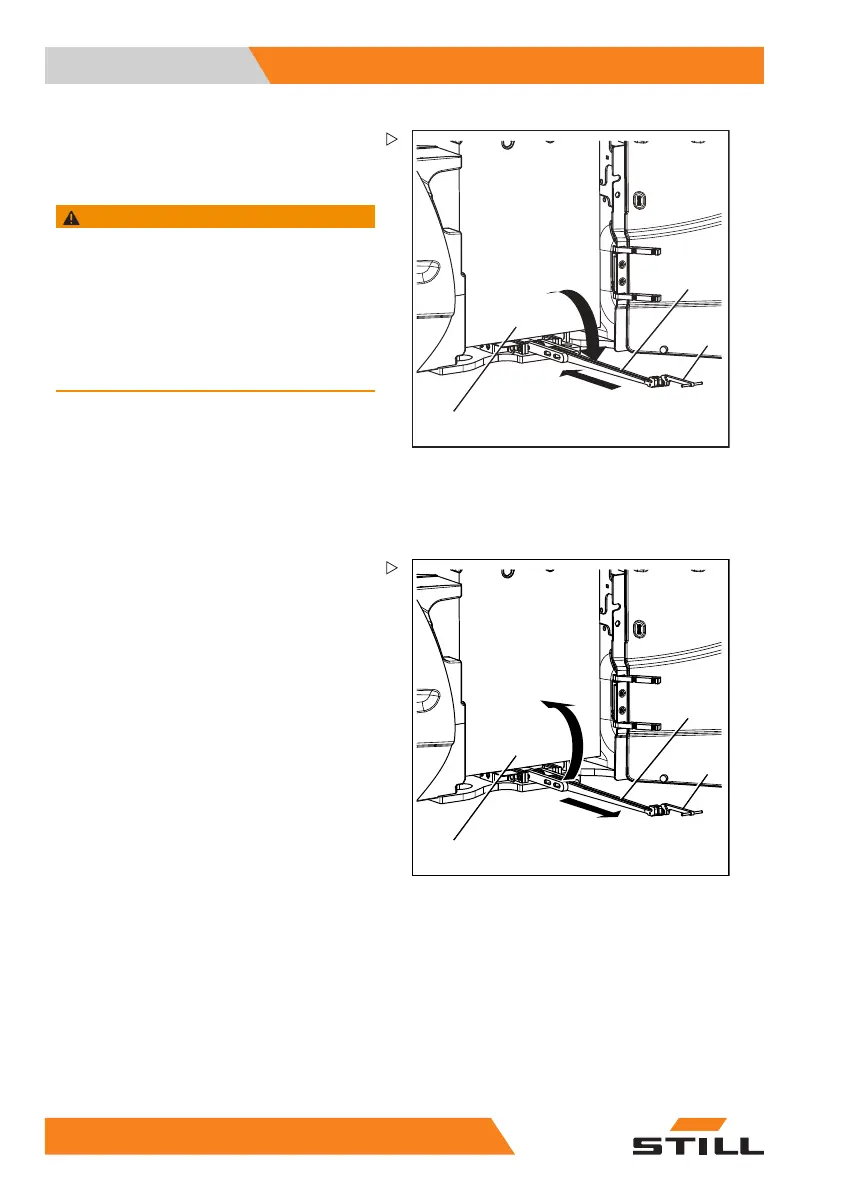
– Grip the lock (1) at the handle (2) and fold it
down fully.
– Push the lock fully under the battery tray (4).
WARNING
The battery can now move freely and may roll away
unimpeded, creating a risk of crushing!
– People must not stand directly in the battery’s
direction of travel or in the battery compartment.
– Do not place objects or any parts of the body
between the battery and the truck chassis.
– Do not attempt to keep hold of the battery if it rolls
away.
The battery is now freely accessible and can
be pulled out of the battery compartment using
an external device (such as an external roller
channel; see chapter "Replacing the battery
using an external roller channel").
Activities after installation of the battery
5060_003-149
4
1
2
– Grip the lock (1) at the handle (2), pull it out
from under the battery tray and swing it up.
27
2 55048011501 EN - 12/2015



 To Next Page