38
Cedex HiRes Analyzer Operator’s Guide
C
C
3 The Multi Run Dialog Box
Moving parts of the Multi Sampler may cause hand injuries. The Multi Sampler needle may cause
injuries during operation. Never use the Cedex HiRes Analyzer without the protective cover in place for the
Multi Sampler.
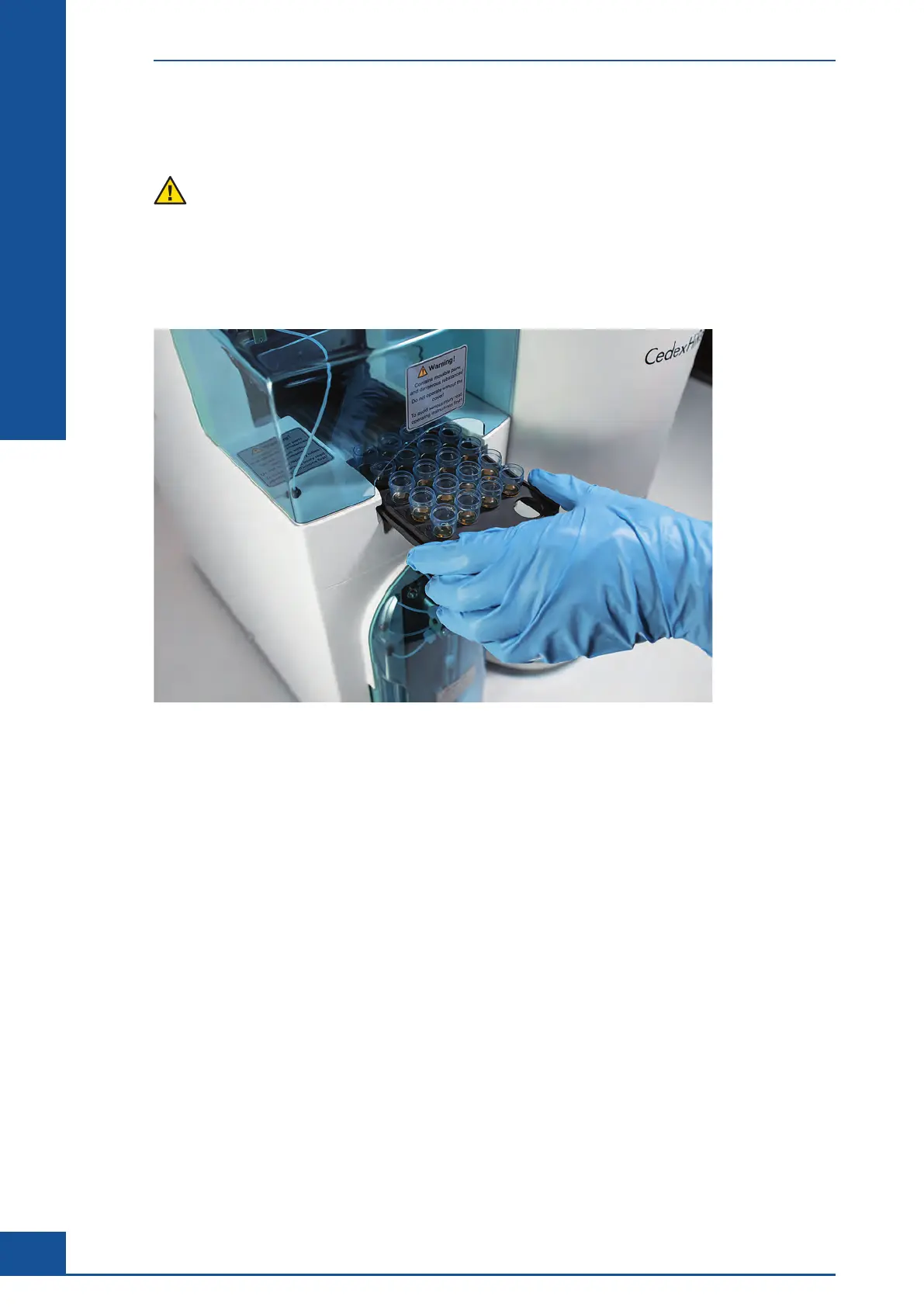
The Multi Sampler is part of the Cedex HiRes Analyzer and can convey up to 20 cell suspension samples in
sequence to the Cedex HiRes Analyzer for analysis. Once the samples have been loaded into the Multi Sample
Tray and the analysis parameters for each sample have been set, the samples are automatically delivered to the
Cedex HiRes Analyzer and analyzed.
Figure 8
3.1 Setting up Multiple Measurements Using the Multi Run Dialog Box
To set up a measurement in the Multi Run dialog box of the Cedex Control Center:
c
Open the Multi Run dialog box and prepare samples for analysis.
c Define the Sample Parameters and the Measurement and Analysis Parameters in the Multi Run preparation
table.
c
Schedule the samples via the Status column and start the measurement.
Refer to the Cedex HiRes Analyzer User Training Guide, Setting up Multiple Measurements using the Multi Run
Dialog Box, for step-by-step instructions for performing measurements using the Multi Run dialog box.
The Multi Run Dialog Box
Setting up Multiple Measurements Using the Multi Run Dialog Box



 To Next Page