31
Additional Applications
C
C
1.2.2 Add One or More Series of Measurements to the CTC View
To Find and Select Measurements for the New View
1
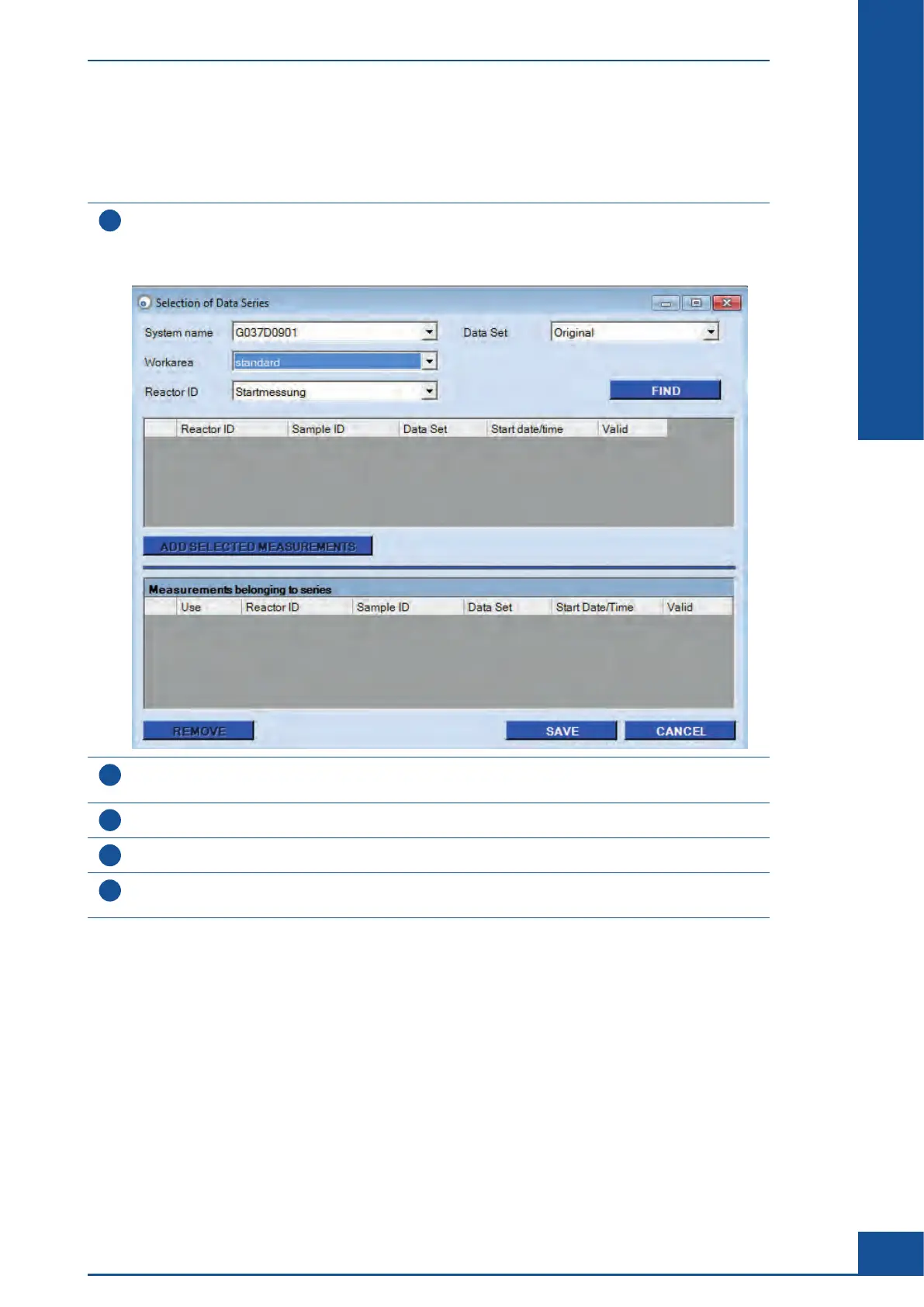
Select the View to be modified in the View area of the CTC Views dialog box and click on the NEW button
on the right-hand side of the Series of measurements belonging to selected view area.
The Selection of Data Series dialog box is displayed, in which you can select measurements for the creation
of a View.
2
Choose the desired System name if measurements from other systems that have been imported into the
database should be added to the chart (see Data Exchange in the Cedex HiRes Analyzer Operator’s Guide).
3
Choose the desired Workarea (base directory in which measurement data are stored).
4
Select the Reactor ID used for the growth curve measurements from the Reactor ID list.
5
Select the preferred measurement Data Set to be used from the Data Set list (original or effective
measurement data, see Section C, Chapter 2, Effective Data Sets).
ccc
Monitoring Growth of Cells Over Time
Result Analysis



 To Next Page