136
Cedex HiRes Analyzer Operator’s Guide
E
E
2 The System Audit Trail
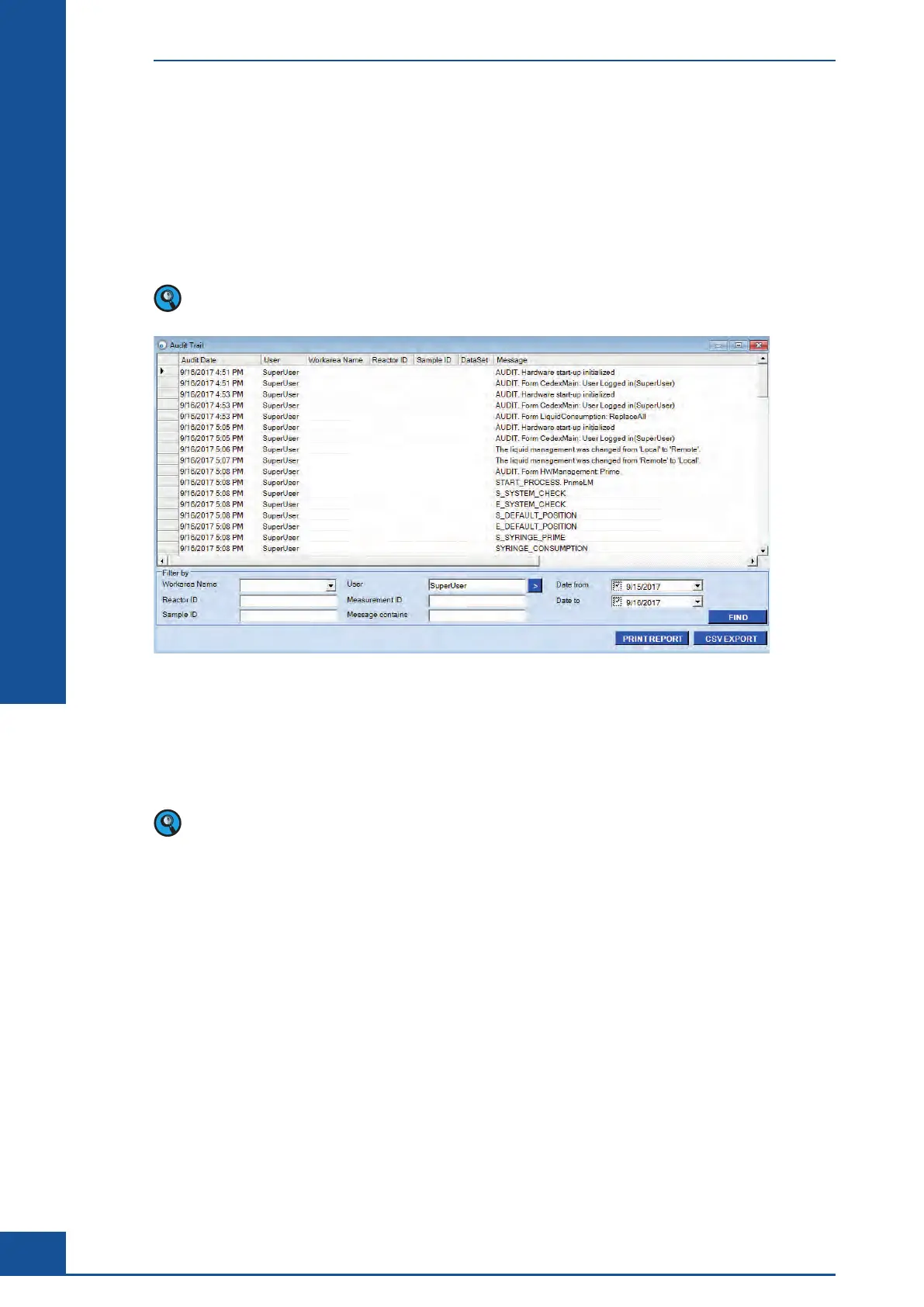
All user-initiated activities, as well as important actions performed by the Cedex HiRes Software, are recorded in
the Audit Trail. The system also logs all errors in the audit trail, including information about the error message.
The Audit Trail provides information about the User, Workarea Name, Reactor ID, Sample ID, and date and
time for each action.
In case of entries not related to a specific measurement, the fields Workarea Name, Reactor ID, Sample ID,
and Data Set will be empty.
Figure 48
The actions are classified by Event Types, and a short message provides further explanation.
A search filter is available to enable monitoring of user-initiated activities that also allows for defining the
period of time that is to be searched. Choose PRINT REPORT or CSV EXPORT to save the information in
another format.
When exporting to .csv format, note that:
c The additional parameter “AuditID” will also be exported. This parameter is only used by the system.
c The parameter “Measurement ID” will be assigned the value 00000000-0000-0000-000000000000 for
entries that are not related to a specific measurement.
The System Audit Trail



 To Next Page